
See every feature
Every feature of Page Builder Sandwich
20 free features and 34 more in Pro, listed from the plugin itself, so this page changes when the plugin does.
Already had a free trial? Buy now
Explore by topic
Speed
Page Builder Sandwich adds +0.5 kB to a page and no requests to other companies, measured. Each page loads only what it uses.
Accessibility
Pages that work with a keyboard and screen readers, stay still for people who ask for less motion, and a free accessibility checker while you build.
Building pages
Build in WordPress’s block editor or in Sandwich Studio, a full-screen visual editor. Theme builder, dynamic content and importers in Pro.
Design
Global colours, fonts and styles, a design system, a brand kit and a dark mode visitors can switch to.
Forms, popups and A/B tests
A multi-step form builder, popups, A/B tests, conversion tracking and a cookie banner, built from blocks.
Building pages
Free
Free blocks for every page
Layout, content (accordion, tabs, steps, modal, tooltip), marketing (call to action, testimonial), media (map, booking calendar, QR code) and site blocks (table of contents, related posts, sitemap).
Pro
Theme builder with display conditions
Design your header, footer, posts, archives, search and 404 pages on any theme, and show any template or block by page, user, device, time, URL, language or cart.
Pro
WooCommerce store builder
Design product, shop, cart, checkout, thank-you and My Account pages, compatible with the block checkout, plus product blocks and a mini cart.
Pro
Import from Elementor, Divi, Beaver Builder and WPBakery
Convert pages built with another page builder into blocks, keeping the layout, fonts, colours and images, with a report of anything that needs a manual touch. The original page is never changed.
Free
Accessibility checker
Flags missing alternative text, weak colour contrast and other problems while you build.
Pro
Write pages with AI
Describe a page and get a complete first draft built from real blocks, or several pages at once, using your own AI key.
Pro
An AI assistant that edits the page
Ask in plain words (“make the hero shorter”, “add an FAQ below the prices”) and the change is made with real blocks. One click undoes it.
Pro
Pro blocks for real sites
Sliders, pricing tables, galleries, countdowns, counters, timelines, store locators, mega menus, comparison and review blocks, and many more.
Pro
Dynamic content and query loops
Fill blocks from posts, authors and custom fields (ACF, Meta Box, Pods, JetEngine, Toolset), and list any content with a query loop and live filters.
Free
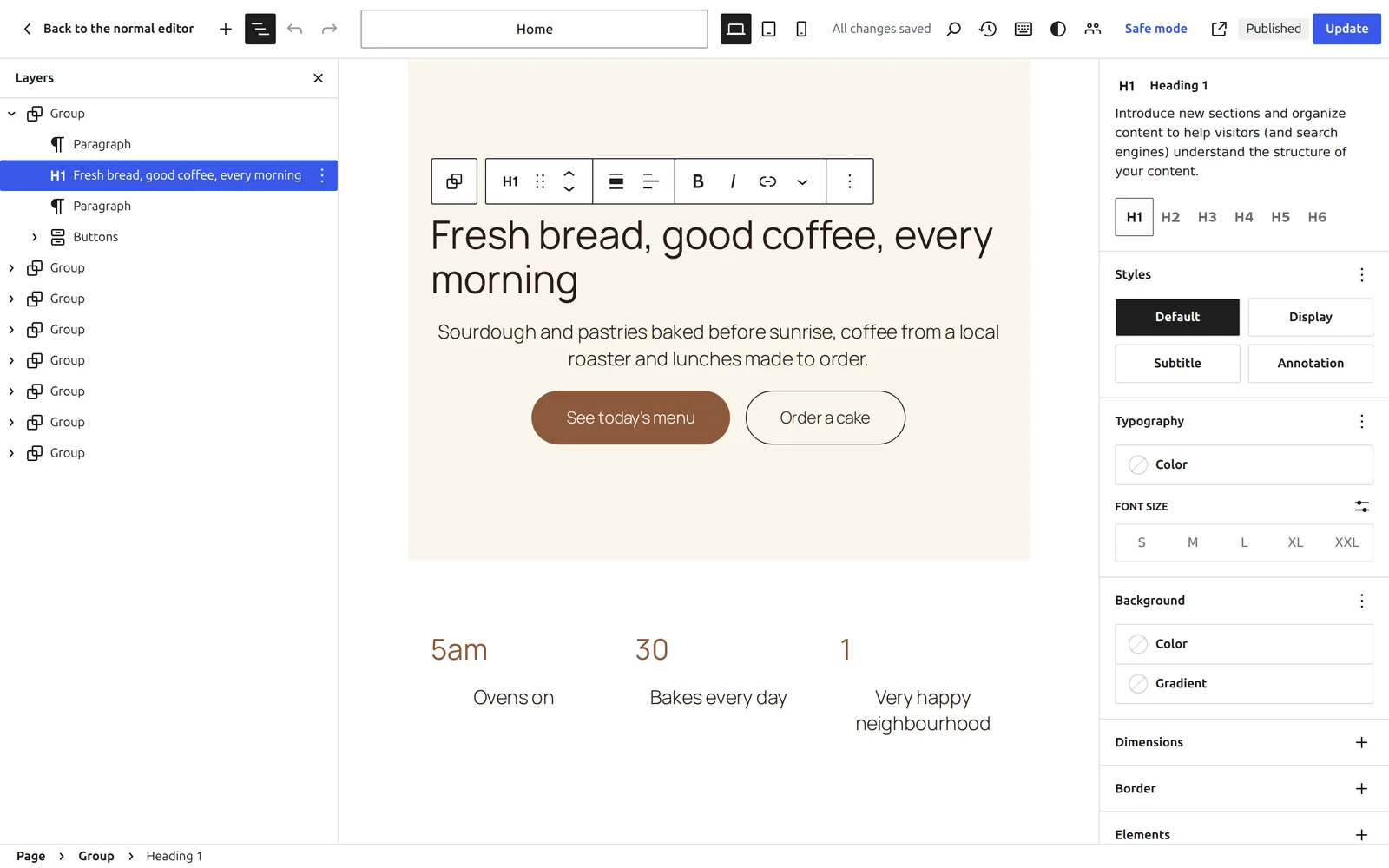
Sandwich Studio
A full-screen visual editor with a layers panel, undo history, a command palette and keyboard shortcuts.
Pro
Import from Figma
Paste a Figma frame link and get an editable page: auto layout becomes rows, columns and grids, text keeps its styles, and images go into your media library. Uses your own Figma account.
Free
AI assistants can build your pages
Claude, Cursor and other MCP clients can create pages, add and move sections and change blocks, with your WordPress permissions.
Free
Write and rewrite with AI
Improve, shorten, expand, fix or change the tone of any text block, or turn one sentence into a ready-designed section in your brand style.
Pro
One-click accessibility fixes
Finds images without alt text, headings that skip a level and links that say “click here”, and fixes them in one go.
Marketing and conversion
Free
SEO titles and alt text with AI
Writes a meta title and description straight into Yoast SEO, Rank Math, SEOPress or All in One SEO, and alt text for images by looking at them.
Pro
A built-in form builder
Multi-step forms, fields, actions and stored submissions, with no separate forms plugin.
Pro
A/B tests
Test two versions of a section and see which one converts better.
Pro
Mailing-list connections
Connect Mailchimp and other mailing-list services to your forms.
Pro
Cookie consent banner
A consent banner built from blocks that holds back scripts until visitors agree.
Free
Forms with the plugin you already use
A Form block for Contact Form 7, WPForms or Fluent Forms.
Pro
Popups
Build popups from blocks and decide when and where they appear.
Pro
Conversion tracking
Send button clicks and form submissions to your analytics as conversions.
Pro
Live reviews
Show reviews from your chosen sources and refresh them automatically.
Design
Pro
Custom blocks and designs from a screenshot
Describe a component to get a reusable block, or give a screenshot or a web address to get its layout as editable blocks.
Pro
AI CSS helper
Explain, write or fix the custom CSS of any element, with right-to-left safe properties.
Free
Self-hosted fonts
Serve Google Fonts and others from your own site, with no request to a third party.
Pro
A design system
Design tokens, CSS variables and global classes you define once and reuse everywhere.
Pro
Dark mode
A dark version of your design with a switch visitors can use.
Pro
Motion and Lottie animations
Entrance, scroll and hover animations on any block, and Lottie animations you upload.
Pro
Generate images
Create images with OpenAI or Google image models, saved to your media library with alt text.
Free
Site design in one place
Global colours, fonts, styles and breakpoints, kept in step with your theme’s theme.json.
Free
Icon sets and your own icons
Font Awesome Free, Lucide, Material Symbols and Phosphor, placed as inline SVG, plus icons you upload.
Pro
Brand kit
Apply your colours, fonts and logo to the whole site in one step.
Pro
Uploaded and Adobe fonts
Upload your own font files or connect Adobe Fonts.
Speed
Free
Only the CSS each page uses
Per-page styles from your uploads folder, neutral class names, and no HTML comments or generator tags.
Free
Your SEO plugin reads the real page
Yoast SEO, Rank Math, SEOPress and All in One SEO analyse the page as visitors see it, including text filled in from dynamic data.
Pro
Schema markup without duplicates
FAQ, How-To, Product, Review and breadcrumb structured data from your blocks, leaving out what your SEO plugin already adds.
Free
Works with Zinn® SEO
With Zinn® SEO, the FAQ, how-to, pricing and review blocks show in search as part of the page’s one set of structured data, Page Builder Sandwich’s AI writes your SEO title and description straight into it, and the Zinn® SEO blocks sit in the block list.
Pro
Critical CSS
The styles needed for the first screen are inlined, so pages paint sooner.
Pro
Performance score in the editor
Measure page weight, requests and layout shift from the editor, and shrink oversized images in one click.
Pro
Site health and clean-up
Find old revisions, unused patterns, heavy images and unused design classes, and clean each up in one click.
Kits and library
Free
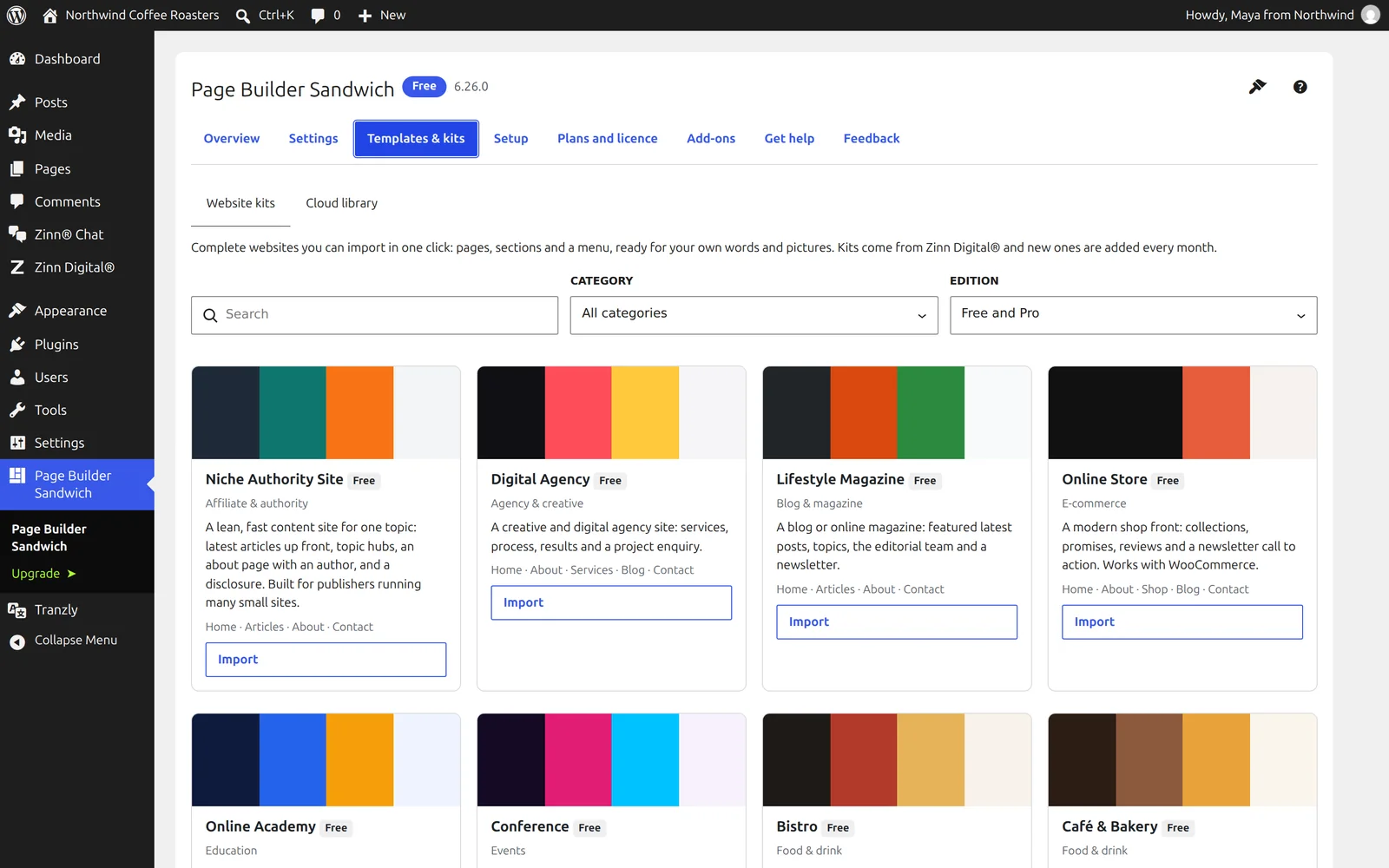
Website kits and patterns
Import a whole website kit or a single section pattern in one click.
Free
Import and export
Move templates, patterns, the site design and settings to another site as one file, or with WP-CLI.
Pro
Cloud library
Save designs once and reuse them on every site, stored with us or in your own storage.
Agencies and clients
Pro
Roles and client mode
Choose what each role can do in the builder, and lock a client to editing text and images only.
Pro
Find and replace across all pages
Change text, links or colours everywhere at once, with a preview first and one-click undo.
Pro
Teams and multisite
Share a design library with a team of sites and across a multisite network.
Pro
Maintenance and pre-launch mode
Show visitors a page you designed, with the right answer for search engines.
Pro
White label and client review
Rename the builder for client sites and let clients comment on a page before it goes live.
Migration, add-ons and AI
Free
Old pages converted for you
Pages made with earlier versions are converted to blocks in the background, with a backup and undo per page.
Free
A developer platform for add-ons
Add your own blocks, style controls, dynamic data sources, display conditions and form actions with a few documented PHP calls, with TypeScript types and a complete example add-on to copy.
Free
Help without sharing a password
Open a support ticket from wp-admin and, if you choose, give us a temporary login you can revoke at any time.
Free
Multilingual with Tranzly
A language switcher element, and every block translates with Tranzly.
Free
Settings and diagnostics for AI assistants
MCP clients can read and change the builder’s settings and read its diagnostics, with your permissions.
Page Builder Sandwich compared with other WordPress page builders
What each builder’s own pages said on the day we checked. A dash means we could not confirm it there, not that the feature is missing. Our column counts Page Builder Sandwich and its Pro edition together.
| Page Builder Sandwich(recommended) | Elementor | Divi | Beaver Builder | |
|---|---|---|---|---|
| Page weight added (measured) | +0.5 kB | +156.4 kB | — | +46.3 kB |
| Third-party requests added (measured) | 0 | 3 | — | 0 |
| Mobile Lighthouse impact (score without → with) | 100 → 100 | 100 → 96 | — | 100 → 99 |
| Free version | Included | Included | Not included | Included |
| Free blocks or widgets | 44 | 40+ | — | — |
| Saves pages as WordPress blocks | Included | — | — | — |
| Imports pages from Elementor, Divi, Beaver Builder and WPBakery | Included | — | — | — |
| Imports Figma frames as editable pages | Included | — | — | — |
| Accessibility checking | Included | Included | — | — |
| MCP server for AI assistants | Included | Included | — | — |
✓ yes · • partly, or only on a paid plan or add-on · ✕ no · — not confirmed on their own pages
The speed rows were measured on 2026-10-01 on a clean WordPress test site: the same page, each plugin’s free version, Lighthouse’s test for phones run 5 times, taking the middle result. In those rows, — means not measured, because the plugin is paid-only or needs an account we did not create. Competitor facts last checked on 2026-10-01. Something out of date? Tell us and we will correct it.
Build your next page with Page Builder Sandwich
Start free with 44 blocks and Sandwich Studio, then add Pro when you need forms, popups and a design system. Every paid plan starts with a 14-day free trial, no card needed.