ဘလော့ဂ်

  • WordPress ရှိ ဘေးကင်းလုံခြုံရေး အစီအမံများ- အရန်ကူးယူမှုများ၏ အရေးပါပုံ

    safety-measures-in-wordpress-the-importance-of-backupsဒါကို စိတ်ကူးကြည့်ပါ- သင့်ရဲ့ ပထမဆုံး WordPress ဝက်ဘ်ဆိုက်လေး နောက်ဆုံးမှာ အောင်အောင်မြင်မြင် လွှင့်တင်နိုင်ခဲ့ပါပြီ။ လပေါင်းများစွာအတွင်းမှာ ဒီလောက်အထိ အောင်မြင်မှုရသလိုမျိုး တစ်ခါမှ မခံစားခဲ့ရဖူးပါဘူး။ သင့်ကိုယ်သင် ထိုက်တန်တဲ့ ချီးကျူးမှုပေးသလို သင့်ရဲ့ ကြိုးစားအားထုတ်မှု အသီးအပွင့်ကို အကောင်အထည်ဖော်ဖို့ ကူညီပေးခဲ့ကြတဲ့သူတွေကလည်း သင့်ကို ချီးကျူးကြပါတယ်။ သင် လိုအပ်တဲ့ ပလပ်အင်တွေကို ထည့်သွင်းပြီး သင့်ဝက်ဘ်ဆိုက်ရဲ့ အနာဂတ်အတွက် ဆက်လက်စီစဉ်နေပါတယ်။ အရာအားလုံးဟာ တောက်ပနေပြီး အစစအရာရာ အဆင်ပြေချောမွေ့နေပါတယ်။

    မထင်မှတ်ထားတာ ဖြစ်မလာခင်အထိပေါ့။ သင့်ရဲ့ ဝက်ဘ်ဆိုက် ပျက်ကျသွားတဲ့အခါ။

    သင် ကိုယ့်ဘာသာ ပခုံးတွန့်လိုက်မိပါတယ်။ အတော်ဆုံးလူတွေဆီမှာတောင် ဒီလိုအရာမျိုး ဖြစ်တတ်တယ်ဆိုတာ သင် ကြားဖူးထားတာပဲလေ။ Mark Zuckerberg နဲ့ David Karp တို့မှာတောင် ဒီလိုကိစ္စမျိုး ကြုံဖူးခဲ့မှာ သေချာတယ်၊ အခုတော့ သူတို့နှစ်ယောက်စလုံး အားလုံး အဆင်ပြေနေကြတာပဲ မဟုတ်လား။

    ဒါကြောင့် ဖြေရှင်းနည်းတွေကို Google မှာ အသည်းအသန် ရှာဖွေပြီး ဝက်ဘ်ဆိုက်ကို ပြန်လည်အလုပ်လုပ်အောင် ကြိုးစားပါတော့တယ်။ ပထမအကြိမ်မှာ မအောင်မြင်ပါဘူး။ ဒုတိယအကြိမ်မှာလည်း မရပါဘူး– တတိယအကြိမ်၊ စတုတ္ထအကြိမ်၊ (၁၇) ကြိမ်မြောက်နဲ့ (၂၂) ကြိမ်မြောက်မှာတောင် မရပါဘူး။ အရာအားလုံး လုံးဝပျက်စီးသွားပြီ၊ သင့်ဝက်ဘ်ဆိုက် ထာဝရပျောက်ကွယ်သွားပြီဆိုတာကို သဘောပေါက်လိုက်တဲ့အခါ မျက်လုံးတွေ ပြူးသွားရပါတယ်။ ဖြေရှင်းနည်းရှာဖို့ အင်တာနက်အနှံ့ လိုက်ကြည့်ပေမဲ့ ဖြေရှင်းနည်းလမ်းညွှန် ဝက်ဘ်ဆိုက်အားလုံးနီးပါးက အောက်ပါအတိုင်း တစ်သဘောတည်း ပြောကြပါတယ်-

    အစကတည်းက သင့် WordPress ဖိုင်တွေကို backup လုပ်ထားသင့်ခဲ့တာ။

    အစကတည်းက သင့် WordPress ဖိုင်တွေကို backup လုပ်ထားသင့်ခဲ့တာ။

    အစကတည်းက သင့် WordPress ဖိုင်တွေကို backup လုပ်ထားသင့်ခဲ့တာ။

    ဝက်ဘ်ဆိုက်ပိုင်ရှင်တစ်ယောက်ရဲ့ အဆိုးရွားဆုံး အိပ်မက်ဆိုးတွေထဲက တစ်ခုပါပဲ။ ဒါဟာ ကျွန်ုပ်တို့ ရှောင်ရှားချင်တဲ့ အရာဖြစ်တာမို့ ဘယ်လို ကြိုတင်ကာကွယ်ရမလဲ။ အဖြေကတော့ ရိုးရှင်းပါတယ်- ကျွန်ုပ်တို့အနေနဲ့ ကောင်းမွန်တဲ့ backup plugin တစ်ခုကို ထည့်သွင်းထားဖို့ လိုအပ်ပါတယ်။

    "a very "secure" bridge" by Garrett LeSage is licensed under CC BY-SA
    “a very “secure” bridge” by Garrett LeSage is licensed under CC BY-SA

    ဘယ်လို၊ ဘယ်ကနေ စတင်ရမလဲ။

    သင့်ရဲ့ WordPress ဝက်ဘ်ဆိုက်ကို backup ပြုလုပ်ရာမှာ ပထမဆုံးခြေလှမ်းက သင် ဘာတွေကို backup လုပ်ဖို့ လိုအပ်တယ်ဆိုတာ အတိအကျ သိရှိခြင်း ဖြစ်ပါတယ်။ WPBeginner ၏ “Which WordPress Files Should You Backup? And the Right Way To Do It” ဆောင်းပါးတွင် ဤလုပ်ငန်းစဉ်အတွက် backup ပြုလုပ်ရန် လိုအပ်သော အဓိကဖိုင်များအဖြစ် အောက်ပါတို့ကို ဖော်ပြထားပါသည်-

    • Core WordPress ဖိုင်များ
    • wp-content ဖိုဒါထဲရှိ ဖိုင်များ (သင့်ရဲ့ theme၊ plugin များနှင့် upload ပြုလုပ်ထားသော ဖိုင်များ)
    • WordPress configuration ဖိုင်
    • သင့်ရဲ့ WordPress ဒေတာဘေ့စ်

    Backup များအကြောင်း အသေးစိတ် ရှင်းလင်းချက်

    WordPress တစ်ခုတည်းမှာ သင့်ဝက်ဘ်ဆိုက်အတွက် လုံခြုံရေးနှင့် backup စနစ်များ သီးသန့်ပါဝင်မလာပါ (ကိုယ်တိုင်ကိုယ်ကျ စနစ်တကျ ပြင်ဆင်သတ်မှတ်နည်းကို လေ့လာနိုင်သော်လည်း အချိန်အများကြီး ကုန်ပါလိမ့်မည်)၊ ထို့ကြောင့် ရှုပ်ထွေးမှုများကို လျှော့ချရန် နည်းလမ်းရှာဖွေဖို့မှာ သင့်အပေါ်တွင် မူတည်ပါသည်။ သင့်ဝက်ဘ်ဆိုက်ကို update ပြုလုပ်ခြင်းသည် အမြဲတမ်း ပြုလုပ်ရမည့်အရာဖြစ်ပြီး (ပလပ်အင်အသစ်တစ်ခုခု ထပ်ထည့်လိုခြင်း သို့မဟုတ် အရာတစ်ခုခုကို ဖယ်ရှားလိုခြင်းမျိုးအတွက် ဖြစ်နိုင်သည်) ဒေတာများ မဆုံးရှုံးလိုပါက backup ပြုလုပ်ထားခြင်းသည် မဖြစ်မနေ လိုအပ်သောအရာဖြစ်ပါသည် (သင် မဆုံးရှုံးချင်သည်မှာ သေချာပါသည်)။ သင့်ဝက်ဘ်ဆိုက်ကို backup လုပ်ထားရန်နှင့် လုံခြုံရေး ပိုမိုတင်းကျပ်ရန် အခြားအကြောင်းပြချက်များတွင် ဟက်ကာရန်မှ ကင်းဝေးစေရန်နှင့် သင့်ဝက်ဘ်ဆိုက်ဒေတာများကို မည်သူမျှ ခိုးယူ၍မရစေရန် သေချာစေခြင်းတို့ ပါဝင်ပါသည်။

    “ဒါအတွက်လည်း Plugin တစ်ခု ရှိပါတယ်။”

    WordPress တွင် လုပ်ဆောင်ချက်မျိုးစုံအတွက် plugin ပေါင်းများစွာ ရှိပြီး လုံခြုံရေးနှင့် backup ဆောင်ရွက်ချက်များအတွက်လည်း (ဟုတ်ပါတယ်၊ သင် မှန်းထားတဲ့အတိုင်းပါပဲ) အများအပြား ရှိပါသည်။ သင် ရွေးချယ်နိုင်သော အဆိုပါ plugin အမြောက်အမြားရှိပြီး ပိုမိုလူကြိုက်များသည့် plugin အချို့တွင် BackupBuddy နှင့် UpDraftPlus တို့ ပါဝင်ပါသည်။ ဤ plugin များ (နှင့် အခြားအရာများ) အတွက် သုံးသပ်ချက်များကို နေရာအနှံ့အပြားတွင် တွေ့နိုင်သောကြောင့် စိတ်မပူပါနှင့် – အင်တာနက်၏ အစွမ်းက သင့်ကို ကူညီပေးပါလိမ့်မည်။ ကျွန်ုပ်တို့အနေဖြင့် လုံခြုံရေးနှင့် backup နှစ်ခုစလုံးအတွက် VaultPress ကို အသုံးပြုပြီး အကြောင်းရင်းများမှာ အောက်ပါအတိုင်း ဖြစ်ပါသည်-

    1. VaultPress ကို Automattic က ဖန်တီးခဲ့ခြင်းဖြစ်သည်– ယင်းကို WordPress ကိုယ်တိုင်ကို တည်ထောင်ခဲ့သူ– Matt Mullenweg က တည်ထောင်ခဲ့ခြင်း ဖြစ်သည်။ Automattic ၏ ထုတ်ကုန်များနှင့် ဝန်ဆောင်မှု အများစုသည် စိတ်ချယုံကြည်ရပြီး စမ်းသပ်စစ်ဆေးပြီးသား plugin များကို အသုံးပြုခြင်းသည် မည်သည့်အခါမျှ မမှားနိုင်သော စိတ်ကူးဖြစ်ပါသည်။
    2. အခြား backup plugin အများစုနှင့်မတူဘဲ VaultPress သည် သိုလှောင်မှုပမာဏ မလိုအပ်ပါ။ ၎င်းတို့သည် သင့်အချက်အလက်များကို ၎င်းတို့၏ကိုယ်ပိုင်ဆာဗာများတွင် သိမ်းဆည်းပေးထားသောကြောင့် သင့် web host ထံမှ “သင်သည် ဆာဗာနေရာလွတ် အမြောက်အမြားကို သုံးစွဲနေသည်” ဟူသော အသိပေးချက်များကို ရရှိမည်မဟုတ်ပါ။
    3. ရိုးရှင်းမှု။ ၎င်းကို အသုံးပြုရန် သင့် UI သို့ ဝင်ရောက်ရန်သာ လိုအပ်ပြီး ထိုနေရာမှတစ်ဆင့် သင့် backup အသေးစိတ်အားလုံးကို ကြည့်ရှုနိုင်သည့်အပြင် လုပ်ဆောင်ချက်များကိုလည်း လုပ်ဆောင်နိုင်ပါသည်။

    ယခုအခါ VaultPress သည် ကျွန်ုပ်တို့၏ ကိုယ်ပိုင်စံနှုန်းများနှင့် ကိုက်ညီသောကြောင့် ကျွန်ုပ်တို့အတွက် အလွန်အဆင်ပြေစေပါသည်။ သို့သော်လည်း အကယ်၍ သင်သည် VaultPress ကို သဘောမကျပါက WPBeginner နှင့် wpmudev ကဲ့သို့သော ဝက်ဘ်ဆိုက်အများအပြားတွင် သင် ဆုံးဖြတ်ရခက်နေပါက ဖတ်ရှုနိုင်ရန် နှိုင်းယှဉ်ချက်ဆောင်းပါးများကို ပုံမှန်တင်ဆက်ပေးထားပါသည်။

    သင့်အပေါ်မှာသာ မူတည်ပါသည်

    နောက်ဆုံးမှာတော့ သင့်ဝက်ဘ်ဆိုက်ကို လုံခြုံရေးယူမလား၊ backup ပြုလုပ်မလားဆိုတဲ့ ဆုံးဖြတ်ချက်က သင့်အပေါ်မှာသာ မူတည်ပါတယ်။ အချို့လူတွေက လုံခြုံရေးမရှိတဲ့ ဝက်ဘ်ဆိုက်တစ်ခုက ဖြစ်ပေါ်လာနိုင်တဲ့ အန္တရာယ်တွေကို ရင်ဆိုင်နိုင်မယ်လို့ ယုံကြည်မှုရှိကြပြီး… အချို့ကျတော့လည်း မရှိကြပါဘူး – ဒါဟာလည်း ကိစ္စမရှိပါဘူး။ မတော်တဆဖြစ်ပြီးမှ နောင်တရတာထက် ကြိုတင်ကာကွယ်ထားတာက ပိုကောင်းတာပေါ့။

    သင် မည်သည့်ဆုံးဖြတ်ချက်ကိုပဲ ချမှတ်သည်ဖြစ်စေ သင့်ရွေးချယ်စရာများကို အမြဲချိန်ဆသုံးသပ်ရန် မမေ့ပါနှင့်။ အဆုံးစွန်မှာတော့ သင် မည်မျှကိုင်တွယ်ဖြေရှင်းနိုင်သည်ကို သင်ကိုယ်တိုင်သာ အသိဆုံးဖြစ်ပါသည်။

    ကံကောင်းပါစေ။

  • Wordfence ၏ Firewall တွင် URL များကို အဘယ်ကြောင့် ခွင့်ပြုစာရင်းသွင်းသင့်သနည်း (နှင့် မည်သို့ပြုလုပ်ရမည်နည်း)

    If you’re using Page Builder Sandwich along with Wordfence Security, there’s a chance you might have encountered something called a 403 error.

    Now, according to WordPress resource site WPBeginner, 403 errors occur when server permissions don’t allow access to a specific page.

    ဒါပေမဲ့ 403 error ဆိုတာ ဘာကို ဆိုလိုတာလဲ၊ ပြီးတော့ Page Builder Sandwich မှာ ဘာကြောင့် ဒီအမှား ပထမဆုံး ဖြစ်ပွားရတာလဲ။

    The 403 Error Explained

    403 error ဖြစ်ပွားရခြင်းရဲ့ အသုံးအများဆုံး အကြောင်းအရင်းကတော့ လုံခြုံရေး ပလပ်အင်များကို သတ်မှတ်ထားသော ပုံစံ သို့မဟုတ် စံနှုန်းအတိုင်း ချိန်ညှိသတ်မှတ်ထားခြင်း မရှိတဲ့အခါ ဖြစ်ပါတယ်။

    Like WordFence, most security plugins from WordPress restrict some actions if they’re suspected or proven to be malicious. These scenarios usually occur on your WP Admin or WP Login page, or show up as pop-ups alerting you that you don’t have authorization to view your page.

    အကယ်၍ သင်သည် Sandwich တွင် ၎င်းကို ကြုံတွေ့ရပါက ပေါ်လာမည့် pop-up ပုံစံမှာ အောက်ပါအတိုင်း ဖြစ်ပါသည်-

    So what does this mean? Is Sandwich safe to use? Is WordFence bad? And does the 403 error warrant bad points for both Wordfence and Page Builder Sandwich?

    မဟုတ်ပါဘူး။

    All of this just means that Wordfence is extra careful when scanning your external plugins.

    And that’s actually a really good thing, especially since they’re a security plugin.

    WordFence is Legit…

    WordFence သည် WordPress အတွက် လူကြိုက်အများဆုံး လုံခြုံရေး ပလပ်အင်များထဲမှ တစ်ခုဖြစ်ပါတယ်။ ၎င်းကို အသုံးပြုနေသည့် အရေအတွက် ၁ သန်းကျော် ရှိတာကြောင့် သင့် WP ဝက်ဘ်ဆိုက်မှာလည်း ထည့်သွင်းထားနိုင်ခြေ ရှိပါတယ်။ ၎င်းတို့သည် သင့်ဝက်ဘ်ဆိုက်ကို လုံခြုံစေရုံသာမက လုံခြုံရေးဆိုင်ရာ အန္တရာယ်များကို လျှော့ချပေးပြီး သင့်ဝက်ဘ်ဆိုက်၏ အလုံးစုံ လုံခြုံရေးကို မြှင့်တင်ပေးရန် အလွန်ကောင်းမွန်သော ရည်ရွယ်ချက်ဖြင့် တည်ရှိနေခြင်း ဖြစ်ပါတယ်။

    အကျဉ်းချုပ်ရရင် WordFence သည် စိတ်ချယုံကြည်ရပါတယ်။

    …And So is Sandwich. But Why Does It Need Whitelisting?

    WordFence သည် Sandwich တစ်ခုတည်းကိုသာ ပိတ်ပင်ထားခြင်း မဟုတ်ပါ။

    အခြား ပလပ်အင်များနှင့် URL များသည်လည်း WordFence တွင် ခွင့်ပြုစာရင်းသွင်းခြင်း (အမည်ပျက်စာရင်းသွင်းခြင်း၏ ဆန့်ကျင်ဘက်) ပြုလုပ်ရန် လိုအပ်ပါတယ်။ ပိုမိုလူကြိုက်များသော ပလပ်အင်အချို့ကို Wordfence က ခွင့်ပြုထားပြီး ဖြစ်နိုင်ပါတယ်။

    ဒါဆို နောက်ကွယ်မှာ ဘာတွေဖြစ်ပျက်နေပြီး 403 error က ဘယ်ကနေ ဖြစ်ပေါ်လာတာလဲ။

    Ajax Functions and Page Builder Sandwich

    Page Builder Sandwich သည် သင် တည်းဖြတ်နေစဉ်တစ်လျှောက် ajax လုပ်ဆောင်ချက်များကို ဆောင်ရွက်ပေးပါတယ်။ အချို့သော ပလပ်အင်များသည်လည်း ထိုနည်းအတိုင်း လုပ်ဆောင်ကြပါတယ်။

    W3Schools မှ ajax အကြောင်းကို အနည်းငယ် ထပ်မံရှင်းပြထားသည်မှာ-

    AJAX is a technique for creating fast and dynamic web pages. It allows web pages to be updated asynchronously by exchanging small amounts of data with the server behind the scenes. This means that it is possible to update parts of a web page, without reloading the whole page.

    Chart taken from W3Schools

    Page Builder Sandwich တွင် ajax ခေါ်ယူမှုများသည် shortcode ချိတ်ဆက်မှုများ ရယူခြင်း၊ shortcode များကို ဖော်ပြပေးခြင်းမှသည် သင့်အပြောင်းအလဲများကို သိမ်းဆည်းခြင်းအထိ ပါဝင်ပါတယ်။ ဒါက သင့်အား 403 error၊ ရလဒ်သိမ်းဆည်းရာတွင် ပြဿနာများ သို့မဟုတ် shortcode များ မပေါ်ခြင်းစသည့် ပြဿနာများကို ကြုံတွေ့စေနိုင်ပါတယ်။ ဤအခြေအနေသည် Page Builder Sandwich သီးသန့် ajax ခေါ်ယူမှုများကို ခွင့်ပြုစာရင်းထဲသို့ ထည့်သွင်းရန် လိုအပ်နိုင်သည့် အချိန်ဖြစ်ပါတယ်။

    Whitelisting Page Builder Sandwich on WordFence

    PBS ကို Wordfence ၏ Firewall တွင် ခွင့်ပြုစာရင်းသွင်းရန် Whitelisted URLs နေရာ၌ အောက်ပါ သတ်မှတ်ချက်များဖြင့် ထည့်သွင်းပါ-

    URL: /wp-admin/admin-ajax.php

    Param Name: main-content

    Param: POST Body

    multisite WordPress ထည့်သွင်းမှုများအတွက် အထက်ဖော်ပြပါ URL တွင် သင့်ဆိုက်၏ ဖိုဒါအမည်ကို ထည့်သွင်းခြင်းသည် ကောင်းသောအကြံဖြစ်ပါတယ်။ ဥပမာ- /my-multisite/wp-admin/admin-ajax.php

    ဤတန်ဖိုးများကို ထည့်သွင်းပြီးနောက် 403 Error ကို ကောင်းမွန်စွာ ဖြေရှင်းပြီးဖြစ်သင့်ပြီး သင်သည် ရလဒ်များကို သိမ်းဆည်းနိုင်ကာ ဖော်ပြထားသော shortcode များကိုလည်း ပြန်လည်ထုတ်လုပ်နိုင်မည် ဖြစ်ပါတယ်။

    သင့် WordFence Firewall ဆက်တင်များအောက်တွင် ဤပုံစံအတိုင်း ပေါ်နေရပါမည်-

    Ta-da!

    Conclusion

    ဟုတ်ကဲ့၊ Page Builder Sandwich သည် အသုံးပြုရန် ဘေးကင်းပါတယ်။

    ဒါ့အပြင် ၎င်းသည် တည်းဖြတ်မှုစနစ်တွင်သာ ajax လုပ်ဆောင်ချက်များကို ဆောင်ရွက်ပြီး ပြင်ပ ပလပ်အင်များနှင့် သီးမ် (theme) များနှင့်လည်း သဟဇာတဖြစ်ပါသည် (၎င်းတို့သည် WordPress ၏ ကုဒ်ရေးသားမှုစံနှုန်းများနှင့် ကိုက်ညီနေသရွေ့ ဖြစ်ပါသည်)။

    WordFence Security သည်လည်း အလားတူပင် ဖြစ်ပါတယ်။

    သို့သော် ၎င်းတို့၏ ကောင်းမွန်သောအချက်မှာ မည်သည့် ပလပ်အင်များသည် ဘေးကင်းသည်၊ ဘေးမကင်းသည်ကို သင်ကိုယ်တိုင် ဆုံးဖြတ်နိုင်စေမည့် အပိုဆောင်း ရွေးချယ်ခွင့်နှင့်အတူ WordPress အသုံးပြုသူများအား ၎င်းတို့၏ ဆိုက်များကို ဘေးကင်းလုံခြုံစွာ ထားရှိနိုင်သည့် အခွင့်အရေးကို ပေးထားခြင်းဖြစ်ပါတယ်။

  • ဆိုရှယ်မီဒီယာ မဟာဗျူဟာ- ဝဘ်ဆိုက်တည်ဆောက်ခြင်းတွင် ၎င်း၏ အရေးပါသော အခန်းကဏ္ဍ

    social-media-strategy-its-important-role-in-site-building

    လွန်ခဲ့သော ဆယ်စုနှစ်အနည်းငယ်က သိပ္ပံပညာရှင်များနှင့် ကျွမ်းကျင်သူများသည် သမားရိုးကျစာပို့စနစ်ထက် ပိုမိုကောင်းမွန်သော အစားထိုးနည်းလမ်းတစ်ခုကို ရှာဖွေရန် အစွမ်းကုန်ကြိုးစားခဲ့ကြသည်။ ကျွန်ုပ်တို့ထံတွင် ဘီပါ (beeper) များကို ခေတ္တခဏ အသုံးပြုခဲ့ကြသလို အိတ်ကပ်ထဲထည့်၍မရလောက်အောင် ကြီးမားလွန်းသော မိုဘိုင်းဖုန်းများလည်း ရှိခဲ့ဖူးသည်။ သို့သော် အတိတ်ကို လွမ်းမောဖွယ်ဖြစ်စေရုံမှအပ အတိတ်က နည်းပညာများသည် ၂၁ ရာစု၏ ဆက်သွယ်ရေးနည်းလမ်းများကို မည်သို့မျှ မယှဉ်နိုင်သည်မှာ သေချာပါသည်။ ယခု ၂၀၁၆ ခုနှစ်တွင် ကျွန်ုပ်တို့၏ သူငယ်ချင်းများ၊ မိသားစုများနှင့် လုပ်ဖော်ကိုင်ဖက်များကို တစ်စက္ကန့်ကျော်အတွင်း ဆက်သွယ်နိုင်ပြီ ဖြစ်သည်။ စကားပုံအတိုင်းပင် ဖြစ်သည် – “အရာအားလုံးသည် ကျွန်ုပ်တို့၏ လက်ချောင်းထိပ်များတွင် အမှန်တကယ် ရှိနေပါသည်”။ အမှန်တကယ်ပင် ဖြစ်ပါသည်။

    ရိုးရာဓလေ့များမှ တဖြည်းဖြည်း သွေဖည်လာနေပြီလား။

    ယနေ့ခေတ် လျင်မြန်သော တီထွင်ဆန်းသစ်မှုများကြောင့် ရိုးရာလုပ်ရိုးလုပ်စဉ် မည်မျှလောက်ကို ကျွန်ုပ်တို့ စွန့်လွှတ်ခဲ့ရသည်ဆိုသည်ကို ငြင်းဆိုရန် ခက်ခဲပါသည်။ ကျွန်ုပ်တို့ အသားကျရန် အချိန်အနည်းငယ် ယူခဲ့ရသော်လည်း (အထူးသဖြင့် သက်ကြီးမျိုးဆက်များအတွက်) အမှန်အတိုင်းပြောရလျှင် ဤသည်မှာ လုံးဝဆိုးရွားသောအရာ မဟုတ်ပါ။ အမှန်တကယ်တွင်မူ ၎င်းသည် ဆန့်ကျင်ဘက် ပင် ဖြစ်သည်။

    ဥပမာအားဖြင့် ၁၉၉၃ ခုနှစ်တွင် မုန့်ဖုတ်သမားတစ်ဦးသည် မီးဖိုမော်ဒယ်အသစ်တစ်ခုအကြောင်း စုံစမ်းရန် အချိန်နှင့် လုပ်အားသည် လပေါင်းများစွာ မကြာလျှင်ပင် ပုံမှန်အားဖြင့် ရက်သတ္တပတ်ပေါင်းများစွာ ကြာမြင့်လေ့ရှိသည်။ ယခုအခါ ၂၀၁၆ ခုနှစ်တွင် ထိုလုပ်ငန်းကိုပင် မီးဖိုထုတ်လုပ်သူ၏ ဝဘ်ဆိုက်ကို ဝင်ရောက်ကြည့်ရှုရုံမျှဖြင့် လုပ်ဆောင်နိုင်ပြီဖြစ်သည်။ ထို့အပြင် ထိုမီးဖိုကုမ္ပဏီက လာမည့်သီတင်းပတ်ကုန်တွင် အရောင်းမြှင့်တင်ရေး အထူးလျှော့စျေးပြုလုပ်မည်ဟု ကြေညာပြီး မုန့်ဖုတ်သမားက ၎င်း၏သူငယ်ချင်းများကို ထိုအကြောင်း ပြောပြလိုပါက Facebook၊ Twitter သို့မဟုတ် အခြားလူကြိုက်များသော ဆိုရှယ်မီဒီယာဝဘ်ဆိုက်များတွင် တင်လိုက်ရုံပင်ဖြစ်သည်။ ဤခေတ်ကာလတွင် ကျွန်ုပ်တို့အားလုံးသည် ဘဝ၏ အချိန်တစ်ခုမဟုတ်တစ်ခုတွင် ဤလုပ်ရိုးလုပ်စဉ်အတိုင်း နေသားကျခဲ့ကြပြီးဖြစ်ရာ သင်လည်း ဤလုပ်ငန်းစဉ်နှင့် ရင်းနှီးပြီးသားဖြစ်မည်ဟု ကျွန်ုပ်တို့ အပြည့်အဝ ယုံကြည်ပါသည်။

    သာဓကအားဖြင့် ဆိုရှယ်မီဒီယာသည် မည်သည့်အကြောင်းအရာကိုမဆို လူအများသိရှိစေရန် ဖြန့်ဝေနိုင်သည့် အကောင်းဆုံးနည်းလမ်းတစ်ခုဖြစ်သည်။ ယနေ့ခေတ်တွင် ၎င်း၏လွှမ်းမိုးမှုသည် အလွန်အမင်း အားကောင်းပြီး ယင်းကြောင့်ပင် အွန်လိုင်းပေါ်တွင် သင့်တည်ရှိမှုသည် သင့်ဝဘ်ဆိုက်တည်ဆောက်ရေးခရီးစဉ်နှင့် ၎င်းကို ထိန်းသိမ်းစောင့်ရှောက်မှု အောင်မြင်ရေးအတွက် အဓိကအချက်တစ်ခု ဖြစ်လာနိုင်သည်။ အမှန်စင်စစ် Time နှင့် The Economist ကဲ့သို့ သတင်းစာအရောင်းဆိုင်များတွင် ပုံမှန်ရောင်းချသော မဂ္ဂဇင်းများသည် ၎င်းတို့၏ အကြောင်းအရာများကို ပုံနှိပ်စာအုပ်များအပြင် အွန်လိုင်းတွင်ပါ ရရှိနိုင်အောင် ပြုလုပ်ထားပြီး ပိုမိုကျယ်ပြန့်သော ပရိသတ်ထံ ရောက်ရှိစေရန် သေချာစေခဲ့သည်။ ထို့အတူ သြဇာညောင်းသူတစ်ဦးက သင့်ဝဘ်ဆိုက်ကို တွေ့ရှိပြီး သင့်အကြောင်းအရာကို သဘောကျပါက (သို့မဟုတ် အနည်းဆုံး မျှဝေရန် သင့်လျော်သည်ဟု ယူဆပါက) ၎င်းတို့သည် သင့်အကြောင်းအရာကို အခြားသော ဆိုရှယ်မီဒီယာလမ်းကြောင်းများမှတစ်ဆင့်လည်း ဖြန့်ဝေပေးနိုင်ခြေ အလွန်များပါသည်။

    သို့သော် သင့်ဝဘ်ဆိုက်အကြောင်း ပြန့်နှံ့စေရန် သြဇာညောင်းသူတစ်ဦး ဖြစ်ရန် မလိုအပ်ကြောင်း သတိရပါ၊ သင့်ပစ်မှတ်ပရိသတ် မည်သူပင်ဖြစ်စေ ဆိုရှယ်မီဒီယာမှတစ်ဆင့် သင့်ကိုယ်တိုင် (သို့မဟုတ် အခြားသူအနည်းငယ်၏ အကူအညီဖြင့်) မျှဝေပေးရုံဖြင့်ပင် သင့်အတွက် အခွင့်အလမ်းများစွာကို ပွင့်စေနိုင်ပါသည်။ အမှန်တကယ်တွင် BrandWatch.com မှ ဆောင်းပါးတစ်ပုဒ်အရ (ကမ္ဘာ့လူဦးရေ ၃.၁၇ ဘီလီယံအနက်) လူဦးရေ ၂.၃ ဘီလီယံသည် ဆိုရှယ်မီဒီယာတွင် ရှိနေကြသည်ဟု ဖော်ပြထားသည်။

    ဒါဟာ လူပမာဏ အများကြီးပါပဲ။ သင့်ပစ်မှတ်ပရိသတ်သည် ထိုလူဦးရေအုပ်စုထဲတွင် ရှိနေမည်မှာ သေချာပါသည်။

    ဆိုရှယ်မီဒီယာ၏ လုပ်ဆောင်ချက်များကို ပိုမိုတိုးချဲ့ခြင်း

    သင့်အကြောင်းအရာများကို လူအများရှေ့ ရောက်ရှိစေရုံသာမက ဆိုရှယ်မီဒီယာ၏ အသုံးဝင်မှုသည် မည်သည့်ပရိသတ် သို့မဟုတ် ဈေးကွက်တွင်မဆို နောက်ဆုံးပေါ် ခေတ်ရေစီးကြောင်းများနှင့် အမီလိုက်နိုင်ရန်အထိလည်း ကျယ်ပြန့်သည်။ သင့်ပရိသတ်၏ လိုအင်ဆန္ဒများနှင့် လိုအပ်ချက်များကို ချိန်ဆရာတွင် ဤအချက်သည် အထူးပင် မှန်ကန်မည်ဖြစ်ပြီး ၎င်းတို့ထံ မည်သို့ပိုမိုရောက်ရှိကာ ပိုမိုကောင်းမွန်စွာ ဖြည့်ဆည်းပေးနိုင်မည်ဆိုသည့်အထိ ဆက်လက်ချဲ့ထွင်နိုင်မည်ဖြစ်သည်၊ ပရိသတ်ထံ လက်လှမ်းမီရောက်ရှိခြင်းသည် သင့်ဝဘ်ဆိုက် အောင်မြင်ရေးအတွက် အမြဲတမ်း အရေးပါသော အချက်တစ်ခုဖြစ်ကြောင်း သတိရပါ။

    သင့်ဝဘ်ဆိုက်၏ ပထမလ သို့မဟုတ် ပထမနှစ်များတွင်ပင် follower ၁၅,၀၀၀ ချက်ချင်း ရရှိလာမည် မဟုတ်သော်လည်း ဆိုရှယ်မီဒီယာအကောင့်များတွင် တက်ကြွစွာ တည်ရှိနေခြင်းသည် ရေရှည်တွင် နည်းလမ်းတစ်ခုမဟုတ်တစ်ခုဖြင့် သိသာထင်ရှားသော အထောက်အကူကို ပေးစွမ်းနိုင်မည်မှာ သေချာပါသည်။ သတိရပါ – ရောမမြို့ကို တစ်ရက်တည်းဖြင့် တည်ဆောက်ခဲ့ခြင်းမဟုတ်သဖြင့် စိတ်ပိုင်းဖြတ်ထားမှုကို ဆက်လက်ထိန်းသိမ်းထားပါ။

    ဖြစ်နိုင်ခြေ နောက်ထပ်များစွာ

    Treehouse.com မှ ပရီမီယံဗီဒီယိုတစ်ခုတွင် အီးမေးလ်နှင့် သမားရိုးကျ အရောင်းမြှင့်တင်ရေးပွဲများနှင့် နှိုင်းယှဉ်ပါက ဆိုရှယ်မီဒီယာသည် ပရိသတ်ထံ ရောက်ရှိစေရန် အခြားမည်သည့်နည်းလမ်းထက်မဆို နှစ်ဆ ပိုမိုထိရောက်ကြောင်း ဖော်ပြထားသည်။ အမှန်တကယ်ပင် ဆိုရှယ်မီဒီယာသည် သင့်ပရိသတ်ထံ ရောက်ရှိမှုတွင် ကြီးမားသော ခြားနားမှုကို ဖန်တီးပေးနိုင်သည့် အစွမ်းထက်သော ကိရိယာတစ်ခုအဖြစ် တည်ရှိနေဆဲဖြစ်သည်။ ဆိုရှယ်မီဒီယာနှင့်ပတ်သက်၍ အထူးဆန်းသစ်သည့်အချက် မှာ အချိန်အများစုတွင် အခမဲ့ဖြစ်နေခြင်းပင်ဖြစ်သည် (ထိုသို့ဖြစ်နေသည့်အတွက် ကျေးဇူးတင်ရမည်ဖြစ်သည်)။ ထို့ကြောင့် ၎င်းကို သင့်အတွက် အကျိုးရှိရှိ အသုံးချလိုက်ပါ။

    ဝဘ်ဆိုက်တည်ဆောက်မှု ပျော်ရွှင်ပါစေ!

  • Landing Page များဆိုသည်မှာ အဘယ်နည်း (မည်သို့ပင်ဖြစ်စေ ကျွန်ုပ်အတွက် တစ်ခု အဘယ်ကြောင့် လိုအပ်သနည်း)?

    In a previous article, we mentioned that 84% of website conversions occur on the first visit. And during this first visit, the average site visitor is only going to stay on your website for about 10 seconds.

    That means that’s all the time you have to make a good impression, convince your visitors to stay on your site, and to (hopefully) convert that site visit into a lead.

    ဒါကို တွေးကြည့်လိုက်ရင် ဖိအားတစ်ခုလို ဖြစ်စေပါတယ်။

    But not to worry- landing pages help you do just that. More specifically though, well-crafted landing pages help you to do just that.

    So what are they?

    In the simplest terms, a landing page is any page that gets traffic from anywhere other than the usual pages on your site (like your Homepage, FAQ, or Contact Us page).

    The difference between these “usual pages” though, is that landing pages reel in your audience using content that creates a sense of urgency – like call-to-action buttons and promo pages, for example – and they do it all in one page with a specific goal set in mind: They make your audience take action.

    And if all goes as expected, you get to convert your audience and site visitors into leads. This is called lead generation.

    Landing page များသည် မည်သည့်ဝက်ဘ်ဆိုက်အတွက်မဆို အရေးကြီးသော အစိတ်အပိုင်းတစ်ခုဖြစ်ပြီး အထူးသဖြင့် ပရိသတ်ကို တည်ဆောက်ရန်နှင့် leads (အလားအလာရှိသော ဖောက်သည်များ) ရယူရန် ကြိုးစားနေချိန်တွင် ပို၍အရေးပါပါသည်။ ၎င်းတို့သည် ဝင်ငွေရှာဖွေရာတွင်လည်း ကြီးမားသောအချက်တစ်ခု ဖြစ်ပါသည်။

    What do they look like and when do I start making one?

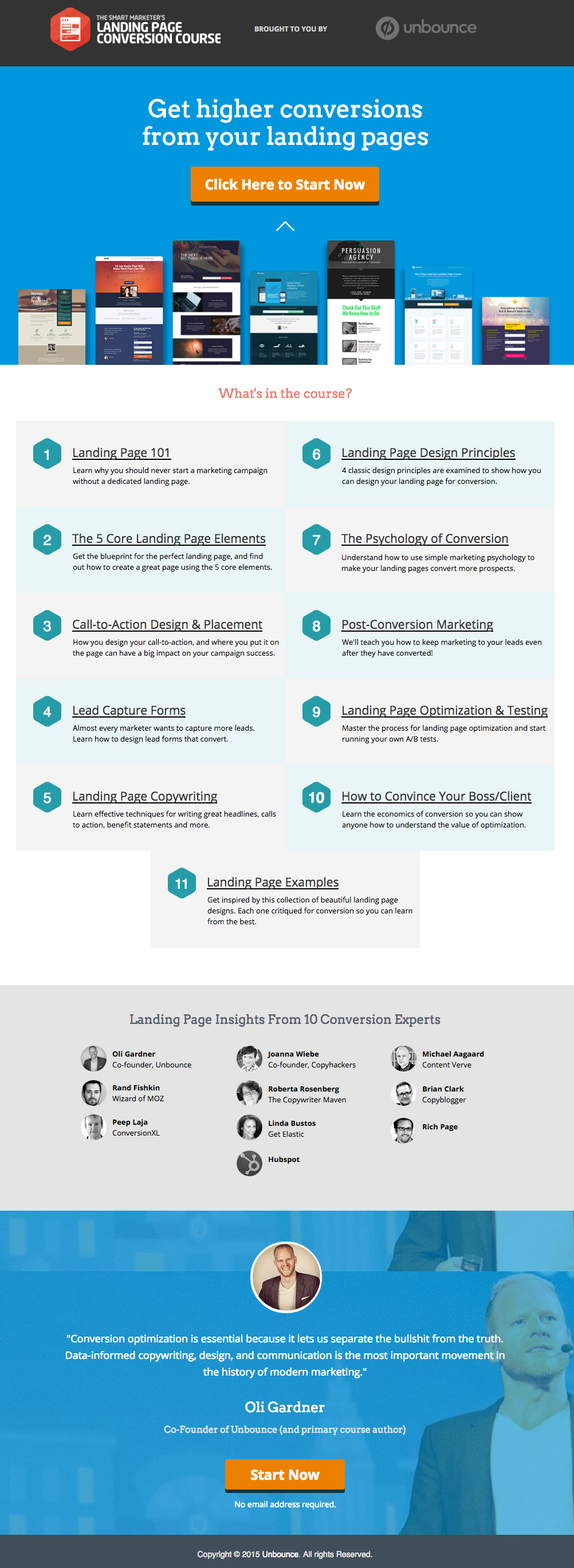
    ဒါကတော့ ကျွန်ုပ်တို့ တကယ်သဘောကျတဲ့ Unbounce မှ ကောင်းမွန်သော landing page နမူနာတစ်ခု ဖြစ်ပါတယ်-

    This has all of the right elements you need to execute the perfect landing page: it’s got just the right amount of text (which is really helpful for boosting SEO), and it’s packaged in a way that it’s not too heavy or intimidating for site visitors.

    The imagery is great as well, and the placement of the two call-to-action (or CTA) buttons give the visitors just enough cues to sign up for their service. Not too little, but not too much either.

    (အကြံပြုချက်- Unbounce landing page သည် အတော်လေးဆန်းပြားပုံရသည် – သင့်ကိုယ်ပိုင် landing page တွင် အလားတူစတိုင်မျိုး ပြန်လည်ဖန်တီးရန် ကြိုးစားပါက အနည်းငယ် တွန့်ဆုတ်သွားစေနိုင်ပါသည် – သို့သော် PBS ကို အသုံးပြု၍ အလားတူပြီး ထိုမျှလောက်ဆွဲဆောင်မှုရှိသော စာမျက်နှာတစ်ခုကို အမှန်တကယ် ဖန်တီးနိုင်ပါသည်)။

    MAKE YOUR OWN LANDING PAGE: If you’re new to design, First Site Guide’s Elements & Principles of Design Cheat Sheet proves to be friendly and reliable for beginners.

    Take note though, that Unbounce’s example isn’t the only way you can create your landing page.

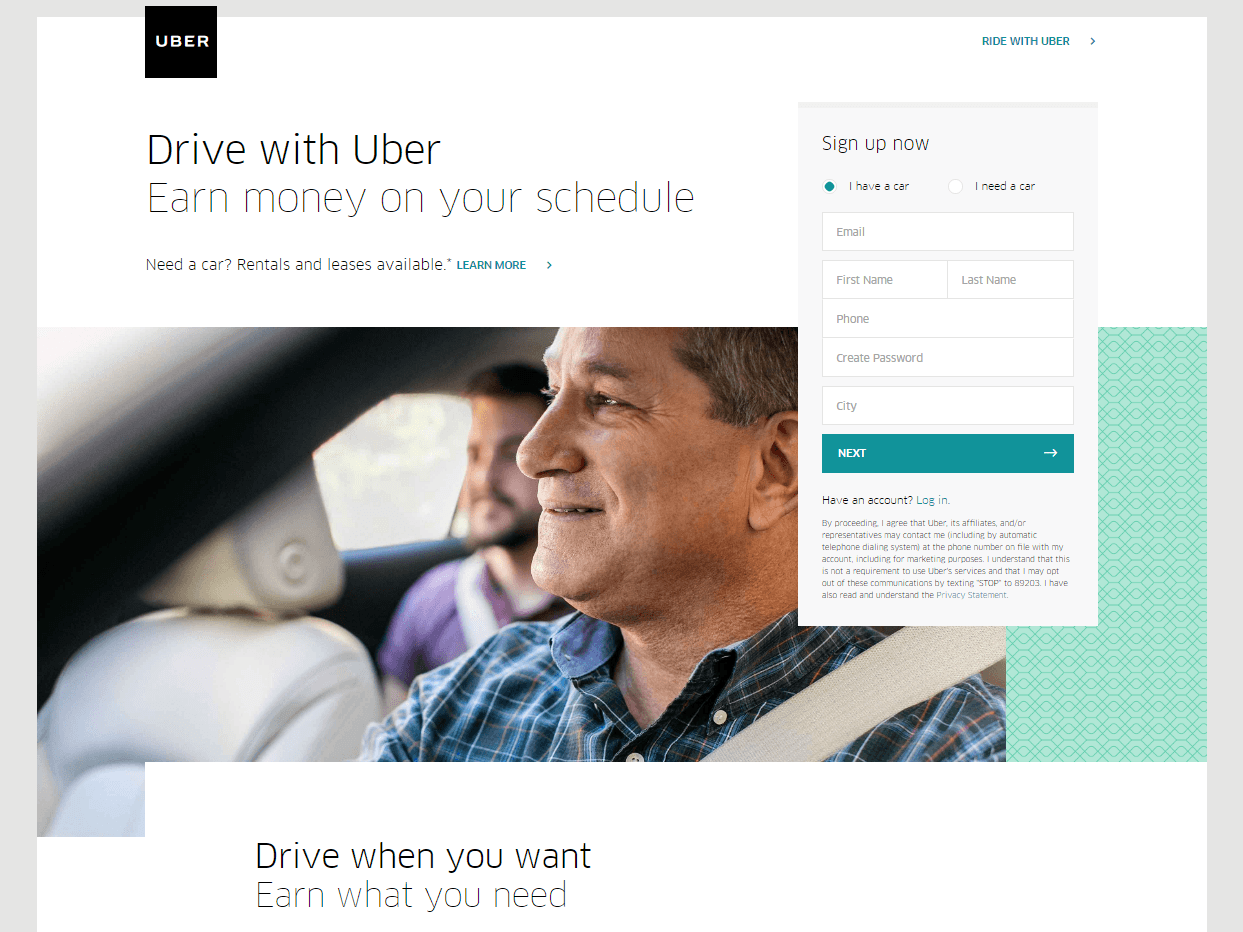
    You can always go for a simpler, cleaner look, like Uber’s landing page below:

    The text’s placement, along with the sign-up forms look crisp and clean. There’s also minimal distractions on this landing page, which prompts its visitors to sign up right away.

    MAKE YOUR OWN LANDING PAGE: First Site Guide’s Psychology of Color Cheat Sheet is a huge helA, which can help you balance out the right kind of colors that create a minimal yet classy effect for your landing pages.

    You can have more than one

    This is a little tricky because you have to learn how to strike a balance, but if you think it’ll help generate more leads,  you can actually build more than one landing page. Again, different landing pages cater to different needs.

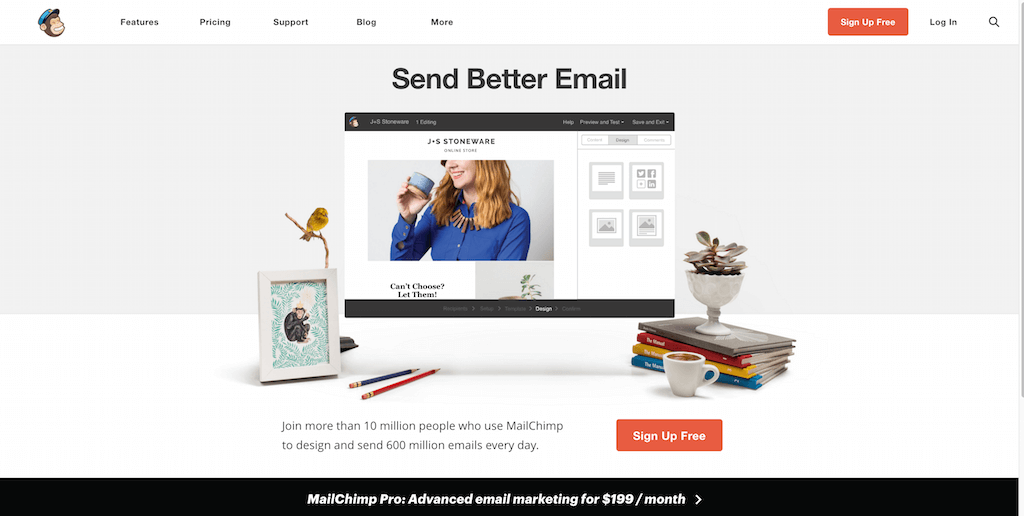
    ဥပမာအနေဖြင့် MailChimp ထံမှ (များစွာသောအထဲမှ) ၎င်းတို့၏ ဝန်ဆောင်မှုများကို အခမဲ့ အကောင့်ဖွင့်ရန် ပရိသတ်ကို တိုက်တွန်းထားသည့် ဤစာမျက်နှာကို ကြည့်ပါ-

    (It worked by the way, as we use MailChimp for our newsletter service, too).

    Take note of the text – it’s straight to the point, and addresses the target’s audience needs in just three simple, albeit powerful words; enough to catch the visitor’s attention, and convert into a lead.

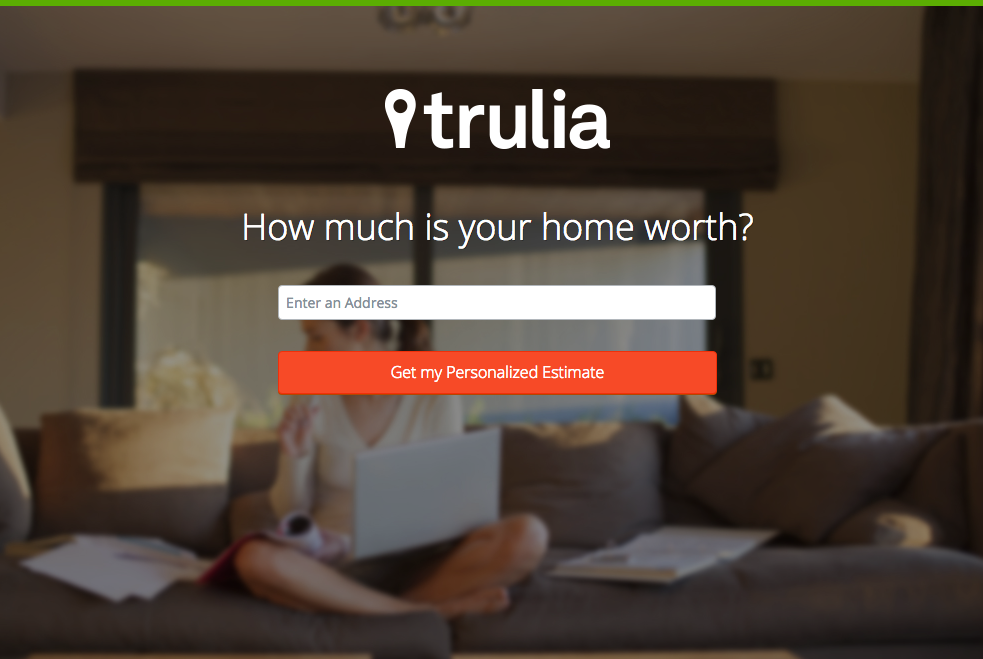
    Here’s another from Truila, which helps its users get an estimate of how much their houses are worth.

    Unlike the previous examples, Truilia doesn’t offer a catch to their customers in this particular landing page. They simply offer to give the visitor a chance to test out their service.

    Again, take note of the copy: no fluff, and it gets straight to the point.

    Usually, landing pages like these direct you towards another, one that has more information about what the website is offering. This is also a great technique used to capture more leads.

    MAKE YOUR OWN LANDING PAGE: Did you know that “Under Construction” pages count as landing pages, too? This blog post by First Site Guide teaches you how to make one.

    More doesn’t always mean merrier

    It’s important to remember that the problem isn’t the lack of landing pages per se – but the lack of well-created, successful landing pages.

    မည်သည့်ဝက်ဘ်ဆိုက်မဆို ၎င်းတို့ကို အများအပြား ဖန်တီးနိုင်သော်လည်း ယင်းသည် အောင်မြင်သော lead conversion များကို အလိုအလျောက် ရရှိစေမည် မဟုတ်ပါ။

    ထပ်မံပြောရလျှင် landing page များ၏ လုပ်ငန်းစဉ်သည် အလွန်သိမ်မွေ့နက်နဲပါသည် – ထို့ကြောင့် ၎င်း၏နောက်ကွယ်ရှိ အနုပညာနှင့် သိပ္ပံပညာကို လေ့လာရန် အချိန်နှင့် အရင်းအနှီး စိုက်ထုတ်နိုင်ပါက ထိုသို့ပြုလုပ်ရန် အထူးပင် အကြံပြုအပ်ပါသည်။

    Here are some websites that’ll be really helpful in your journey to creating landing pages

    Landing Folio

    http://www.landingfolio.com/

    Landing Folio is an extensive gallery that’s really useful when it comes to getting inspiration for landing page designs. They also offer some kick-ass, friendly courses on how to perfect the art of creating landing pages. Plus, all the designs are pretty and fun to look at as well.

    First Site Guide

    http://firstsiteguide.com

    First Site Guide သည် အင်တာနက်ပေါ်တွင် အရင်းအမြစ် အကြွယ်ဝဆုံး ဝက်ဘ်ဆိုက်များထဲမှ တစ်ခုဖြစ်ပြီး အထူးသဖြင့် သင်သည် ဝက်ဘ်လောကသို့ အသစ်ရောက်ရှိလာပြီး တစ်စုံတစ်ခု ဖန်တီးလိုပါက ပို၍ အသုံးဝင်ပါသည်။ ၎င်းတို့တွင် အကြောင်းအရာ (content) ဖန်တီးပေးသည့် ကိရိယာများစာရင်း၊ ထုတ်ကုန်သုံးသပ်ချက်များနှင့် နှိုင်းယှဉ်ချက်များ၊ infographics များ၊ နားလည်လွယ်သော ဗီဒီယိုသင်ခန်းစာများနှင့် အခြားများစွာသော အရင်းအမြစ်များ ရှိပါသည်။ သင့်ပထမဆုံး landing page ကို စတင်ဖန်တီးနေချိန်တွင် အမှန်တကယ်ပင် အထောက်အကူဖြစ်စေပါသည်။

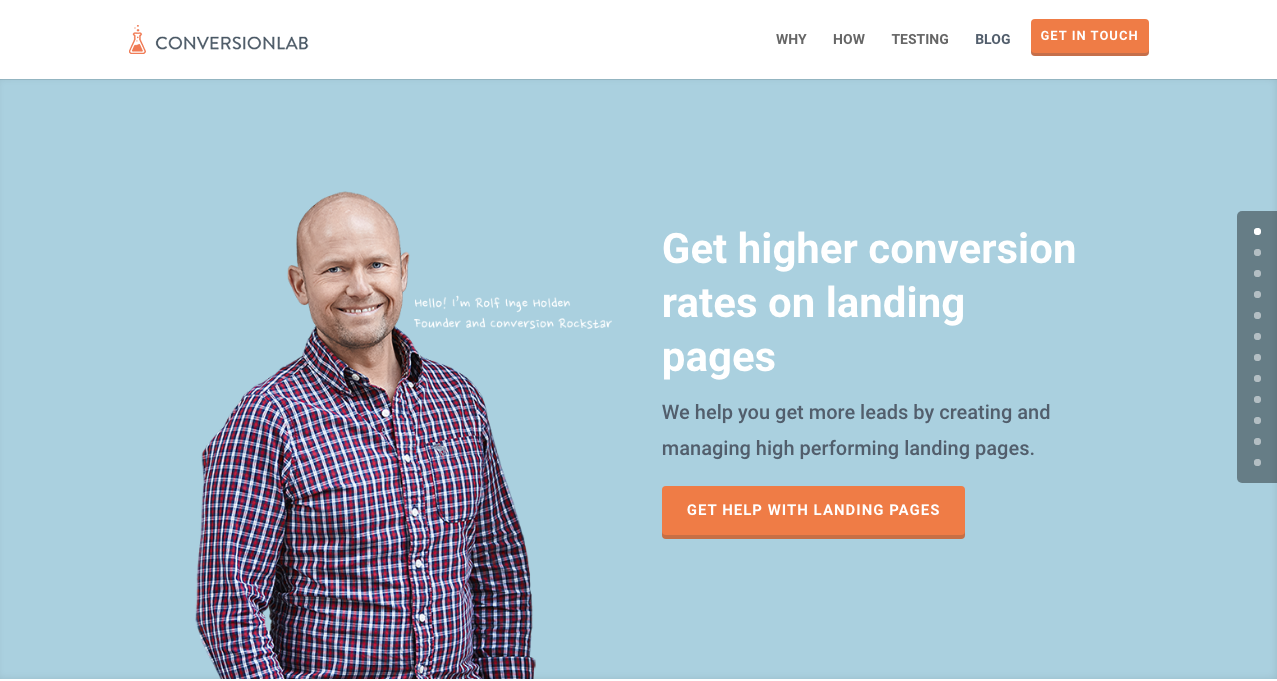
    Conversion Lab

    http://conversionlab.no/

    Apart from the fact that their own landing page is pretty well-crafted itself, Conversion Lab does exactly what they say they do: they help you get conversions. They also help out with testing too, which is crucial to any website that’s trying to raise their conversion rates.

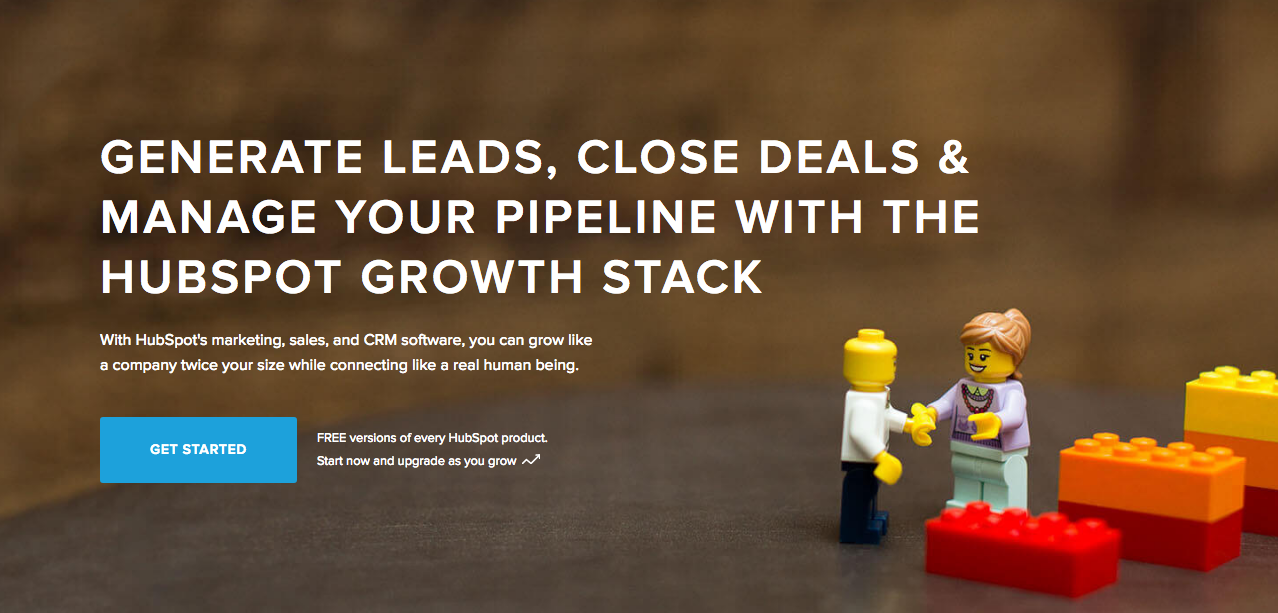
    Hubspot

    https://blog.hubspot.com/marketing

    Hubspot is an all-around help site that lends you a hand in almost anything and everything related to online marketing.

    ၎င်းတို့တွင် စီးပွားရေးလုပ်ငန်း အစီအစဉ်များ ရေးဆွဲခြင်းမှသည် content နှင့် inbound marketing၊ ပြီးနောက် landing page များအထိ ပါဝင်သော စုံလင်သည့် ဆောင်းပါးများစွာ ရှိပါသည်။ ဒစ်ဂျစ်တယ်စျေးကွက်ရှာဖွေရေး နယ်ပယ်တွင် အတွေ့အကြုံသစ် ဖြစ်နေသူ မည်သူမဆိုအတွက် အလွန်ကောင်းမွန်သော အရင်းအမြစ်တစ်ခု ဖြစ်ပါသည်။

    နိဂုံး

    Landing page များသည် အထူးသဖြင့် မည်သည့်စီးပွားရေးလုပ်ငန်းတွင်မဆို စတင်လုပ်ဆောင်နေချိန်တွင် အမှန်တကယ် သိမ်မွေ့နက်နဲနိုင်ပါသည်။

    သို့သော် ၎င်းတို့ မည်သို့အလုပ်လုပ်သည်နှင့် မည်သို့ဖန်တီးရမည်ကို လေ့လာရန် အချိန်ပေးရင်းနှီးမြှုပ်နှံခြင်းသည် ထိုက်တန်ကြောင်း သတိရပါ။ အဘယ်ကြောင့်နည်း။ အကြောင်းမှာ ၎င်းတို့သည် leads များကို ဖန်တီးပေးပြီး leads များသည် ဝင်ငွေကို ဖန်တီးပေးသောကြောင့် ဖြစ်ပါသည်။

    Take note that digital marketing trends are changing rapidly. You have to keep with these trends in order for your business to not only survive, but to also thrive.

    Do you have any other tips or resources that you’d like to share with us? Comment below, or send us an email at [email protected] if you’d like to get featured as a resource in one of our articles.

    စာမျက်နှာဖန်တီးခြင်းကို ပျော်ရွှင်စွာ ဆောင်ရွက်နိုင်ပါစေ။

  • Shortcode Mapper ပလပ်အင် လုပ်ဆောင်ချက်အသွင်အပြင်- Modern Tribe မှ The Events Calendar

    shortcode-mapper-plugin-feature-the-events-calendar-by-modern-tribePlugins of the same category, but with respective features, are developed and enhanced every day. This gave birth to the variety of WordPress-powered websites – and later on, websites catering to several functions. For instance, there is a number of plugins which enables a developer and/or user to create, schedule, invite an interested person to an event.

    The Events Calendar is the events calendar you’ll need

    There are a lot of available events calendar in the WordPress market. So how do you choose? There are recommendation blogs, plugin face-off blogs, and of course testimonials from different users. All of these have one thing in common: they include The Events Calendar by Modern Tribe in their list.

    screenshot-2016-10-05-20-00-09
    An example of a minimal event post of The Events Calendar

    The Events Calendar ဆိုတာ တကယ်တော့ ဘာလဲ။

    Modern Tribe ၏ The Events Calendar သည် အဆိုပါကဏ္ဍတွင် ထိပ်တန်း plugin တစ်ခုဖြစ်သည်။ ၎င်းသည် ပရော်ဖက်ရှင်နယ်အဆင့်မီ ပွဲလမ်းသဘင်ပို့စ်များကို ထောက်ပံ့ပေးသည်။ ၎င်းတွင် အပေါ်ဆုံး၌ ခေါင်းစဉ်၊ နေ့ရက်နှင့် အချိန်၊ သက်ဆိုင်ပါက ဈေးနှုန်း၊ အသားပေးပုံနှင့်/သို့မဟုတ် မြေပုံ၊ နှင့် ပွဲနှင့်ပတ်သက်သော နောက်ထပ်အသေးစိတ်အချက်အလက်များပါဝင်ပြီး အတော်လေးရိုးရှင်းသော မျက်နှာပြင်ရှိသည်။ အကယ်၍ Pro ဖြစ်ပါက သင့်ပွဲများအားလုံးကို နေ့စွဲ၊ သော့ချက်စကားလုံးနှင့် တည်နေရာအလိုက် ကြည့်ရှုနိုင်သည်။

    You can do much more with The Events Calendars Pro and its official add-ons:

    The Events Calendar PRO

    • Recurring events
    • Week view
    • Photo view
    • Location search
    • Map view
    • Venue and organizer view
    • Advanced widgets
    • Additional fields

    The Events Calendar ADD-ONs

    • RSVP tickets
    • Event ticket plus via WooCommerce, Shopp, WPeCommerce, Easy Digital Downloads)
    • Community Events
    • Community Tickets
    • Filter Bar
    • Facebook Events
    • iCal Importer
    • Eventbrite Tickets

    ၎င်းကို Page Builder Sandwich နှင့် တွဲဖက်အသုံးပြုခြင်းက ပို၍ပင် မိုက်စေပါသည်

    screenshot-2016-10-04-17-46-04Recent posts were made to highlight the benefits of using PBS and its Shortcode Mapper. This is to make sure that you guys are taking advantage of the latest innovation that the Sandwich Team can develop plus notify the plugin developers that their creation gave birth to another awesome feature.

    The Events Calendar plugin အတွက်မူ ဤတွဲဖက်မှုသည် အဘယ်ကြောင့် ရှိသင့်သည်ဆိုသည့် အံ့အားသင့်ဖွယ် အကြောင်းရင်း ၂ ချက်ကို ကျွန်ုပ်တို့ ဖော်ထုတ်ခဲ့သည် –

    ၁။      WordPress plugin ထိပ်တန်းပညာရှင်များမှ သုံးသပ်ထားခြင်း

    The Modern Tribe assured their customers that the product and service they offered was of quality. Creator of Easy Digital Downloads, Pippin Williamson gave his inputs about The Events Calendar. Alongside him was Mark Jaquith, one of the leading WordPress developers, who made sure that the plugin was secure.

    Page Builder Sandwich was also reviewed recently by Pippin, together with the other established and rising page builders in the market. In his in-depth critique, he concluded that indeed, PBS is one of the most powerful drag-and-drop page builders. He highlighted that only  Page Builder Sandwich was able to create a functioning Shortcode Mapper.

    ၂။      Shortcode ရွေးချယ်စရာများ – backend မှ frontend တည်းဖြတ်ခြင်းသို့

    မူလသတ်မှတ်ချက်အရ ဤ plugin ၏ shortcode ရွေးချယ်စရာများကို backend admin panel မှတစ်ဆင့် ဝင်ရောက်အသုံးပြုနိုင်သည်။ ထို့နောက် backend plugin များ၏ လုပ်ငန်းစဉ်အတိုင်း ဆက်လက်ဖြစ်ပေါ်သည် – backend editor သို့သွားပါ၊ ပြုလုပ်လိုသော အပြောင်းအလဲများကို ထည့်သွင်းပါ ပြီးလျှင် သိမ်းဆည်းပါ။ refresh ခလုတ်ကို နှိပ်လိုက်မှသာ တည်းဖြတ်ထားသော အကြောင်းအရာကို မြင်တွေ့ရမည်ဖြစ်သည်။ ခြုံပြောရလျှင် ၎င်းသည် အဆင့် ၄ ဆင့် ဖြစ်ပါသည်.

    သို့သော် ထိုရှည်လျားသော လုပ်ငန်းစဉ်ကို Page Builder Sandwich က အချိန်နှင့်တပြေးညီ frontend တည်းဖြတ်ခြင်းအဖြစ်သို့ ပြောင်းလဲပေးခဲ့သည် – အဆင့် ၂ ဆင့်:

    1. Instead of going to the backend panel to access the shortcode options, click on the Shortcode Mapper and select on The Events Calendar. You’d be redirected to a pop-up window as seen below. Click on The Events Calendar.
      screenshot-2016-10-04-17-43-37
      View of The Events Calendar in the Page Builder Sandwich Shortcode Mapper
    2. screenshot-2016-10-05-19-57-11
      Close look at The Events Calendar Shortcode Properties
      The Inspector on the left displays the initial properties of the shortcode. Clicking on the “Open Editor” button, the shortcode controls displayed at the backend can now be accessed on the frontend via a pop-up window.
    screenshot-2016-10-06-13-25-04
    See? The Events Calendar looks like you’re just making an event post.

    screenshot-2016-10-06-14-37-52

    အကျိုးကျေးဇူးတွေ အများကြီးရှိတယ် မဟုတ်လား။

    With the integration of a page builder that doesn’t lock you in and leaves shortcode mess, and the most popular events calendar, your workflow would not only smoothen but also increase in productivity. Additionally, you can look into what Modern Tribe offers: the bundle of plugins that go with The Events Calendar.

    ယခုအချိန်အထိ Modern Tribe ၏ The Events Calendar plugin သည် ကျွန်ုပ်တို့၏ Shortcode Mapper တွင် ထည့်သွင်းချိတ်ဆက်ထားသည့် တစ်ခုတည်းသော plugin ဖြစ်ပါသည်။ သို့သော် ၎င်းသည် ဤနေရာတွင် ရပ်တန့်သွားမည်ဟု မဆိုလိုပါ။ ကျွန်ုပ်တို့၏ Shortcode Mapper တွင် တွေ့မြင်လိုသော Modern Tribe ၏ မည်သည့် plugin ကိုမဆို မှတ်ချက်ရေးသား အကြံပြုပေးခဲ့ပါ။

  • Page Builder Sandwich ဗားရှင်း ၃ ကို လှည့်လည်ကြည့်ရှုခြင်း

    a-tour-of-page-builder-sandwich-version-3

    ကျွန်ုပ်တို့သည် Page Builder Sandwich ဗားရှင်း ၃ တွင် အရာများစွာကို ပြောင်းလဲခဲ့ပါသည်။ အကယ်၍ သင်သည် Page Builder Sandwich ကို အသုံးပြုနေသည်မှာ အတန်ငယ်ကြာပြီဆိုလျှင် ပြောင်းလဲမှုများသည် အတော်လေး ကြီးမားသိသာ သည်ကို သတိပြုမိပါလိမ့်မည်။ ဗားရှင်း ၁၊ ဗားရှင်း ၂ နှင့် ယခုလက်ရှိဗားရှင်းတို့အကြား ကြီးမားသော ကွဲပြားခြားနားချက်ရှိပါသည်။ ယခင်ဗားရှင်းများတွင် အရာအားလုံးသည် ဘေးဘက်ရှိ inspector တွင် တည်ရှိခဲ့သည်။ ထိုနောက်ပိုင်းတွင် ကျွန်ုပ်တို့သည် ၎င်း၏ အစိတ်အပိုင်းများကို ပိုမိုကျိုးကြောင်းဆီလျော်မှုရှိသော မတူညီသည့် အပိုင်းများအဖြစ် ပြန်လည်ခွဲထုတ်ခဲ့ပါသည်။ ဤအဆင့်မြှင့်တင်မှုအတွက် အကြောင်းပြချက်များကို ယခင်ဘလော့ဂ်ပို့စ်တွင် ကျွန်ုပ်တို့ ဖော်ပြထားပြီးဖြစ်ပါသည်။

    လက်ရှိအသုံးပြုသူများအနေဖြင့် အစပိုင်းတွင် အပြောင်းအလဲများကို ရှုပ်ထွေးခက်ခဲသည်ဟု ထင်မြင်နိုင်ပါသည်။ မိနစ်အနည်းငယ်ခန့် စမ်းသပ်အသုံးပြုကြည့်ပါက လျင်မြန်စွာ ရင်းနှီးကျွမ်းဝင်သွားမည်ဟု ကျွန်ုပ်တို့ ယုံကြည်ပါသည်။ စာစီစာရိုက်ပရိုဂရမ်များတွင် အကျင့်ဖြစ်နေသော သင့်အလေ့အထများသည် ဝက်ဘ်ဆိုက်တည်ဆောက်ရာတွင်လည်း အဆင်ပြေပြေ အလုပ်ဖြစ်စေရန် အင်တာဖေ့စ်၏ အစိတ်အပိုင်းတိုင်းကို ကျွန်ုပ်တို့ အထူးဂရုပြု ဒီဇိုင်းဆွဲထားပါသည်။

    အင်တာဖေ့စ်အသစ် မိတ်ဆက်လေ့လာမှုကို ကြည့်ရှုပါ

  • အားလပ်ရက် အထူးအရောင်း- ကန့်သတ်ထားသော အချိန်အတွင်း လိုင်စင်အားလုံးကို ၃၀% လျှော့စျေး ရယူလိုက်ပါ!

    ဟုတ်ပါတယ်၊ သင်ကြားလိုက်တာ မမှားပါဘူး! Page Builder Sandwich သည် ယနေ့ ၂၀၁၆ ခုနှစ် ဒီဇင်ဘာ ၁၇ ရက် မှစ၍ ၂၀၁၇ ခုနှစ် ဇန်နဝါရီ ၁ ရက် အထိ စောစီးစွာ အားလပ်ရက် စတင်ကျင်းပနေပါပြီ! ဟုတ်ပါတယ်- ကျွန်ုပ်တို့သည် လိုင်စင်အားလုံးအတွက် ၁၅ ရက်ဆက်တိုက် ၃၀% လျှော့စျေး ပေးနေပါသည်! မည်သည့် ကူပွန်ကုဒ်မှ မလိုအပ်ပါ။ တကယ့်ကို ပျော်ရွှင်ဖွယ်ရာ အားလပ်ရက်ပါပဲ။

    "Christmas ornaments - HBW" by Bhavna Sayana is licensed under CC BY
    “Christmas ornaments – HBW” (ဖန်တီးသူ – Bhavna Sayana) ကို CC BY အောက်တွင် လိုင်စင်ပြုထားပါသည်

    ၎င်းနှင့်အတူ မကြာမီရောက်ရှိတော့မည့် PBS ၏ ပထမနှစ်ပတ်လည်နေ့ ကို ဇန်နဝါရီ ၁၄ ရက် တွင် ကျရောက်မည်ဖြစ်ကြောင်း ဤအခွင့်အရေးကိုယူ၍ အသိပေးကြေညာလိုပါသည်။ သင့်အတွက် ကောင်းမွန်သောအရာများစွာကို စီစဉ်ထားပြီး ကျွန်ုပ်တို့လိုပဲ သင်လည်း စိတ်လှုပ်ရှားနေလိမ့်မည်ဟု မျှော်လင့်ပါသည်! ၎င်းတို့အနက် အချို့မှာ အောက်ပါအတိုင်း ဖြစ်ပါသည် –

    • Parallax Scrolling
    • ဗီဒီယို နောက်ခံများ
    • One-Pager တင်းပလိတ်များ
    • Responsive ထိန်းချုပ်မှုများ
    • စိတ်ကြိုက် CSS စတိုင်လ်ပြုလုပ်ခြင်း

    နှစ်ပတ်လည် အပ်ဒိတ်အတွက် မျှော်လင့်ရမည့် အင်္ဂါရပ်အသစ်များ စာရင်းအပြည့်အစုံပါရှိသော ဆောင်းပါးကို မကြာမီ ထုတ်ပြန်ပေးပါမည်။ အပ်ဒိတ်အသစ်ဆိုင်ရာ အသိပေးချက်များကို ရယူရန် ကျွန်ုပ်တို့၏ သတင်းလွှာကို အောက်တွင် စာရင်းသွင်းလိုက်ပါ!

    ပျော်ရွှင်ဖွယ် အားလပ်ရက်ဖြစ်ပါစေ၊ ပျော်ရွှင်ဖွယ် ဝက်ဘ်ဆိုက်တည်ဆောက်နိုင်ပါစေ!


  • Page Builder Sandwich ဗားရှင်း 4.0 ကို မိတ်ဆက်ခြင်း

    ၂၀၁၅ ခုနှစ် အစောပိုင်းမှာ PBS ကို စတင် ဖန်တီးခဲ့စဉ်ကတည်းက သူ့ရဲ့ ကန့်သတ်ချက်တွေကို ကျော်လွန်နိုင်မယ့် စွမ်းရည်ရှိတယ်ဆိုတာ ကျွန်ုပ်တို့ အမြဲယုံကြည်ခဲ့ပါတယ်။ ဖြန့်ချိခဲ့တဲ့ လွန်ခဲ့သည့် တစ်နှစ်တာကာလပတ်လုံး ကျွန်ုပ်တို့အဖွဲ့ဟာ အလွန်ကြိုးစား အားထုတ်ခဲ့ပြီး PBS အနေနဲ့ အဲဒီလို အောင်မြင်မှုရရှိစေဖို့အတွက် အမြဲတမ်း ပိုမိုအားစိုက် ထုတ်လုပ်ဆောင်ခဲ့ပါတယ်။

    In 2016, we’ve managed to release three versions of PBS, each one surpassing their predecessors with more advantageous updates after the next. Today, in 2017, we’re finally releasing Page Builder Sandwich Version 4.0 in commemoration of its very first birthday.

    ရိုးရိုးသားသား ဝန်ခံရရင်တော့ ဒါဟာ မလွယ်ကူခဲ့ပါဘူး။

    ဒါပေမဲ့ ၂၀၁၅ ခုနှစ်က စတင်ခဲ့တဲ့ သေးငယ်တဲ့ အစပြုမှုနဲ့ နှိုင်းယှဉ်ရင် Page Builder Sandwich ဟာ ဘီတာ (beta) အဆင့် ကာလကတည်းကနေ ယနေ့အထိ ခရီးရှည်ကြီးတစ်ခုကို အမှန်တကယ် လျှောက်လှမ်းလာနိုင်ခဲ့ပြီလို့ ကျွန်ုပ်တို့ ယုံကြည်မှုအပြည့်နဲ့ ပြောနိုင်ပါပြီ။

    Then vs Now

    Taking a step back and looking at the different versions that PBS went through, it has really changed for the better.  Some learning mistakes just made us cringe and laugh!

    Enhanced User Interface

    For versions 3.0 and 4.0, we’ve made some major improvements with regards to the user interface. Pippin’s insight really made a wake-up call to us!

    The old interface of PBS Version 2.0  (left) vs Version 4.0’s cleaner, more efficient UI (right)

    Engaging in conversation and taking note of feedback has always been important to us, and is (and always will be) an integral part of Page Builder Sandwich’s continued growth. Out of all of PBS’ features though, we’ve received quite a number of critiques regarding the previous versions’ UI’s. All of them had one common denominator that many believed was detrimental to PBS’ functionality: the color scheme. According to most, it was too aggressive and did not compliment WordPress’ color palette. We’ve since addressed this issue in Version 4.0, constructing an improved UI with toned-down colors, all while still keeping PBS’ signature drag-and-drop UI intact.

    Mobile Responsiveness

    တက်ဘလက်များနှင့် မိုဘိုင်းလ်ဖုန်းများကဲ့သို့သော စက်ပစ္စည်းများသည် စျေးကွက်ကို ပိုမိုလွှမ်းမိုးလာသည်နှင့်အမျှ စာမျက်နှာ တည်ဆောက်ရေးဆော့ဖ်ဝဲလ် (page builder) အများစု သဘောတူလက်ခံကြသည့် နောက်ထပ် ဘုံအင်္ဂါရပ်တစ်ခုမှာ မိုဘိုင်းလ်ဖုန်းများတွင် အဆင်ပြေပြေ ကြည့်ရှုနိုင်စွမ်း (mobile responsiveness) ရှိရန် လိုအပ်ချက် ဖြစ်သည်။

    Because of this, we’ve tackled mobile responsiveness in Version 4.0’s release. Viewing pages built with PBS now becomes a smoother, more efficient experience, with your page’s UI adapting to your device’s screen resolutions.

    ဒါ့အပြင် အခုအခါမှာ PBS သည် ဒက်စ်တော့ပ် (desktop) ပေါ်တွင် မိုဘိုင်းလ် အစမ်းကြည့်ရှုမှု (mobile preview) ကိုလည်း ထောက်ပံ့ပေးထားပြီ ဖြစ်ပါတယ်။ ဒီနည်းအားဖြင့် မိုဘိုင်းလ် သို့မဟုတ် တက်ဘလက် စက်ပစ္စည်း အမှန်တကယ် သုံးစရာမလိုဘဲ မည်သည့်ပုံစံတွင်မဆို သင့်စာမျက်နှာ မည်သို့ပေါ်နေမည်ကို လွယ်ကူစွာ ကြိုတင်ကြည့်ရှုနိုင်မည် ဖြစ်သည်။

    ထို့အပြင် PBS သည် အခြားသော မျက်နှာပြင် အရွယ်အစားများကို မထိခိုက်စေဘဲ ဒက်စ်တော့ပ်၊ မိုဘိုင်းလ်နှင့် တက်ဘလက်တို့တွင် သီးခြားစီ အပြောင်းအလဲများ ပြုလုပ်နိုင်ရန် အသုံးပြုသူများအား ခွင့်ပြုပေးထားပြီ ဖြစ်သည်။

    What’s New: Features

    Full Page Templates

    PBS ကို စတင်မိတ်ဆက်ပြီးနောက် ကျွန်ုပ်တို့ သတိပြုမိခဲ့သည့် နောက်ထပ်အချက်တစ်ခုမှာ အသုံးပြုသူများသည် သီးခြားနယ်ပယ်များ (niches) ပေါ် အခြေခံ၍ စာမျက်နှာများကို တည်ဆောက်လေ့ရှိခြင်း ဖြစ်သည်။ ဒါဟာ စာမျက်နှာများ ဖန်တီးရာတွင် သဘာဝကျသည့်အရာ ဖြစ်သော်လည်း အသုံးပြုသူအတွက်တော့ သီးခြားနယ်ပယ်အလိုက် စာမျက်နှာများ တည်ဆောက်ရာတွင် အနည်းငယ် အခက်အခဲ ဖြစ်စေသည်။ ဥပမာအားဖြင့် Page Builder Sandwich ဖြင့် တည်ဆောက်ထားသော eCommerce ဝဘ်ဆိုက်များသည် ဓာတ်ပုံပြခန်းပါသည့် သင်၏ သာမန်နေ့စဉ်ဘလော့ဂ်တစ်ခုနှင့် နှိုင်းယှဉ်ပါက အစမှစတင် ဖန်တီးရန် အချိန်ပိုယူရနိုင်သည်။ ထို့ကြောင့် ဤကဲ့သို့သော ဝဘ်ဆိုက်များအတွက် လိုအပ်ချက်သည် စဉ်ဆက်မပြတ် မြင့်တက်လာသောကြောင့် ကျွန်ုပ်တို့သည် နောက်ဆုံးတွင် PBS ၏ Full Page Templates ကို မိတ်ဆက်ပေးခြင်းဖြင့် ဖြေရှင်းချက်တစ်ခုကို ရှာဖွေဖော်ထုတ်နိုင်ခဲ့သည်။

    Full Page Templates များသည် Pre-Designed Sections များနှင့် မည်သို့ ကွာခြားသနည်း။

    PBS actually has a feature similar to the Full Page Templates, the Pre-Designed Sections. Since our team has been aware that there are users who lack the time to design and layout their pages and sites, the Pre-Designed Sections were built for this specific purpose. The Pre-Designed Sections are small, individual layouts professionally designed to be mixed and matched together to build a page. However, while they are pre-designed, they aren’t full page, and are not niche-based.

    The Full Page Templates are different in that they’re designed to be used for an entire landing page, and they’re laden with features that commonly go with a particular niche. For example, upon accessing PBS’ Hotel Template, you’ll find that with it comes a map, contact details, and sections specifically designed for enumerating the hotel’s amenities. Similarly, the PBS Fashion Template includes a carousel feature for showcasing fashion ensembles for modern shops. These templates can also be tweaked and adjusted to suit the user’s needs and taste, of course.

    ပြင်ပ Third-Party Plugin များကို ပိုမိုလွယ်ကူစွာ အသုံးပြုနိုင်ခြင်း

    WooCommerce, Advanced Custom Fields, Events Calendar, Instagram Feed, Contact Form 7, NextGen Gallery, among others, are now more accessible with Version 4.0. This means that if you have these plugins activated in your PBS-run site, you can now add them with more ease.

    အလွန်တောင်းဆိုထားသော အစိတ်အပိုင်းများနှင့် အင်္ဂါရပ်များ- ပိုမိုကောင်းမွန်သော လုပ်ဆောင်ချက်များနှင့် ဒီဇိုင်းအင်္ဂါရပ်များ ပိုမိုပါဝင်လာခြင်း

    In the span of a year, we would regularly receive suggestions and requests for features that are currently in-demand in the page builder market. Among these include Parallax Scrolling, Video Backgrounds, Ken Burns Backgrounds, features that increase the aesthetic value of your page; and elements such as Pricing Tables, Testimonials, Countdowns, and Milestones to enhance your page’s functionality. With the release of Version 4.0, we’ve finally accomplished these and more. We’re sure your PBS experience will be even more worthwhile this time around.

    PBS အတွက် နောက်ထပ် ဘာတွေ လာဦးမလဲ။

    ၂၀၁၆ ခုနှစ် ဇန်နဝါရီလတွင် စတင်မိတ်ဆက်ခဲ့ချိန်မှစ၍ ကျွန်ုပ်တို့သည် ခရီးရှည်ကြီးတစ်ခုကို လျှောက်လှမ်းခဲ့ပြီး ဖြစ်ပါသည်။ ကျွန်ုပ်တို့သည် ကြီးမားသော တိုးတက်ပြောင်းလဲမှုများကို ပြုလုပ်ခဲ့ပြီး ဤလုပ်ငန်းသည် မလွယ်ကူသော်လည်း အမှန်တကယ်ပင် ကျေနပ်ပီတိဖြစ်ရပါသည်။ Version 4.0 သည် PBS တွင် ပိုမိုကောင်းမွန်သော တိုးတက်မှုများ၏ အစသာဖြစ်ပြီး ဤ ၂၀၁၇ ခုနှစ်တွင် PBS ဆက်လက်၍ ပိုမိုကောင်းမွန်လာစေရန် ကျွန်ုပ်တို့ ဆက်လက်ကြိုးစားသွားမည် ဖြစ်ပါသည်။ လောလောဆယ်တွင်မူ သင်သည် ဤအင်္ဂါရပ်အသစ်များကို အပြည့်အဝ အသုံးချနိုင်ပြီး ၎င်းတို့သည် PBS နှင့် သင့်အတွေ့အကြုံကို ပိုမိုတန်ဖိုးရှိစေလိမ့်မည်ဟု ကျွန်ုပ်တို့ မျှော်လင့်ပါသည်။

    ဝဘ်ဆိုက်တည်ဆောက်ခြင်းတွင် ပျော်ရွှင်ပါစေ။

  • Shortcode Mapper ပလပ်ဂင် အထူးပြုချက်- Automattic ၏ WP Job Manager

    how-to-create-a-website-from-scratch-for-under-100Page Builder Sandwich ၏ နောက်ဆုံးထွက် လုပ်ဆောင်ချက်ဖြစ်သော Shortcode Mapper ကို ကျွန်ုပ်တို့ ထုတ်ဝေခဲ့သည်မှာ တစ်လ ကြာခဲ့ပါပြီ။ ၎င်းတို့တွင် shortcode မည်မျှပင်ရှိစေကာမူ ပလပ်အင်ပေါင်း ၁၀၀ ကျော် (အတိအကျဆိုရလျှင် ပလပ်အင် ၁၄၄ ခု) ကို ကျွန်ုပ်တို့ ပေါင်းစပ်ထည့်သွင်းပေးခဲ့ပါသည်။ ပင်ပန်းခက်ခဲသောအလုပ်တစ်ခု ဖြစ်ခဲ့သော်လည်း ကျွန်ုပ်တို့ လုပ်ဆောင်နိုင်ခဲ့ပါသည်!

    ဤအကြောင်းကို သင် ပိုမိုသိရှိစေရန်အတွက် Page Builder Sandwich နှင့် အပြည့်အဝ ပေါင်းစပ်အသုံးပြုနိုင်သော ပလပ်အင်များကို ကျွန်ုပ်တို့ စတင်မိတ်ဆက်ဖော်ပြပေးနေပါပြီ။ ပထမဆုံးအနေဖြင့် – Automattic ၏ WP Job Manager.

    WP Job Manager ကို တစ်ချက်ကြည့်လိုက်ရအောင်

    screenshot-2016-09-16-03-21-46

    အခြေခံအားဖြင့် WP Job Manager သည် သင့်အတွက် ဝင်ငွေရှာဖွေပေးနိုင်သော ပလပ်အင်တစ်ခုအဖြစ် ဆောင်ရွက်ပေးပါသည် – သင့်တွင် ၎င်းတို့၏ ဝဘ်ဆိုက်အတွက် အလုပ်အကိုင်ဘုတ် (job board) လုပ်ဆောင်ချက် လိုအပ်နေသော ဖောက်သည်တစ်ဦးရှိနေသည်ဖြစ်စေ၊ သို့မဟုတ် ကြီးထွားလာနေသော သင့်ကုမ္ပဏီတွင် လူအင်အား ပိုမိုလိုအပ်လာသည်ဖြစ်စေ အသုံးဝင်ပါသည်။

    ဤပလပ်အင်ကို အလွန်ဝယ်ယူသင့်စေသော အချက်မှာ သင်ခန့်အပ်မည့် ဝန်ထမ်းလောင်းများသည် လက်ပ်တော့ပ် (laptop) အသုံးပြုရန်သာ ကန့်သတ်မထားခြင်း ဖြစ်ပါသည်။ WP Job Manager တွင် ဝင်ငွေစီးဆင်းမှုကို ဖြစ်ပေါ်စေသော မိုဘိုင်းလ် အထောက်အပံ့ လုပ်ဆောင်ချက် ပါဝင်ပါသည်။ ရှာဖွေခြင်းနှင့် စစ်ထုတ်ခြင်း မျက်နှာပြင် ကြောင့် အသုံးပြုရလည်း လွယ်ကူပါသည်။ ၎င်းနှင့်အတူ အလုပ်အကိုင်နှင့် ကုမ္ပဏီ အချက်အလက်များ ပါဝင်သောကြောင့် ကုမ္ပဏီ၏ တရားဝင်မှုကို သီးသန့် ရှာဖွေစစ်ဆေးနေရန် မလိုတော့ပါ။ အလုပ်တစ်ခု ရှာဖွေရုံဖြင့် အရာအားလုံးကို ထည့်သွင်းဖော်ပြပေးထားပါသည်။

    သင့်အနေဖြင့် လစ်လပ်နေသော အလုပ်နေရာများအတွက် လူခေါ်ယူရန် လိုအပ်ပါက WP Job Manager သည် လျှောက်လွှာများ လက်ခံခြင်းကို လွယ်ကူသော ကိစ္စတစ်ခု ဖြစ်စေပါသည်။

    Page Builder Sandwich သည် WP Job Manager အသုံးပြုခြင်းကို ပိုမိုလွယ်ကူစေသည်

    page builder နှင့် ပလပ်အင်ကို ချိတ်ဆက်ရန်အတွက် ခေါင်းရှုပ်ခံပြီး အချက်အလက်များကို လိုက်လံရှာဖွေနေရန် မလိုပါ။ ဤအရာနှစ်ခု အတူတကွ တွဲဖက်လုပ်ဆောင်နိုင်ရသည့် အကြောင်းရင်း ၃ ချက်မှာ အောက်ပါအတိုင်း ဖြစ်ပါသည် –

    screenshot-2016-09-16-03-24-32
    Page Builder Sandwich နှင့် WP Job Manager တို့ အတူတကွ အလုပ်လုပ်ပုံ အကျဉ်းချုပ်

    အလုပ်အကိုင် shortcode များကို ပိုမိုမြန်ဆန်စွာ ထည့်သွင်းပါ

    PBS Shortcode Mapper သည် ပလပ်အင်တွင် အသုံးပြုထားသော shortcode ၆ ခု ကို တွေ့ရှိခဲ့ပြီး ၎င်းတို့အားလုံးကို ကျွန်ုပ်တို့ ပေါင်းစပ်ထည့်သွင်းပေးထားပါသည်။ shortcode တစ်ခုစီတွင် အလုပ်ရှာဖွေမှု ဖောင်ပုံစံ သို့မဟုတ် အလုပ်နေရာခန့်ထားမှုဆိုင်ရာ အသေးစိတ်အချက်အလက်များကို ပြသနိုင်စေမည့် မတူညီသော argument များ ပါရှိပါသည်။ shortcode တစ်ခုစီ၏ အသေးစိတ်အချက်အလက်များကို ၎င်းတို့၏ ဆိုဒ်၏ shortcode ကိုးကားချက်များ တွင် ရရှိနိုင်ပါသည်။ ယခုအခါ ဤ shortcode များကို မည်သို့ ပြင်ဆင်ရမည်ကို သိရှိရန် စာရွက်စာတမ်းလမ်းညွှန်ချက်များကို ကြည့်ရှုစရာမလိုတော့ဘဲ shortcode များနှင့် ၎င်းတို့၏ attribute များအားလုံးကို ရှင်းလင်းချက်များနှင့်တကွ PBS တွင် ပြည့်စုံစွာ ဖော်ပြပေးထားပါသည်။

    screenshot-2016-09-15-18-58-29
    WP Job Manager မှ ရရှိနိုင်သော shortcode များ

    screenshot-2016-09-15-18-54-362
    အလုပ်အကိုင် Shortcode Attributes များ

    မည်သည့် theme နှင့်မဆို အလုပ်လုပ်သည်

    Page Builder Sandwich ကို သင့် page builder တည်းဖြတ်မှုအဖြစ် အသုံးပြုခြင်းသည် ပုံမှန်အားဖြင့် သင်ရွေးချယ်ထားသော theme ကို ပျက်စီးစေခြင်း မရှိပါ။ ထို့အပြင် ဝဘ်ဆိုက်တစ်ခုလုံး ကောင်းမွန်စွာ အလုပ်လုပ်နိုင်စေရန်အတွက် ကျွန်ုပ်တို့သည် PBS Shortcode Mapper ကို ဖန်တီးခဲ့ပါသည်။ အဆိုပါမူဝါဒအတိုင်းပင် WP Job Manager အတွက်လည်း အကျုံးဝင်ပါသည်! ThemeForest ရှိ theme ဖန်တီးသူများထဲမှ တစ်ဦးဖြစ်သည့် Astoundify သည် ၎င်းတို့၏ Listify – WordPress Directory Theme တွင် အဆိုပါပလပ်အင်ကို ထောက်ပံ့ပေးထားပါသည်။ WP Job Manager နှင့် အပြည့်အဝ ပေါင်းစပ်ထားသော theme များကို ပိုမိုသိရှိလိုပါက ၎င်းတို့၏ တရားဝင်စာရင်း.

    အလုပ်အကိုင်များကို frontend တွင် စီမံခန့်ခွဲပါ

    Frontend နှင့် backend အကြား အပြန်အလှန် ကူးပြောင်းနေရသည့် အားစိုက်ထုတ်မှုကို လျှော့ချပေးခြင်းနှင့် ပြုလုပ်ထားသော အပြောင်းအလဲများကို မြင်တွေ့နိုင်ရန် စာမျက်နှာကို refresh ပြုလုပ်နေရခြင်းတို့ကို ကျွန်ုပ်တို့ သဘောမကျပါ။ PBS ဖြင့် backend သို့ သွားရောက်စစ်ဆေးစရာမလိုဘဲ သင်ရွေးချယ်ထားသော အလုပ်များကို တည်းဖြတ်နိုင်သည့်အပြင် သင့်စာမျက်နှာကို တည်းဖြတ်နေစဉ်အတွင်း ပလပ်အင်၏ ဆက်တင်များကိုပါ ပြင်ဆင်နိုင်မည်ဖြစ်ပါသည်။ PBS မပါရှိပါက အသုံးပြုသူများသည် ပိုမိုအားစိုက်ထုတ်ရမည်ဖြစ်ပြီး အခြားသော WordPress ပရောဂျက်များကို ဖန်တီးရာတွင် အသုံးပြုနိုင်သည့် အချိန်များစွာကို ကုန်ဆုံးစေမည် ဖြစ်ပါသည်။ WP Job Manager ၏ ဤလုပ်ဆောင်ချက်သည် ကျွန်ုပ်တို့ အကြိုက်နှစ်သက်ဆုံး အရာဖြစ်ပါသည်!

    နိဂုံးချုပ် အမြင်များ

    WordPress.com ကို ဖန်တီးခဲ့သည့် ကုမ္ပဏီတစ်ခုတည်းကပင် တည်ဆောက်ထားသောကြောင့် ဤပလပ်အင်သည် အစကတည်းကပင် လူအများ အာရုံစိုက်မှု ရရှိထားသည့် အားသာချက်ရှိနေပါသည်။ သို့သော်လည်း ၎င်းသည် WordPress developer များမှစ၍ သစ္စာရှိ WordPress ဝါသနာရှင်များအထိ လူအများ၏ မျှော်လင့်ချက်များစွာကိုလည်း ရင်ဆိုင်ရပါသည်။ ယခုအချိန်အထိတော့ ပေါ့ပါးသွက်လက်သော job-board လုပ်ဆောင်ချက်နှင့် ပတ်သက်၍ လူတိုင်း၏ လိုအပ်ချက်များကို ဖြည့်ဆည်းပေးနိုင်ခဲ့ပါသည်။ WordPress developer များသည် ဤပလပ်အင်ကို အလွန်သဘောကျကြသောကြောင့် ပလပ်အင်၏ အသုံးဝင်မှုကို ပိုမိုမြှင့်တင်ရန်အတွက် extension များကိုပင် ပြုလုပ်ခဲ့ကြပါသည်။

    လာမည့်သီတင်းပတ်များတွင် နောက်ထပ် ပလပ်အင်များကို ဆက်လက်ဖော်ပြပေးသွားပါမည်! နောက်တစ်ကြိမ်တွင် မည်သူ့အကြောင်းနှင့် မည်သည့်အရာကို ရေးသားသင့်သည်နှင့်ပတ်သက်၍ အကြံပြုချက်များရှိပါက အောက်တွင် မှတ်ချက်ရေးသားခဲ့ပါ။

    မကြာမီ ပြန်လည်ဆုံတွေ့ကြပါစို့!

  • PBS BLACK FRIDAY အရောင်းပွဲ- လိုင်စင်အားလုံးအတွက် ၃၀% လျှော့စျေး!

    page-builder-sandwich-black-friday-deals

    ကျွန်ုပ်တို့ ကျေးဇူးတင်ထိုက်သည့် ကောင်းမွန်သောအရာအားလုံးကို ပြန်လည်ရေတွက်ရမည့် နှစ်တစ်နှစ်၏ အချိန်အခါသို့ တစ်ဖန်ပြန်လည်ရောက်ရှိလာပြန်ပါပြီ– ထိုစာရင်းထဲတွင် အလွန်လူသိများသော Black Friday အရောင်းပွဲတော်လည်း မလွဲမသွေ ပါဝင်နေပါသည်! ဤကာလအတွင်း အွန်လိုင်းစျေးကွက်ရှိ လျှော့စျေးများ၊ ကူပွန်များနှင့် အံ့သြဖွယ်ကောင်းသော အထူးအစီအစဉ်များအားလုံးကို ရယူနိုင်မည်ဖြစ်ပြီး၊ ယင်းတွင် ယနေ့ ၂၀၁၆ ခုနှစ်၊ နိုဝင်ဘာလ ၂၄ ရက်မှ နိုဝင်ဘာလ ၂၉ ရက်အထိ စတင်မည့် Page Builder Sandwich ၏ ကြီးကျယ်သော Black Friday နှင့် Cyber Monday အရောင်းပွဲတော်

    မှန်ပါတယ်။ ကျွန်ုပ်တို့သည် Page Builder Sandwich လိုင်စင်အားလုံးအတွက် ၃၀% လျှော့စျေးကို ၅ ရက်တိုင်တိုင် ပေးအပ်သွားမည်ဖြစ်ပါသည်! ဒါကြောင့် အခွင့်အရေးရှိနေတုန်း အမြန်ဆုံး အရယူလိုက်ပါ! အမှန်တကယ်တော့ Black Friday ဆိုတာ တစ်နှစ်မှာ တစ်ကြိမ်သာ ရောက်ရှိလာတာဖြစ်ပါတယ်။ ဤပရိုမိုးရှင်းကို ရယူခံစားရန် ကူပွန်ကုဒ် BLACKFRIDAY2016 ကို အသုံးပြုပါ!

    ထိုအချိန်အထိ ပျော်ရွှင်ဖွယ် စျေးဝယ်ယူမှု၊ ပျော်ရွှင်ဖွယ် ဝက်ဘ်ဆိုက်တည်ဆောက်မှုနှင့် အလွန်ပျော်ရွှင်ဖွယ်ကောင်းသော ကျေးဇူးတော်ချီးမွမ်းခြင်းနေ့ ဖြစ်ပါစေ!