
 What you put in the top of your front page has a huge impact on the success or failure of your website. Put the wrong thing in, and you’ll probably see your visitors quickly navigating away from your site. Put the right content there and you may see your sales go up.
This article isn’t an all-in-one guide for creating above the fold content, nor is about an all-encompassing rule on what you should put in. Rather, I will give you a few tips, recommendations and a little bit of helpful research about this topic.
အသေးစိတ်မလေ့လာမီ၊ သင့်ပင်မစာမျက်နှာ၏ ထိပ်ပိုင်းအပိုင်းကို အရင်ဆုံး မည်သို့ခေါ်ဆိုကြောင်း သိထားသင့်သည်။ ၎င်းအတွက် “သင့်ဆိုဒ်၏ထိပ်ပိုင်းအပိုင်း” ထက် ပိုမိုကောင်းမွန်သော အခေါ်အဝေါ်တစ်ခု ရှိပါသည်။

“Above the Fold”
၎င်းကို Above the Fold ဟု ခေါ်ပါသည်။ အဘယ်ကြောင့်နည်း။ အဘယ်ကြောင့်ဆိုသော် လူသားများ သတင်းစာဟုခေါ်သော အရာများကို အသုံးပြုခဲ့သည့် အစောပိုင်းကာလများတွင် သတင်းစာများကို ထက်ဝက်ခေါက်ထားလေ့ရှိသောကြောင့် အပေါ်ပိုင်းအပိုင်းကိုသာ ချက်ချင်းမြင်တွေ့နိုင်သောကြောင့် ဖြစ်သည်။ ထိုအပေါ်ပိုင်းအပိုင်း သို့မဟုတ် “above the fold” အပိုင်းတွင် နေ့စဉ်အတွက် အရေးကြီးဆုံး သတင်းခေါင်းကြီးပိုင်းများ ပါဝင်ပြီး ၎င်းကို ဖြန့်လိုက်သောအခါမှ အခြားအရေးပါမှုနည်းသော သတင်းခေါင်းစဉ်များကို မြင်တွေ့ရခြင်း ဖြစ်သည်။ အလားတူပင် ဝဘ်ဆိုက်များတွင်လည်း သင့်ဆိုဒ်၏ အပေါ်ပိုင်းအပိုင်းသည် လူများ ပထမဆုံးတွေ့မြင်ရသည့် အရာဖြစ်ပြီး အောက်သို့ scroll ဆွဲချကြည့်ရှုသည့်အခါမှ သတင်းစာကို ဖြန့်ဖတ်သကဲ့သို့ ဆိုဒ်၏ ကျန်ရှိသောအပိုင်းများကို မြင်တွေ့ရခြင်း ဖြစ်ပါသည်။
သတင်းစာဥပမာကို ဆက်လက်သုံးရမည်ဆိုပါက သင်သည် လမ်းလျှောက်လာရင်း သတင်းစာအရောင်းဆိုင်တစ်ဆိုင်ကို တွေ့သည်ဆိုပါစို့။ သတင်းစာကို သင်တွေ့မြင်လိုက်ရချိန်တွင် သတင်းခေါင်းစဉ်က စိတ်ဝင်စားစရာကောင်းနေပါက ကျန်ရှိသည့်အကြောင်းအရာများကို ဖတ်ရှုရန်အတွက် သင်သည် ထိုသတင်းစာကို ဝယ်ယူပေမည်။ ၎င်းသည် ဝဘ်ဆိုက်များနှင့် အခြေခံအားဖြင့် အတူတူပင်ဖြစ်ပြီး အကယ်၍ ဧည့်သည်များသည် သင့်ဆိုဒ်သို့ ရောက်ရှိလာပြီး သင်၏ above the fold အကြောင်းအရာကို စိတ်ဝင်စားဖွယ်တွေ့ရှိပါက သူတို့သည် ဆက်လက်စိတ်ဝင်စားသွားပြီး ပိုမိုကြည့်ရှုရန် အောက်သို့ scroll ဆွဲချခြင်း သို့မဟုတ် သင့်ဆိုဒ်၏ ကျန်ရှိသောအကြောင်းအရာများကို ဝင်ရောက်ကြည့်ရှုခြင်းတို့ ပြုလုပ်နိုင်ပါသည်။
Nielsen ၏ သုတေသန
Earlier I said that your above the fold content may make or break your site. Nielsen Normal Group has written a few research articles about this across the years. I’ll quote the summary of their article The Fold Manifesto: Why the Page Fold Still Matters
The average difference in how users treat info above vs. below the fold is 84%.
If you just got confused about the wording of the quote, I did too at the start. Let me clarify: That study doesn’t mean that 84% of people do not scroll down, on the other hand I’ve seen other research say that most people do scroll down to the bottom of the page. It also doesn’t mean that the lower part isn’t important. Instead it means that the behavior of your visitors in your site is largely impacted by your content above the fold.
ဝဘ်ဆိုက်တစ်ခု၏ ထိပ်ပိုင်းဧရိယာသည် သင်ပထမဆုံးတွေ့မြင်ရသည့် အရာဖြစ်သောကြောင့် ၎င်းမှာ သဘာဝကျလှပါသည်။
ထို့ကြောင့် သင့်ပင်မစာမျက်နှာ၏ above the fold အကြောင်းအရာသည် မည်မျှအရေးကြီးကြောင်း သိရှိပြီးနောက် သင့်ဆိုဒ်၏ထိပ်ပိုင်းတွင် မည်သည့်အရာကို ထည့်သွင်းသင့်သနည်း။
လိုရင်းကို တိုက်ရိုက်ဖော်ပြပါ
သင့်ဆိုဒ်သည် မည်သည့်အရာအကြောင်းဖြစ်သည်ကို ချက်ချင်းဖော်ပြပါ။ သင့်ပင်မစာမျက်နှာနှင့် above the fold ဧရိယာသည် သင့်ဝဘ်ဆိုက်တစ်ခုလုံး၏ အသက်သွေးကြောဖြစ်သည်။ အကယ်၍ သင့်ဆိုဒ်သို့ လာရောက်လည်ပတ်သူများသည် မရှင်းမလင်းဖြစ်သွားပါက ချက်ချင်းပင် ထွက်ခွာသွားပြီး tab ကို ပိတ်လိုက်ကြလိမ့်မည်။ အကယ်၍ သင်သည် စာအုပ်ရေးသားသူ စာရေးဆရာအသစ်တစ်ဦးဖြစ်ပါက ထိုအကြောင်းကို ရေးသားပြီး သင့်နောက်ဆုံးထွက်စာအုပ်ကို ပြသပါ။ အကယ်၍ သင်သည် မင်္ဂလာပွဲစီစဉ်သူတစ်ဦးဖြစ်ပါက သင့်ထံလာရောက်သူများအတွက် အမှတ်တရအရှိဆုံး မင်္ဂလာပွဲကို ဖန်တီးပေးမည့် မင်္ဂလာပွဲစီစဉ်သူဖြစ်ကြောင်း ရေးသားပါ။ သို့မဟုတ် သင်၏ဟိုတယ်အသေးစားလေးအတွက် ဆိုဒ်တစ်ခု ပြုလုပ်နေပါက မြို့ထဲတွင် အကောင်းဆုံး တည်းခိုနံနက်စာနေရာဖြစ်ကြောင်း ရေးသားပါ။ (ဤဥပမာများကို အောက်တွင် ပိုမိုအသုံးပြုပါမည်။)
လာရောက်လည်ပတ်သူများသည် ဤဆိုဒ်သည် မည်သည့်အရာဖြစ်ကြောင်း မှန်းဆနေရန် မလိုသင့်ပါ။ သူတို့အနေဖြင့် ချက်ချင်း နားလည်သဘောပေါက်သင့်ပြီး ထိုသို့ဖြစ်မှသာ အသေးစိတ်အချက်အလက်များကို ပိုမိုကြည့်ရှုရန် အောက်သို့ scroll ဆွဲချမည် ဖြစ်သည်။
လာရောက်လည်ပတ်သူများကို ရည်ရွယ်ချက်ရှိရှိ ဆွဲဆောင်ပါ
ထို့နောက်တွင် သင့်ဝဘ်ဆိုက်၏ အမှန်တကယ်ရည်ရွယ်ချက်ကို စဉ်းစားရပါမည်။ သင့်ဝဘ်ဆိုက်ကို ပထမဦးဆုံး ဖန်တီးရခြင်း၏ အကြောင်းရင်းမှာ အဘယ်နည်း။ အကြောင်းရင်း မည်သို့ပင်ဖြစ်စေ ထိုအချက်ကိုလည်း above the fold တွင် ထည့်သွင်းရပါမည်။
ကျွန်ုပ် အထက်တွင် ဖော်ပြခဲ့သော ဥပမာအချို့ကို ကြည့်ကြပါစို့။ စာရေးဆရာအသစ်တစ်ဦးအတွက် ပိုမိုလူသိများလာစေရန် သင်လိုလားပေမည်။ အကယ်၍ သင့်တွင် အခမဲ့ ebook တစ်အုပ်ရှိပါက လာရောက်လည်ပတ်သူများ ဒေါင်းလုဒ်လုပ်နိုင်ရန် ခလုတ်တစ်ခု ထည့်သွင်းထားနိုင်သည်။ မင်္ဂလာပွဲစီစဉ်သူအတွက်မူ သင့်ဝန်ဆောင်မှုများနှင့်ပတ်သက်၍ လူများက သင့်ထံ ဆက်သွယ်လာစေရန် လိုလားပေမည်၊ သင့်ဖုန်းနံပါတ် သို့မဟုတ် ဆက်သွယ်ရန်ဖောင်ကို ထည့်သွင်းထားပါ။ သို့မဟုတ် ဟိုတယ်အသေးစားအတွက်ဆိုလျှင် သင့်ဖုန်းနံပါတ်နှင့်အတူ ဘွတ်ကင်တင်ရန်ဖောင်ကို ထည့်သွင်းထားပါ။
Page Builder Sandwich အတွက်မူ လူများအနေဖြင့် ပလပ်အင်အကြောင်း ပိုမိုသိရှိလာပြီး နောက်ဆုံးတွင် ဝယ်ယူသူဖောက်သည်တစ်ဦး ဖြစ်လာစေရန် ကျွန်ုပ်လိုလားပါသည်။ ထို့ကြောင့် လာရောက်လည်ပတ်သူများ သရုပ်ပြကို ချက်ချင်း စမ်းသပ်ကြည့်ရှုနိုင်သည့် ခလုတ်တစ်ခုနှင့် ပလပ်အင်ကို ဝယ်ယူနိုင်သည့် နောက်ထပ်ခလုတ်တစ်ခုကို ထည့်သွင်းထားပါသည်။
Above the fold ကို ဒီဇိုင်းရေးဆွဲခြင်း
မည်သည့်အရာများ ထည့်သွင်းရမည်ကို သိရှိပြီးပြီဖြစ်သဖြင့် ယခုအခါ ဒီဇိုင်းအကြောင်း ဆုံးဖြတ်ရမည့်အချိန် ဖြစ်ပါသည်။ ပုဂ္ဂိုလ်ရေးအရ ကျွန်ုပ်သည် ရှင်းလင်းပြတ်သားစွာ အပိုင်းခွဲထားသော အကြောင်းအရာကို နှစ်သက်သောကြောင့် ကျွန်ုပ်တို့၏ ပင်မစာမျက်နှာတွင် နောက်ခံအရောင်ရိုးရိုးကို အသုံးပြုထားခြင်း ဖြစ်ပါသည်။ သို့သော်လည်း ပိုမိုအသက်ဝင်စေရန် သင်၏ above the fold အကြောင်းအရာနှင့်အတူ ရုပ်ပုံ သို့မဟုတ် ဗီဒီယိုတစ်ခု တွဲဖက်ဖော်ပြခြင်းသည်လည်း စိတ်ကူးကောင်းတစ်ခု ဖြစ်ပါသည်။
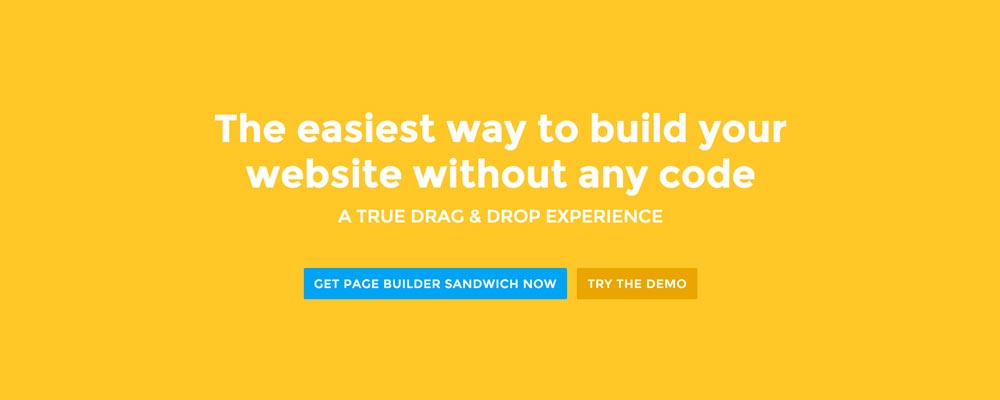 Here’re a few examples of what you can do about your front page.
Add a background image. A large background image behind your large statement is a great eye-catcher and can further encourage visitor engagement. For new book author, maybe adding a background image illustrating the setting of his free ebook would entice people more.
Add an introduction video. Admit it, people can be lazy, especially when it comes to reading. So if your site is a bit complicated, it might be a good idea to add a short video that introduces your site/product quickly. For the wedding organizer, then this can be a video of their latest wedding. Or for our site for example, we can add in a quick intro about the features of our plugin.
Add a video background. This is a bit of a trend nowadays, but I find it appealing at times. If this suits your taste, then this might be a good idea.. I know PayPal had a video background before in their site. For the small hotel, you can put in a stationary video of a scenic area of your hotel as the backdrop.
နိဂုံး
သင့်ပင်မစာမျက်နှာအတွက် above the fold အကြောင်းအရာ ဖန်တီးခြင်းသည် မခက်ခဲသော်လည်း မှန်ကန်စွာလုပ်ဆောင်နိုင်ရန် စဉ်းစားတွေးခေါ်မှုနှင့် စမ်းသပ်မှုအချို့ လိုအပ်ပါသည်။ အကယ်၍ သင့်တွင် ဝဘ်ဆိုက်တစ်ခုရှိနှင့်ပြီးဖြစ်သော်လည်း သင့် Google Analytics တွင် bounce rate မြင့်မားနေပါက အထက်ပါ အကြံပြုချက်များကို အသုံးပြု၍ သင်၏ above the fold အကြောင်းအရာကို ပြန်လည်သုံးသပ်ကြည့်ရန် တိုက်တွန်းလိုပါသည်။
If you have tips on creating above the fold content, kindly share them in the comments!
Page Builder Sandwich can Help You Design Your Front Page & Above The Fold Content
Page Builder Sandwich is a WordPress plugin that allows you to create any design you want without writing any piece of code.


 Now you can download the Lite version of Page Builder Sandwich from the

 ဗားရှင်း ၂.၄ မှစတင်၍ သင်၏ ရှေ့မျက်နှာပြင် (frontend) အတွင်း Markdown ကို အသုံးပြုပြီး အကြောင်းအရာများကို တည်းဖြတ်နိုင်ပြီဖြစ်ကြောင်း ဝမ်းမြောက်စွာ ကြေညာအပ်ပါသည်။
 ပြီးခဲ့သည့်အပတ်က ကျွန်ုပ်တို့သည် ချို့ယွင်းချက်များစွာကို ပြင်ဆင်ထားပြီး WordPress လင့်ခ်တည်းဖြတ်မှု ဒိုင်ယာလော့ဂ်ကို Page Builder Sandwich သို့ ထည့်သွင်းပေးထားသည့် ဗားရှင်း ၂.၁ ကို ထုတ်ဝေခဲ့ပါသည်။
 လူတိုင်းအတွက် မင်္ဂလာနှစ်သစ်ဖြစ်ပါစေ။

 There may be times where you want to add supporting videos from YouTube or Vimeo into your site. Or maybe you want to add Tweets from Twitter, or content from other websites like Flickr and Instagram. You can