
Pro kit · Technology
SaaS Growth website template for WordPress
A conversion-focused SaaS site with a monthly/yearly pricing table, animated metrics, a company timeline and feature pages.
Live preview
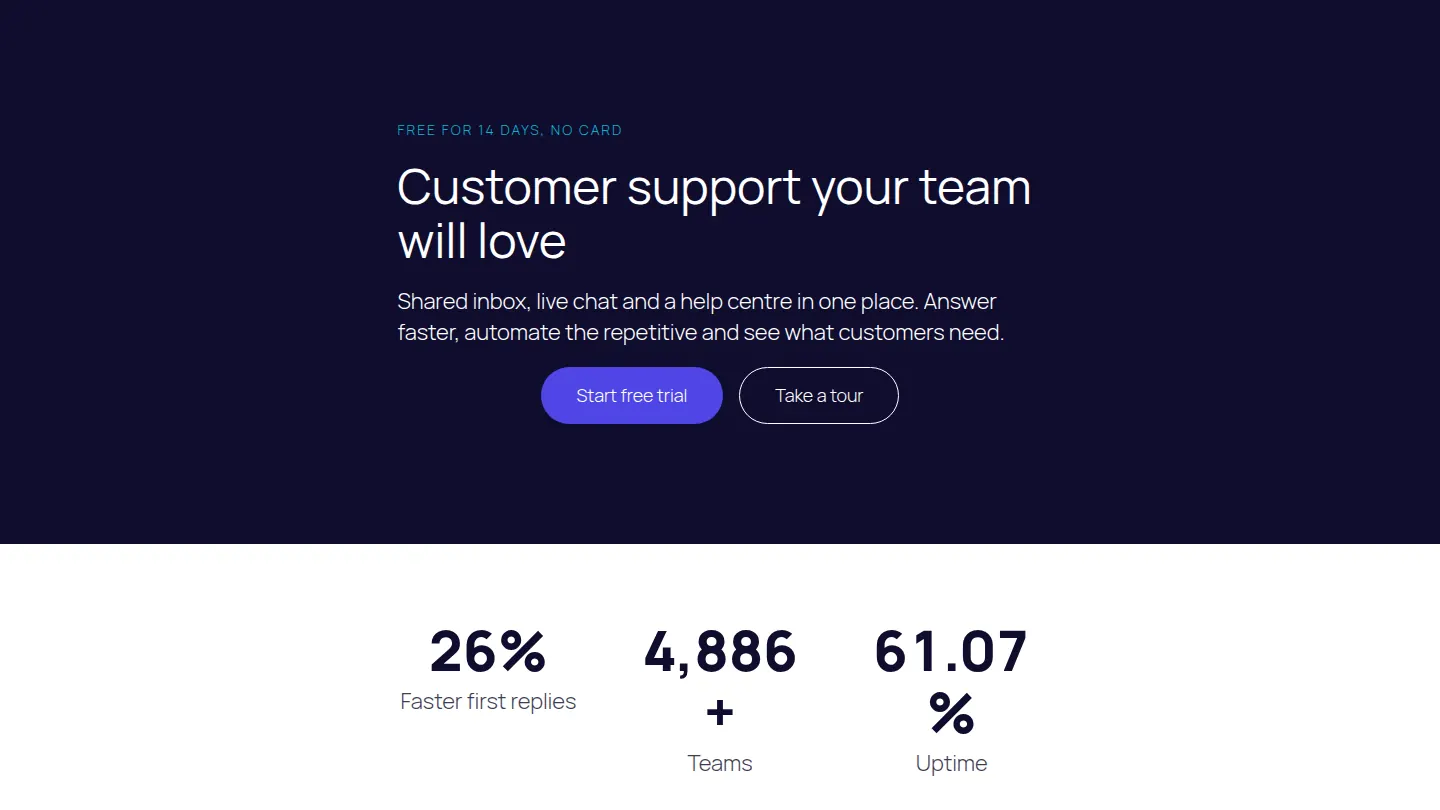
The first sections of the SaaS Growth home page
Built from the kit itself, in its own colours. After you import it, every word, colour and picture is yours to change.
Free for 14 days, no card
Customer support your team will love
Shared inbox, live chat and a help centre in one place. Answer faster, automate the repetitive and see what customers need.
42%
Faster first replies
8,000+
Teams
99.99%
Uptime
One platform for every conversation
Shared inbox
Email, chat and social messages in one queue.
Live chat
Answer visitors in real time on your website.
Help centre
Publish answers customers can find themselves.
Automations
Route, tag and reply to common questions automatically.
Reports
Response times, satisfaction and trends.
Integrations
Connect your CRM, shop and team chat.
6 pages, ready to edit
- Home
- Product
- Pricing
- About
- Blog
- Contact
Also as patterns
Add these sections to any page on their own: Pricing, Timeline.
Its look
Designed with Plus Jakarta Sans headings and Inter text. Its colours are built into each section, so it looks the same on any theme; the text uses your theme’s fonts until you pick others in Site design, where fonts are served from your own site.
Built with
Accordion, Feature list, Steps, Call to action, Counter, Pricing table, Testimonial, Timeline
Questions about the SaaS Growth kit
Is the SaaS Growth kit free?
The SaaS Growth kit comes with Page Builder Sandwich Pro, from $79 a year. Every Pro plan starts with a 14-day free trial, and no card is needed.
How do I import it?
In wp-admin, open Page Builder Sandwich → Templates and kits, choose SaaS Growth and press Import. You choose which pages to create, whether to publish them and whether to add them to your menu.
Will it change my existing pages?
No. Importing creates new pages; your existing pages, posts and menus stay as they are unless you choose to add the new pages to a menu.