
Bọọluogi

  • Ohun ti O yẹ ki O Fi Si Apá Òkè Ojú-ewé Iwájú Rẹ – Àwọn Ìmọ̀ràn Fún Àkóónú “Above the Fold”

    Tips-For-“Above-the-Fold”-ContentWhat you put in the top of your front page has a huge impact on the success or failure of your website. Put the wrong thing in, and you’ll probably see your visitors quickly navigating away from your site. Put the right content there and you may see your sales go up.

    This article isn’t an all-in-one guide for creating above the fold content, nor is about an all-encompassing rule on what you should put in. Rather, I will give you a few tips, recommendations and a little bit of helpful research about this topic.

    Kí o tó bọ́ sí i tààràtà, ó dára láti kọ́kọ́ mọ ohun tí wọ́n ń pe apá òkè ojú-ewé iwájú rẹ. Orúkọ kan wà tí ó dára ju apá-òkè-ojú-òpó-rẹ lọ.

    file000153814713_

    “Above the Fold”

    Wọ́n ń pè é ní Above the Fold. Èéṣe? Nítorí ní àwọn ọjọ́ ìbẹ̀rẹ̀ nígbà tí aráyé ní àwọn ohun tí a ń pè ní ìwé ìròyìn, wọ́n sábà máa ń ṣẹ́ wọn sí méjì kí apá òkè nìkan lè hàn lẹ́sẹ̀kẹsẹ̀. Apá òkè yẹn tàbí apá “above the fold” ní àwọn àkọlé ìròyìn tó ṣe pàtàkì jùlọ fún ọjọ́ náà nínú, lẹ́yìn náà nígbà tí o bá tú u jáde, o máa rí àwọn àkọlé ìròyìn tó kù tí kò fi bẹ́ẹ̀ ṣe pàtàkì. Bákan náà lórí àwọn ojú-òpó wẹ́ẹ̀bù, apá òkè ojú-òpó rẹ ni ohun àkọ́kọ́ tí àwọn ènìyàn ń rí, lẹ́yìn náà nígbà tí o bá yí i sí ìsàlẹ̀ o máa rí àwọn apá tó kù lórí ojú-òpó náà, gẹ́gẹ́ bí títú ìwé ìròyìn jáde.

    Bí a bá tẹ̀síwájú pẹ̀lú àpẹẹrẹ ìwé ìròyìn náà, jẹ́ ká sọ pé ò ń rìn lójú pópó tí o sì rí olùtajà ìwé ìròyìn kan. Nígbà tí o bá rí ìwé ìròyìn náà tí àkọlé rẹ̀ bá sì fani mọ́ra, o lè ra ìwé ìròyìn náà láti wo àwọn yòókù. Èyí bákan náà gan-an pẹ̀lú àwọn ojú-òpó wẹ́ẹ̀bù, tí àwọn àlejò bá kọjá lórí ojú-òpó rẹ tí wọ́n sì rí i pé àkóónú apá òkè (above the fold) rẹ fani mọ́ra, wọ́n lè fọwọ́ sí i kí wọ́n sì yí i lọ sí ìsàlẹ̀ tàbí wo àwọn apá tó kù nínú ojú-òpó rẹ láti rí púpọ̀ sí i.

    Ìwádìí Nielsen

    Earlier I said that your above the fold content may make or break your site. Nielsen Normal Group has written a few research articles about this across the years. I’ll quote the summary of their article The Fold Manifesto: Why the Page Fold Still Matters

    The average difference in how users treat info above vs. below the fold is 84%.

    If you just got confused about the wording of the quote, I did too at the start. Let me clarify: That study doesn’t mean that 84% of people do not scroll down, on the other hand I’ve seen other research say that most people do scroll down to the bottom of the page. It also doesn’t mean that the lower part isn’t important. Instead it means that the behavior of your visitors in your site is largely impacted by your content above the fold.

    Èyí bọ́ sọ́tọ̀ nítorí pé apá òkè ojú-òpó wẹ́ẹ̀bù ni ohun àkọ́kọ́ tí o máa ń kọ́kọ́ rí.

    Ní báyìí tí a ti mọ bí àkóónú apá òkè (above the fold) ojú-ewé iwájú rẹ ti ṣe pàtàkì tó, kí ni o yẹ kí o fi sí apá òkè ojú-òpó rẹ?

    Lọ Tààrà sí Kókó Ọ̀rọ̀

    Fi ohun tí ojú-òpó rẹ dá lé lórí hàn lẹ́sẹ̀kẹsẹ̀. Ojú-ewé iwájú rẹ àti agbègbè apá òkè (above the fold) ni ẹ̀mí gbogbo ojú-òpó rẹ. Tí ó bá dà bí ẹni pé àwọn àlejò rẹ sọnù, wọn yóò tètè yí padà kí wọ́n sì ti ojú-ewé (tab) náà pa. Bí o bá jẹ́ òǹkọ̀wé tuntun, kọ ọ́ pé òǹkọ̀wé ni ọ́ kí o sì fi ìwé rẹ tuntun hàn. Tí o bá jẹ́ olùṣètò ìgbéyàwó, kọ ọ́ pé olùṣètò ìgbéyàwó ni ọ́ tí yóò fún àlejò rẹ ní ìgbéyàwó tí kò ní gbàgbé láé. Tàbí tí o bá ń ṣe ojú-òpó fún ilé-ìtura kékeré rẹ, kọ ọ́ pé ìwọ ni ibi tó dára jùlọ fún ibùsùn àti oúnjẹ àárọ̀ ní ìlú náà. (Èmi yóò lo àwọn àpẹẹrẹ wọ̀nyí síwájú sí i nísàlẹ̀.)

    Kò yẹ kí àwọn àlejò rẹ máa bẹ̀rẹ̀ sí í lábàá ohun tí ojú-òpó náà dá lé lórí. Ó yẹ kí wọ́n mọ̀ ọ́n lẹ́sẹ̀kẹsẹ̀, ìgbà yẹn nìkan ni wọn yóò yí i sí ìsàlẹ̀ láti wo àwọn kúlẹ̀kúlẹ̀ sí i.

    Mú Kí Àwọn Àlejò Rẹ Kópa Pẹ̀lú Èrò Pàtó

    Lẹ́yìn náà, o ní láti ronú nípa ète gidi ti ojú-òpó wẹ́ẹ̀bù rẹ. Kí ni ìdí tí o fi gbé ojú-òpó wẹ́ẹ̀bù rẹ kalẹ̀ ní àkọ́kọ́? Kí ìdí náà wù kí ó jẹ́, o tún gbọ́dọ̀ fi èyí náà sí apá òkè (above the fold).

    Jẹ́ kí a wo àwọn àpẹẹrẹ díẹ̀ tí mo mẹ́nu kàn lókè. Fún òǹkọ̀wé tuntun, ó ṣeé ṣe kí o fẹ́ ìgbéga sí i. Tí o bá ní ìwé orí-ẹ̀rọ (ebook) ọ̀fẹ́ kan, o lè fi bọ́tìnì kan síbẹ̀ fún àwọn àlejò rẹ láti gbà á sílẹ̀. Fún olùṣètò ìgbéyàwó, o máa fẹ́ kí àwọn ènìyàn kàn sí ọ nípa àwọn iṣẹ́ rẹ, fi nọ́mbà tẹlifóònù rẹ tàbí fọ́ọ̀mù ìkànsí síbẹ̀. Tàbí fún ilé-ìtura kékeré, fi fọ́ọ̀mù ìfowópamọ́ àyè síbẹ̀ pẹ̀lú nọ́mbà tẹlifóònù rẹ.

    Fún Page Builder Sandwich, mo fẹ́ kí àwọn ènìyàn mọ ohun-èlò àfikún (plugin) náà sí i, kí wọ́n sì di oníbàárà nígbẹ̀yìn-gbẹ́yín. Nítorí náà, mo ní bọ́tìnì kan níbẹ̀ tí ó ń jẹ́ kí àwọn àlejò dán àkọ́wò (demo) wò lẹ́sẹ̀kẹsẹ̀, àti bọ́tìnì mìíràn láti ra ohun-èlò àfikún náà.

    Ṣíṣe Àpẹẹrẹ Apá Òkè (Above the Fold)

    Ní báyìí tí a ti mọ ohun tí a máa fi síbẹ̀, ó tó àkókò láti pinnu lórí àpẹẹrẹ. Ní tèmi, mo fẹ́ràn àkóónú tí a pín sí apá tó mọ́ tónítóní, èyí ló fà á tí ojú-ewé iwájú wa fi ní àwọ̀ ẹ̀yìn tí ó dúró dáadáa. Ṣùgbọ́n ó tún jẹ́ èrò tó dára láti fi àwòrán tàbí fídíò sí ẹ̀gbẹ́ àkóónú apá òkè (above the fold) rẹ láti jẹ́ kí ó lẹ́mìí sí i.
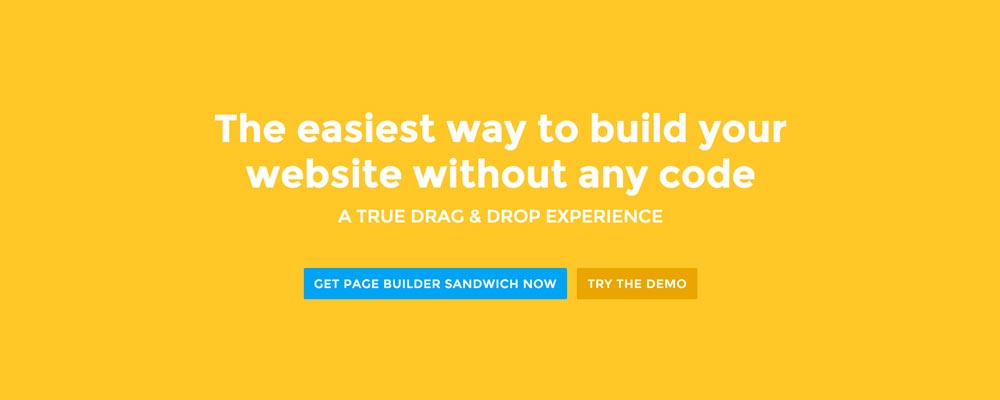
    Screen-Shot-2016-01-29-at-12.11.19-AM_Here’re a few examples of what you can do about your front page.

    Add a background image. A large background image behind your large statement is a great eye-catcher and can further encourage visitor engagement. For new book author, maybe adding a background image illustrating the setting of his free ebook would entice people more.

    Add an introduction video. Admit it, people can be lazy, especially when it comes to reading. So if your site is a bit complicated, it might be a good idea to add a short video that introduces your site/product quickly. For the wedding organizer, then this can be a video of their latest wedding. Or for our site for example, we can add in a quick intro about the features of our plugin.

    Add a video background. This is a bit of a trend nowadays, but I find it appealing at times. If this suits your taste, then this might be a good idea.. I know PayPal had a video background before in their site. For the small hotel, you can put in a stationary video of a scenic area of your hotel as the backdrop.

    Ìparí

    Ṣíṣẹ̀dá àkóónú apá òkè (above the fold) fún ojú-ewé iwájú rẹ kò nira, ṣùgbọ́n ó gba ìrònú díẹ̀ àti ìdánwò láti ṣe é dáadáa. Bí o bá ti ní ojú-òpó tẹ́lẹ̀ tí o sì ti tò ó sílẹ̀, ṣùgbọ́n tí o ní ìwọ̀n ìpadàsẹ́yìn kíákíá (bounce rate) tí ó ga nínú Google Analytics rẹ, ǹjẹ́ mo gbà ọ́ níyànjú láti gbìyànjú kí o sì tún ronú lórí àkóónú apá òkè (above the fold) rẹ pẹ̀lú àwọn ìmọ̀ràn tó wà lókè yìí.

    If you have tips on creating above the fold content, kindly share them in the comments!


    Page Builder Sandwich can Help You Design Your Front Page & Above The Fold Content

    Page Builder Sandwich is a WordPress plugin that allows you to create any design you want without writing any piece of code.

    Kọ́ Ẹ̀kọ́ Síi Nípa Page Builder Sandwich

  • Bí A Ṣe Lè Ṣẹ̀dá Ojú-òpó Wẹ́ẹ̀bù Láti Ìbẹ̀rẹ̀ Pẹ̀lú Iye Tó Kéré Sí $100

    How-to-Create-a-Website-from-Scratch-for-Under-$100

    Bí o bá fẹ́ ṣẹ̀dá ojúlé wẹ́ẹ̀bù láti ìbẹ̀rẹ̀ pátápátá, ṣùgbọ́n tí o ní ìwọ̀n owó díẹ̀ tí o kò sì ní ìmọ̀ ẹ̀rọ kankan rárá, ìtọ́sọ́nà kúkúrú yìí wà fún ọ.

    Àpilẹ̀kọ yìí wà fún àwọn olùbẹ̀rẹ̀ pátápátá tí wọ́n kàn fẹ́ ṣẹ̀dá ojúlé wẹ́ẹ̀bù láìsí gbogbo àwọn ọ̀rọ̀ ìmọ̀ ẹ̀rọ àti àwọn ìdíjú rẹ̀. Nítorí náà, bí o bá jẹ́ olùdásílẹ̀ iṣẹ́ ajé tuntun tí o kàn fẹ́ ojúlé wẹ́ẹ̀bù fún ọ́fíìsì rẹ láti fi hàn àwọn oníbàárà, tàbí olùfẹ́ oúnjẹ tí o fẹ́ kọ àtúnyẹ̀wò nípa ilé oúnjẹ lórí ayélujára, tàbí o jẹ́ ẹnì kan tí ó fẹ́ dá nǹkan ṣe fúnra rẹ tí ó kàn nílò ojúlé wẹ́ẹ̀bù, ǹjẹ́ tẹ̀síwájú láti máa kà á! Èmi yóò yẹra fún àwọn èdè ìmọ̀ ẹ̀rọ tó le jù lọ láti jẹ́ kí àwọn nǹkan rọrùn bí ó ti lè ṣeé ṣe tó.

    Ẹ jẹ́ kí a ka àwọn ohun tí a ó ní nígbà tí a bá parí. Nígbà tí àpilẹ̀kọ yìí yóò fi parí, ìwọ yóò ti ní:

    1. Your own website that people can visit at http://supermegaawesomewebsite.com,
    2. Optionally have your own email address at [email protected],
    3. A certain zen-like state of mind.

    Ohun Tí O Nílò

    Ó dára, kí a tó bẹ̀rẹ̀ pẹ̀lú àwọn ìgbésẹ̀ gidi náà, a ó nílò àwọn nǹkan wọ̀nyí:

    1. Èrò nípa ohun tí ojúlé wẹ́ẹ̀bù rẹ yóò jẹ́,
    2. Káàdì àwìn (credit card) tàbí àkántì Paypal kan tí ó ní owó $100, àti
    3. Ohun mímu tútù tàbí gíláàsì omi kan bí òùngbẹ bá ń gbẹ ọ́, ó dára ní gbogbo ìgbà láti máa mu omi.

    Kí Ni Ojúlé Wẹ́ẹ̀bù?

    Kí a tó ṣe ohunkóhun, ó ṣe pàtàkì láti mọ ohun tí a ń ṣẹ̀dá gan-an tẹ́lẹ̀. Bẹ́ẹ̀ ni, a ń ṣẹ̀dá ojúlé wẹ́ẹ̀bù tìrẹ fúnra rẹ, ṣùgbọ́n kí ni ó jẹ́ ní ti gidi?

    In a nutshell, a website is a bunch of files in a special computer, and this special computer can be accessed by using a special web address on your web browser. After accessing the web server, it’s going to crunch those files together and in the end we would be able to see a pretty looking web page.

    Sorta techy terms:

    • bunch of files = web pages
    • special computer = web server
    • special web address = domain name or URL

    Àwọn ọ̀rọ̀ tí a kọ ní fífún nínú ìpínrọ̀ tẹ́lẹ̀ ni àwọn nǹkan tí a nílò láti rí gbà. Pẹ̀lú oríire fún wa, ibì kan wà tí a ti lè rí gbogbo wọn gbà lẹ́ẹ̀kan ṣoṣo.

    Rírí Àyè Kan Gbà Lórí Ayélujára

    Èmi yóò gbani nímọ̀ràn láti gba GoDaddy’s Managed WordPress Hosting – Basic Plan. Ètò yìí ń fún wa ní gbogbo ohun tí a nílò láti ṣẹ̀dá ojúlé wẹ́ẹ̀bù wa lẹ́sẹ̀kẹsẹ̀ pẹ̀lú ìyọnu díẹ̀ jù lọ. Apá tí ó dára jùlọ ni pé a kò ní láti ṣàníyàn nípa àwọn kúlẹ̀kúlẹ̀ ìmọ̀ ẹ̀rọ ti gbogbo ètò rẹ̀.

    Bí o bá ń ṣe kàyéfì ohun tí ètò “Managed WordPress Hosting” jẹ́, èmi yóò ṣàlàyé rẹ̀ ní kíkún:

    • Managed – GoDaddy will be the ones who’ll make sure that everything runs smoothly, updated, fast and without any problems. And if you need any help, you can ask their customer support.
    • WordPress – This the content management platform that will be used. It’s what you’ll use to publish your content online. It’s awesome. If you want to know more about WordPress, WP101 has a great intro video on What WordPress Is
    • Hosting – Everything will be placed in GoDaddy’s servers, so everything can be accessed quickly and with almost no down time.

    When getting the plan from GoDaddy, they also provide you with a domain name for free. This is awesome since now we don’t have to do anything aside from signing up in order to get the full package!

    Gẹ́gẹ́ bí àfikún àǹfààní, o tún lè gba àwọn àdírẹ́sì ímeèlì nípa gbígba Basic Plan wọn. Ọdún àkọ́kọ́ jẹ́ ọ̀fẹ́, nítorí náà èyí jẹ́ ìpinnu tí kò gba àròjinlẹ̀ bí o bá máa lo ímeèlì láti bá àwọn oníbàárà àti àwọn ẹlòmíràn sọ̀rọ̀.

    Wo ìjápọ̀ yìí ní ìsàlẹ̀ fún kúlẹ̀kúlẹ̀ síwájú síi lórí àwọn ètò wọn (kò sì sí pé wọ́n ń sanwó fún mi láti gba ènìyàn nímọ̀ràn nípa wọn):

    Ṣàyẹ̀wò Àwọn Ètò Ìgbàlejò WordPress Tí A Ṣàkóso Ti GoDaddy

    Kọ gbogbo àwọn kúlẹ̀kúlẹ̀ náà sínú rẹ̀, wá orúkọ àkọsílẹ̀ (domain name) tí o fẹ́ (o kò ní dandan láti lo supermegaawesomewebsite.com), lẹ́yìn náà tẹ̀síwájú láti sanwó fún un.

    I recommend that you sign up for at least one year so that you can avail of their discounts. You can also scour the web to check if there are any promos available.

    Web Server Cost: $12.18 – $59.88 for 1 year (the key here is to find a promo) Email Cost: $0 for 1 year Domain Name Cost: $0 for 1 year

    Total Cost so far: $12.18 – $59.88

    Ẹ kú oríire, O Ti Ní Ojúlé Wẹ́ẹ̀bù WordPress Kan Báyìí!

    Lẹ́yìn tí o ti gba iṣẹ́ ìgbàlejò GoDaddy rẹ, ojúlé wẹ́ẹ̀bù rẹ yóò ti máa ṣiṣẹ́ ní kíkún báyìí. O lè bẹ̀rẹ̀ sí ní lọ sí àdírẹ́sì domain rẹ http://supermegaawesomewebsite.com kí o sì wo ojúlé wẹ́ẹ̀bù rẹ.

    Ojú àkọ́kọ́ tí ojúlé wẹ́ẹ̀bù rẹ yóò kọ́kọ́ fi hàn ni pé ó lè dà bí ẹni pé ó.. ṣófo.. ó sì rí bẹ́ẹ̀ gẹ́gẹ́ bí iṣẹṣe. Má ṣe kọminú, ẹ jẹ́ kí a tún un ṣe!

    Wíwọlé sí Ojúlé Wẹ́ẹ̀bù Rẹ

    Since you’ve signed up with GoDaddy, they’ll give you a URL where you can access the administration side of your website. If you can’t find it, you can add a /wp-admin at the end of your URL. e.g. http://supermegaawesomewebsite.com/wp-admin and log in from there. Once logged in, you’ll end up in your WordPress Dashboard.

    GoDaddy ní ètò “Quick Setup” tiwọn fúnra wọn láti ran àwọn olùbẹ̀rẹ̀ lọ́wọ́ láti ṣe àtúnṣe ojúlé wẹ́ẹ̀bù wọn. Mo gbani nímọ̀ràn láti gba ojú ọ̀nà ètò ìbẹ̀rẹ̀ yìí bí o kò bá mọ bí WordPress ṣe ń ṣiṣẹ́ dunjú.

    Kíkọ́ Nípa WordPress

    Báyìí ó tó àkókò láti mọ WordPress dáadáa. Gẹ́gẹ́ bí mo ti sọ ṣíwájú, WordPress ni pẹpẹ tí o ń lò báyìí láti tẹ àwọn àkóónú rẹ jáde. Ní ọ̀rọ̀ mìíràn: o wọlé sínú ojúlé wẹ́ẹ̀bù rẹ, o ṣẹ̀dá àwọn ojú-ewé àti àwọn àkọsílẹ̀ búlọ́ọ̀gù, o sì tẹ bọ́tìnì ìtẹ̀jáde lójú ẹsẹ̀.

    Ìgbésẹ̀ tí ó kàn báyìí ni láti kọ́ bí a ṣe ń lo WordPress. Bí o kò bá tíì lo WordPress rí, ojú pẹpẹ iṣẹ́ (dashboard) náà lè dọrùn mọ́ ọ lójú pẹ̀lú àwọn ìsọfúnni púpọ̀ bí o bá kọ́kọ́ rí i nígbà àkọ́kọ́. Mo gbani nímọ̀ràn pé kí o ṣe àwárí àwọn agbègbè oríṣiríṣi ní ìwọ̀n àkókò ti ara rẹ.

    If you need guidance, there are a lot of tutorials on how to use WordPress online too. One of them is WP101. WP101 makes things super easy by providing lots of tutorials in video format, and they have a huge library of videos that will teach you all the ins and outs of WordPress.

    They have a few free videos in their site. For example, you can watch WP101’s video tutorial about the WordPress Dashboard.

    Ṣàyẹ̀wò Àwọn Fídíò Ẹ̀kọ́ Ti WP101

    Video Tutorials Cost: $15 per month (if you can obsess over all their videos within the first month, then you’re golden)

    Total Cost so far: $27.18 – $74.88

    Mímu Kí Ojúlé Wẹ́ẹ̀bù Rẹ Lẹ́wà

    The next step is to change the design of your site to make it match your personality and/or needs. You’ll need themes for that. In short, themes are like “skins” for your WordPress site.

    There are a ton of free and paid themes out there. If you want free themes, then there’s no doubt that the WordPress.org theme directory is your number one option.

    Since there are a lot out there though, it’s sometimes hard to find the perfect one for you. Theme Friendly’s Find Themes helps by providing reviews for themes and gives them a score based on their review. They have a number of themes in their site, and probably the best thing there is that you can click on filters while browsing themes, so you can view only themes fit for portfolios, businesses or blogs, and many more.

    There are also paid themes, but for starters I would recommend the free ones first. If you decide to take the premium route check out Premium WordPress’ list of theme shops.

    If you’re wondering why I didn’t mention ThemeForest, it’s because there are a lot of themes there that add a lot of bloat (unnecessary features) to your site. So if you really want to find a theme from there, tread carefully.

    Theme Cost: $0 – $70 one time (I’d recommend looking for promos in theme shops too)

    Total Cost so far: $27.18 – $144.88

    Fífikún Àwọn Ìwúlò Síwájú sí Ojúlé Wẹ́ẹ̀bù Rẹ

    As you create your site and continue to add content to it, you might find yourself wanting to add more stuff like contact forms, maybe some icons, or a Google Map, or something else. For these kinds of stuff, you’ll need plugins.

    As with themes, there are also a ton of free and paid options. And like themes, the number one choice for free plugins is the WordPress.org plugin directory. It’s a common saying within the WordPress community that if you need something in your site, “there’s a plugin for that.”

    For premium plugins, you can also find premium ones in CodeCanyon.net. But I would recommend going through the thousands of free ones in the WordPress.org plugin directory first.

    Plugin Cost: $0

    Total Cost so far: $27.18 – $144.88

    Conclusion

    You might have noticed that the total cost indicator is a range instead of a solid number. It’s because there are various ways to push the cost down like watching out for promotions, and opting for free themes & plugins.

    So if you play your cards right, you can actually have your own site from scratch (powered on for a full year), for only $27.18

    Most likely the succeeding years won’t be as cheap as the first year, but if you have your site up and running for at least a year already, then I would like to think that it’s a success and the other future costs aren’t a problem anymore.

    Hopefully you’ve learned a bunch from this article. And if you didn’t know about WordPress before and you’re now a proud WordPress user, consider joining the numerous WordPress communities online. Just search for a WordPress group in Facebook :)

    Dúró ná! Má Tíì Pa Táàbù Yìí Dé!

    Dúró ná! Èmi yóò fẹ́ mẹ́nu ba Page Builder Sandwich kí o tó pa táàbù yìí dé. Mo ti dárúkọ ọ̀pọ̀lọpọ̀ àwọn ohun àgbàyanu lókè, ṣùgbọ́n o kò tíì rí Page Builder Sandwich.

    Page Builder Sandwich yóò jẹ́ kí o ṣe àròsọ àwọn ojú-ewé rẹ nínú ojúlé wẹ́ẹ̀bù tuntun rẹ pẹ̀lú ìrọ̀rùn láìsí mímọ koodu kankan. Ó rí bẹ́ẹ̀ ó sì ń ṣiṣẹ́ bí àtúnṣe àkọsílẹ̀ nínú ètò ìkọ̀wé (word processor), ṣùgbọ́n ó wà fún àwọn ojúlé wẹ́ẹ̀bù. Pẹ̀lú rẹ̀, ìwọ yóò lè mú kí ojúlé wẹ́ẹ̀bù rẹ túbọ̀ dùn-ún wò pẹ̀lú àwọn carousel, àwọn àmì ìdánimọ̀ (icons), àwọn bọ́tìnì, àwọn àwòrán abẹ́lẹ̀ àti ọ̀pọ̀lọpọ̀ síi pẹ̀lú ìrọ̀rùn.

    You can try out the demo, or watch the video below. What’s cool is that we’re still below the $100 limit :)

    Dán Àfihàn Ti Page Builder Sandwich Wò

    Page Builder Sandwich Cost: $39 for 1 site

    Total Cost so far: $86.18 – $203.88

  • Page Builder Sandwich Lite Ti Wà Lárọ̀wọ́tó Báyìí Nínú WordPress Plugin Repo

    PBS-Lite-Is-Now-Available-In-The-WP-Plugin-RepoNow you can download the Lite version of Page Builder Sandwich from the WordPress.org plugin repository!

    Àtúnṣe lite jẹ́ àtúnṣe tí a dín kù lára plugin gbígbéṣẹ́ (premium), ṣùgbọ́n ó ṣì ṣe é lò pátápátá. Èyí ni àkójọ àwọn àbùdá àti àwọn irinṣẹ́ tí ó wà nínú àtúnṣe Lite:

    • Àtúnṣe ojú-ìwé iwájú lẹ́sẹ̀kẹsẹ̀ (live frontend)
    • Àtúnṣe tààrà, tẹ̀ ẹ́ kí o sì kọ̀wé láìsí wàhálà àwọn àgbékalẹ̀ popup
    • Àwọn irinṣẹ́ fọ́ọ̀mù ọ̀rọ̀: àwọ̀, kíkọ kedere (bold), fífà tẹ̀gbẹ́ (italic), fífà ìlà sábẹ́, ìlà petele, àtúntò ipò, abbl, ní pàtàkì gbogbo nǹkan tí o lè ṣe nínú olótùú TinyMCE ti backend.
    • Àwọn àwòrán àti àyípadà àwòrán nípa lílo Olùṣàkóso Amóhùnmáwòrán WordPress
    • Ìṣẹ̀dá àjápọ̀ nípa lílo àpótí ìfọ̀rọ̀wérọ̀ olùṣẹ̀dá àjápọ̀ ti WordPress
    • Àwọn èròjà block: àwọn àkọlé, àwọn àsọyé (blockquotes), àwọn àkójọ aami àti ti nọ́mbà
    • Ìṣàfihàn àti àtúnṣe shortcode lẹ́sẹ̀kẹsẹ̀, pẹ̀lú àkójọ kíkún ti gbogbo àwọn shortcode tí ó wà
    • Ìgbékalẹ̀ pẹ̀lú àwọn ìlà & àwọn ọ̀wọ́ tí a lè gbé sínú ara wọn
    • Àwọn àbùdá ìlà & ọ̀wọ́: àwọ̀ abẹ́lẹ̀, àwọn àlà (margins), ààyè inú (paddings) àti àwọn etí (borders)
    • Dídápadà/ṣíṣe àtúnsọ (undo/redo) tí ń ṣiṣẹ́
    • Àti púpọ̀ sí i!

    Gba Ẹ̀yà Lite Sílẹ̀ Ní Báyìí

    Bí o bá ti rí ojú-ìwé plugin náà tí o sì ń ṣe kàyéfì ìdí tí plugin náà kò fi jẹ́ tuntun bọ̀rọ̀bọrọ, ó jẹ́ nítorí pé èyí kì í ṣe ìgbìyànjú àkọ́kọ́ ti plugin náà. Ní ọdún kan sẹ́yìn, ó jẹ́ olùkọ́ ojú-ìwé backend , ṣùgbọ́n èmi kò nífẹ̀ẹ́ sí i, lẹ́yìn ọ̀pọ̀lọpọ̀ oṣù ti àṣàrò àti ìrònú jinlẹ̀, mo gba ọ̀nà tó yàtọ̀ pátápátá tí ó sì ti wá di olùkọ́ ojú-ìwé frontend tó dára gidigidi tí èmi fúnra mi ń gbádùn lílò.

    Ṣé Èyí Yóò Ṣiṣẹ́ Pẹ̀lú Àkòrí (Theme) Mi?

    Ní ti ìmọ̀-ẹ̀rọ, èyí gbọ́dọ̀ ṣiṣẹ́ pẹ̀lú èyíkéyìí àti gbogbo àwọn àkòrí. Pa pọ̀ pẹ̀lú àwọn olùlò àti àwọn oníbàárà wa, a ti lo Page Builder Sandwich pẹ̀lú àṣeyọrí lórí ọ̀pọ̀lọpọ̀ àwọn àkòrí pẹ̀lú àwọn àkòrí láti ibi ìpamọ́ àkòrí WordPress.org, Genesis Themes, StudioPress Themes, Elegant Themes àti àwọn àkòrí láti ThemeForest. Bí kò bá ṣiṣẹ́ pẹ̀lú àkòrí rẹ, jọ̀wọ́ jẹ́ kí a mọ̀ a ó sì tún un ṣe.

    Ṣé Èyí Yóò Ṣiṣẹ́ Pẹ̀lú Àkóónú Mi Lọ́wọ́lọ́wọ́?

    Page Builder Sandwich yẹ kí ó ṣiṣẹ́ dáadáa pẹ̀lú àkóónú rẹ tí ó wà tẹ́lẹ̀. Àkóónú rẹ yẹ kí ó ṣe é ṣàtúnṣe lẹ́sẹ̀kẹsẹ̀ lórí frontend!

    Bí àkóónú rẹ bá kún fún àwọn shortcode tí a gbé sínú àwọn shortcode mìíràn (fún àpẹẹrẹ bí o bá ń lo àwọn shortcode ọ̀wọ́), a gbani nímọ̀ràn pé kí o kọ́kọ́ fọwọ́ pa wọ́n rẹ́ kí o sì yọ àwọn shortcode ọ̀wọ́ wọ̀nyẹn kúrò. Page Builder Sandwich wá pẹ̀lú àwọn ọ̀wọ́ CSS tòótọ́, láìsí shortcode àti èyí tí ń bára mu (responsive). Yóò dára jù bí o bá lo àwọn wọ̀nyẹn dípò bẹ́ẹ̀ nítorí pé wọ́n yára jù tí wọ́n sì lágbára púpọ̀ sí i.

    Ẹ̀dínwó ìfáàrà àkànṣe

    Bí o bá fẹ́ àwọn àbùdá sí i bíi àwọn ìlà ìbú-kíkún, ọ̀rọ̀ tí ó gbépe, àwòrán, àtúnṣe ìgbékalẹ̀ ìlà àti ọ̀wọ́, nígbà náà ìwọ yóò gbádùn àtúnṣe gbígbéṣẹ́ (premium). Ìwọ yóò tún gba àwọn ìgbàtúnṣe plugin àti àtìlẹ́yìn oníbàárà.

    For the next few days, we’re offering you a 50% introductory discount. Take advantage of this now!

    If you’re unsure, give the lite version a spin on your own setup first, or check out the live demo from the top menu ?

  • A Ti Ṣe Àtìlẹ́yìn fún Markdown Nísinsìnyí, Pẹ̀lú Àwọn Irinṣẹ́ Ìṣètò Ọ̀rọ̀ Tí Ó Dára Díẹ̀

    Markdown-Now-Supported,-Plus-A-Few-Cool-Formatting-ToolsInú mi dùn láti kéde pé bí ó ti bẹ̀rẹ̀ láti ẹ̀dà 2.4, o ti lè ṣàtúnṣe àkóónú rẹ nínú frontend rẹ nípa lílo Markdown báyìí!

    Àtìlẹ́yìn Síntáàsì Markdown

    Kí ni markdown? Ó dà bí àwọn kọ́kọ́rọ́ ọ̀nà-abúrú, ṣùgbọ́n dípò títẹ àpapọ̀ àwọn bọ́tìnì, o máa kọ wọ́n jáde pẹ̀lú bọ́tìnì ìkọ̀wé tí ìṣètò ìrísí sì máa bẹ̀rẹ̀ sí í ṣiṣẹ́ lẹ́sẹ̀kẹsẹ̀. WordPress pẹ̀lú ṣẹ̀ṣẹ̀ fi àtìlẹ́yìn Markdown kún un láìpẹ́ yìí, báyìí sì ni o tún ti lè ṣe àwọn nǹkan wọ̀nyẹn nínú Page Builder Sandwich. O lè fi àwọn orí-ọ̀rọ̀ oríṣiríṣi, àwọn blockquote, ọ̀rọ̀ tàbí kóòdù tí a ti ṣètò tẹ́lẹ̀, àwọn ìlà gbígbọọrọ, àtòjọ àmì tàbí nọ́ńbà àti àwọn ọ̀nà-ìsopọ̀ kún un pẹ̀lú Markdown.

    Wo èyí bí àfidípò fún lílo èkúté kọ̀mpútà rẹ láti tẹ àwọn bọ́tìnì ìṣètò ìrísí. Fún àpẹẹrẹ, nígbà tí o ń kọ àkọsílẹ̀ búlọ́ọ̀gì tí o sì pinnu pé o fẹ́ orí-ọ̀rọ̀ míràn, báyìí o lè kàn tẹ àwọn àmì páùn méjì (##) lẹ́yìn náà ọ̀rọ̀ orí-ọ̀rọ̀ rẹ. Gbàrà tí o bá tẹ enter, gbogbo ìlà náà yóò yípadà sí àmì <h2> . Ẹ wo bí èyí ṣe dára tó!

    O lè rí àtòjọ gbogbo àwọn síntáàsì markdown tí a tì lẹ́yìn láti ojú-ewé àkọsílẹ̀ wa: http://pagebuildersandwich.helpscoutdocs.com/article/4-how-to-use-markdown

    O tún lè dán an wò láti àfihàn tààrà

    Àwọn Irinṣẹ́ Ìṣètò Ìrísí àti Àwọn Àbùdá Dídára Díẹ̀

    Ó tún yẹ fún dídárúkọ pé báyìí o ti ní àwọn irinṣẹ́ tuntun díẹ̀ ní àrọ́wọ́tó rẹ:

    • Irinṣẹ́ Bọ́tìnì – Báyìí o lè ṣẹ̀dá àwọn bọ́tìnì tí kò ní shortcode! Tẹ́lẹ̀tẹ́lẹ̀, o wà ní ààlà ṣíṣẹ̀dá àwọn ìsopọ̀ anchor nìkan, kì í tún ṣe bẹ́ẹ̀ mọ́! Ohun àgbàyanu nípa èyí ni pé o lè ṣàtúnṣe àkọlé bọ́tìnì àti àwọn àwọ̀ tààrà láìsí líla àwọn popup tí ń buni lẹ́rù kọjá.
    • Irinṣẹ́ Kóòdù – Ẹ yọ̀ ẹ̀yin olùgbélárugẹ, báyìí o lè ṣe àṣà ọ̀rọ̀ inú ìlà gẹ́gẹ́ bí code.
    • Irinṣẹ́ Ìlà Gbígbọọrọ – Ó dára púpọ̀ fún pípín àkóónú rẹ sọ́tọ̀. Síntáàsì markdown wà fún èyí pẹ̀lú, kàn tẹ àmì ìdáwọ́rọ̀ kan tàbí jù bẹ́ẹ̀ lọ nínú ìlà kan, yóò sì yípadà sí ìlà gbígbọọrọ kan.

    Yàtọ̀ sí àwọn yẹn, àwọn àbùdá ìrọ̀rùn tuntun tún wà:

    • Nígbàkigbà tí o bá lẹ ọ̀nà-ìsopọ̀ kan pọ̀, yóò yípadà fúnra rẹ̀ sí àmì anchor (àyàfi tí ó bá jẹ́ URL tí a lè fi sínú nǹkan bíi fídíò YouTube, nígbà náà ni a óò fi àkóónú náà sínú rẹ̀).
    • Fífà àwòrán láti finder tàbí explorer rẹ tààrà sínú fèrèsé náà ń gbé àwòrán rẹ sókè sínú Alábòójútó Amóhùnmáwòrán. Èyí jẹ́ ohun tí ń fi àkókò pamọ́ gidigidi.
  • Ìròyìn Ìtẹ̀síwájú Ẹ̀yà 2.2

    Version-2-2-Progress-UpdateLọ́sẹ̀ tó kọjá a ṣe àgbéjáde ẹ̀yà 2.1 tó tún ọ̀pọ̀lọpọ̀ àwọn àṣìṣe ṣe tí ó sì fi àpótí ìbánisọ̀rọ̀ olóòtú ìjápọ̀ WordPress kún Page Builder Sandwich.

    Nísinsìnyí a ti bójútó àwọn ẹ̀yà pàtàkì méjì tí a béèrè fún nínú Page Builder Sandwich:

    1. Ìfarahàn aṣeṣoṣo olùmúlò tó rọrùn síi, tó mọ́ síi, tó tún rọrùn jù tí a sì tún ṣe àtúnṣe àwòrán rẹ̀.
    2. Agbára láti fi kún/ṣàtúnṣe àwọn kíláàsì àti ID àṣà CSS fún àwọn èròjà, àwọn ìlà àti àwọn ọ̀wọ́.

    Ìfarahàn àtijọ́ dà bí àkójọpọ̀ ọ̀pọ̀lọpọ̀ bọ́tìnì. Ní ti ìmọ̀ ẹ̀rọ, ó rọrùn nítorí pé àwọn bọ́tìnì wà níbẹ̀ tí o kàn lè tẹ̀ wọ́n. Ṣùgbọ́n ní ti gidi, kò dà bí èyí tó rọrùn bẹ́ẹ̀ ni kò sì ní ìmọ̀lára bẹ́ẹ̀, ó sì jẹ́ ohun tí ń dẹ́rù ba àwọn olùmúlò tuntun díẹ̀ (ẹ ṣeun sí àwọn alátìlẹyìn wa fún títọ́ka sí èyí). Nítorí náà, ní báyìí gbogbo àwọn irinṣẹ́ oríṣiríṣi ni a ti kójọ pọ̀ sí àwọn irinṣẹ́ tí ó jọra: títò ọ̀rọ̀, àwọn ìlà àti àwọn ọ̀wọ́, abbl. Àti láti jẹ́ kí àwọn nǹkan má baà dẹ́rù bani, àwọn bọ́tìnì tí ó ṣe pàtàkì jùlọ nìkan ni a ń fi hàn ní ìbẹ̀rẹ̀. Àwọn irinṣẹ́ tó “nílọsíwájú” síi ni a lè yí padà sí ojú ìwò. Èyí jẹ́ láti gba àwọn olùmúlò tuntun láàyè láti yára kọ́kọ́ mọ bí gbogbo nǹkan ṣe ń ṣiṣẹ́ nípa wíwulẹ̀ ṣàfihàn ìrísí kókó fún wọn, lẹ́yìn náà tí wọ́n bá rí i pé ó bójúmu fún àwọn, wọ́n lè wo ìyókù àwọn irinṣẹ́ náà.

    Ó yà mí lẹ́nu láti rí bí àwọn ìbéèrè ṣe pọ̀ tó lórí gbígba àyè láti ṣàtúnṣe àwọn kíláàsì àti ID àṣà fún èròjà kọ̀ọ̀kan. Fún èmi fúnra mi, nígbà tí mo bá ń lo àwọn aṣẹ̀dá ojú-ewé, kì í fi bẹ́ẹ̀ lo àwọn irinṣẹ́ wọ̀nyẹn, ṣùgbọ́n èrò tèmi nìyẹn. Ìpèníjà pẹ̀lú fífi àwọn kíláàsì àti ID àṣà kún un ni pé ó gbọdọ̀ pa ìmọ̀-ọgbọ́n ti Page Builder Sandwich mọ́ níbi tí àwọn nǹkan gbọdọ̀ wà ní rírọrùn àti ìmọ̀-inú bí ó ti lè ṣeé ṣe tó. Nítorí náà pẹ̀lú ẹ̀yà 2.2, nígbà tí o bá yan èròjà èyíkéyìí nínú ojú-ewé rẹ, o gbọdọ̀ rí agbègbè àwọn ohun-ìní nínú olùṣàyẹ̀wò níbi tí o ti lè fi kún tàbí yí àwọn kíláàsì àti ID CSS àṣà rẹ padà. Èyí tún ń ṣiṣẹ́ fún àwọn ìlà àti àwọn ọ̀wọ́, nítorí náà o lè yí wọn padà pátápátá kí o sì ṣàtúnṣe wọn sí ohunkóhun tí o bá nílò.

    Ẹ ṣeun sí gbogbo ènìyàn fún títìlẹyìn fún ìdàgbàsókè ti Page Builder Sandwich! Ẹ máa bá a nìṣó láti gbọ́ àwọn àmúgbégbága mìíràn ní ọjọ́ iwájú ?

  • Fífi Fídíò, Ohùn àti Àwọn Àkóónú Mìíràn Sínú Rẹ̀ Ti Ní Àtìlẹ́yìn Báyìí

    Embedding-Video-Audio-and-Other-Content-Now-SupportedẸ kú ọdún tuntun fún gbogbo yín!

    Inú mi dùn láti sọ fún yín pé láti orí ẹ̀dà 2.3 lọ, oEmbeds ti ṣeé ṣe báyìí pẹ̀lú Page Builder Sandwich! Nísinsìnyí o lè fi àwọn fídíò, àwòrán, àwọn ìsokọ́rọ̀ (threads), àti ọ̀pọ̀lọpọ̀ àwọn àkóónú míràn sínú ojú-ewé láti YouTube, Vimeo, Twitter, Flickr, Instagram, abbl.

    oEmbeds

    Títí di àkókò yìí, kò sí ọ̀nà láti fi àwọn fídíò tàbí irú àkóónú èyíkéyìí míràn tí a lè gbé sínú ojú-ewé (yàtọ̀ sí àwọn shortcode) kún un ní apá iwájú (frontend). Inú mi dùn láti sọ pé a ti ń tìlẹ́yìn fún oEmbeds ní kíkún báyìí. Kàn lẹ̀ mọ́ (paste) URL oEmbed kan níbikíbi kí o sì tẹ enter, lẹ́yìn náà yóò wọ inú rẹ̀.

    oembed_cast
    Líla URL mọ́ orí ìlà kan ṣoṣo ń sọ wọ́n di àkóónú tí a gbé sínú ojú-ewé.

    Àwọn URL wo ni a ń tìlẹ́yìn fún? Ó dára, èyíkéyìí nínú àwọn URL àkóónú tí WordPress ń tìlẹ́yìn fún! Pẹ̀lúpẹ̀lù, tí o bá ní ohun-ìgbàsọ́ (plugin) tí ń ṣàfikún àwọn olùpèsè oEmbed (fún àpẹẹrẹ Jetpack láti ọwọ́ WordPress.com) a ó sì tìlẹ́yìn fún àwọn náà pẹ̀lú.

    Bóyá apá tí ó dára jùlọ nípa ẹ̀yà tuntun yìí ni pé fífi nǹkan sínú ojú-ewé kì í kó pàdánù tàbí idọ̀tí bá àkóónú rẹ. Àwọn URL tí a fi sínú rẹ̀ nínú olótu ẹ̀yìn (backend editor) yóò hàn gẹ́gẹ́ bí ìlà URL kan ṣoṣo.

    Tí o bá fẹ́ dán èyí wò, tẹ ìjápọ̀ àkíyèsí lẹ́sẹ̀kẹsẹ̀ (live demo) lókè kí o sì lẹ àwọn URL kan mọ́ ibẹ̀!

    Àwọn ìlọsíwájú míràn àti àtúnṣe àwọn àṣìṣe

    • Àwọn bọ́tìnì irinṣẹ́ irúfẹ́ àkóónú (p, h2, h3, abbl) yóò máa tàn ìmọ́lẹ̀ báyìí dá lórí ohun tí a yàn.
    • Gíga ìlà (line height) ni a ti lò báyìí sí gbogbo ẹ̀yà dípò àwọn ẹ̀yà span kékeré.
    • Àtúnṣe: Àwọn ẹ̀yà máa ń gba àwọn àkàwé inú-ìlà (inline styles) tí kò pọndandan nígbà míràn
    • Àtúnṣe: Olùṣàyẹ̀wò (inspector) lè lọ sí ẹ̀yìn pẹpẹ olùbojútó (admin bar) kí ó sì di èyí tí kò ṣeé fà
    • Àtúnṣe: Ìtọ́jú tó dára jùlọ fún àwọn ipò bọ́tìnì
    • Àtúnṣe: Títò/yíyọ títò ń mú ọ̀rọ̀ tí a so pọ̀ kúrò
    • Àtúnṣe: Kò lè tò àkóónú tí ó ní àwọn àlẹ̀mọ́ strong, em, i, b
    • Àtúnṣe: Àwọn irinṣẹ́ títò kan kò ṣeé lò nínú àwọn ọ̀wọ́-òpó (columns) àti àtẹ-ìsọfúnni (tables)
  • Bii o ṣe le Fi Fídíò, Àwòrán, Tweet & Àkóónú Míràn Kún & Fi Sí Ojúlé Wẹ́ẹ̀bù Rẹ

    How-to-Add-and-Embed-Videos-Images-Tweets-and-Other-Content-in-Your-SiteThere may be times where you want to add supporting videos from YouTube or Vimeo into your site. Or maybe you want to add Tweets from Twitter, or content from other websites like Flickr and Instagram. You can embed these content easily in your WordPress site.

    To do this, all you need to do is find the permalink for the content. In some sites like YouTube, the permalink is simply the current URL. For other sites like Reddit or Vimeo, you’ll have to find the “permalink”, “share” or “embed” button to get the URL. In some sites like Facebook, you’ll have to click the date of the status or post in order to get the permalink.

    Awọn permalink ni ọpọlọpọ awọn apẹrẹ ati awọn fọọmu, ṣugbọn nigbagbogbo wọn dabi eyi ti o wa ni isalẹ. Eyi wa lati YouTube:

    https://www.youtube.com/watch?v=dQw4w9WgXcQ​

    O le lẹ awọn URL wọnyi sinu olootu akoonu lati fi akoonu sii. Ti o ba ṣee fi sii, iwọ yoo rii pe URL naa yoo yipada si fidio tabi akoonu gidi naa. Ti ko ba ṣe bẹ, iyẹn tumọ si pe o ko le fi akoonu sii lati aaye ayelujara yẹn.

    Awọn Ojula Ayelujara Wo ni Mo Le Fi sii ninu aaye mi?

    Not all sites can be embedded into your WordPress site. The WordPress Codex has a list of sites which you can embed: https://codex.wordpress.org/Embeds

    Fifi Awọn Plugin Sori Ẹrọ Le Ṣafikun Awọn Ojula Ayelujara Ti O Ṣee Fi Sii Púpọ̀ Síi

    If the content you want to embed isn’t in the list in the WordPress Codex, there is another way. Installing plugins can add more embeddable sites. For example, installing Jetpack allows you to embed wall posts from Facebook.

    There are plenty more out there that add more sites, do a search for “oEmbed provider” in the WordPress.org plugin repository to find more. Here’s a link to the plugin repo for your convenience: https://wordpress.org/plugins/search.php?type=term&q=oembed+provider

    Ọna Miiran Lati Fi Akoonu Kun – Awọn Koodu Fifi sii Iframe

    Ti lẹmọ URL nikan ko ba ṣiṣẹ, ọna miiran tun wa lati fi akoonu sii. Gbiyanju ki o ṣayẹwo awọn aṣayan pinpin ti aaye ti o fẹ fi kun, yato si permalink, a tun le fun ọ ni nkan kekere ti “koodu fifi sii”. Awọn koodu fifi sii dabi eyi:

    <iframe width="420" height="315" src="https://www.youtube.com/embed/dQw4w9WgXcQ" frameborder="0" allowfullscreen></iframe>​

    Copy that then in your WordPress content editor, click on the text tab on the top of the editor and paste that in. After you’ve pasted that in, head back to the visual tab, you’ll see if it works when the embed code now looks like the actual content that will get embedded. You can’t do this in the visual tab, pasting it from there would just show the pasted code in your site, it won’t get converted into the content.

    Lo Page Builder Sandwich Lati Fi Akoonu Kun lati Awọn Ojula Ayelujara Miiran lati Frontend

    While adding content from other sites seem easy, doing things in the administration side of WordPress is a bit of a hassle. You have to know whether to add it in the visual tab or text tab, and you’ll have to preview your page or post in order to see how it would look like when viewed by your site’s visitors.

    Page Builder Sandwich n jẹ ki awọn nkan rọrun nipa gbigba ọ laaye lati ṣatunkọ aaye ayelujara gidi rẹ gbogbo lati frontend. Nigbati o ba lo Page Builder Sandwich, o n kọ ati ṣatunkọ akoonu aaye ayelujara rẹ ni irọrun. Fifi akoonu sii lati awọn aaye ayelujara miiran tun rọrun pupọ.

    Pẹlu Page Builder Sandwich, kan lẹ boya permalink tabi koodu ifisii iframe nibikibi ni iwaju aaye ayelujara rẹ ati pe yoo yipada si akoonu ti a fi sii lẹsẹkẹsẹ, ko si iwulo mọ lati mọ taabu ti iwọ yoo nilo lati lẹ awọn nkan sinu rẹ.

    Gba Page Builder Sandwich báyìí.