
 What you put in the top of your front page has a huge impact on the success or failure of your website. Put the wrong thing in, and you’ll probably see your visitors quickly navigating away from your site. Put the right content there and you may see your sales go up.
This article isn’t an all-in-one guide for creating above the fold content, nor is about an all-encompassing rule on what you should put in. Rather, I will give you a few tips, recommendations and a little bit of helpful research about this topic.
Before diving straight in, it’s good to know what the top part of your front page is called first. There’s a better name for it than the top-part-of-your-site.
“Above the Fold”
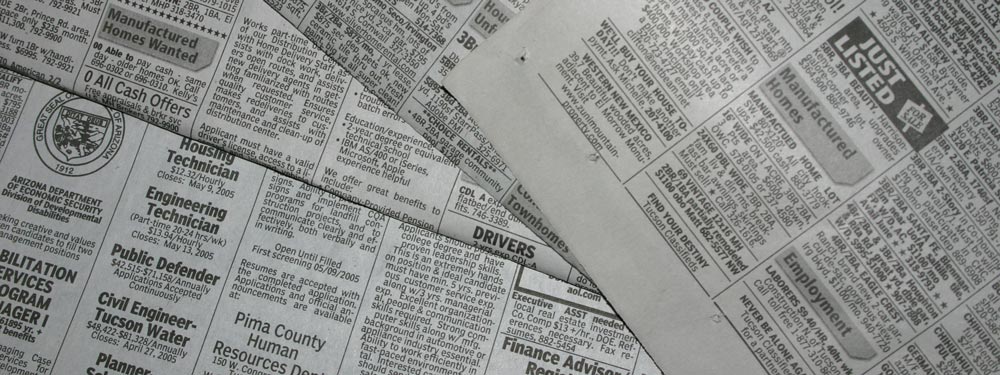
It’s called Above the Fold. Why? Because in the early days when mankind had these things called newspapers, they were usually folded in half so only the top portion would be visible right away. That top portion or “above the fold” portion contained the most important headline/s of the day, then when you unfold it you see the rest of the less important headlines. Similarly in websites, the top portion of your site is the first thing people see, then when you scroll down you see the rest of the site, akin to unfolding a newspaper.
Sticking to the newspaper example, let’s say that you were walking down the street and you see a newspaper vendor. When you see the newspaper and if the headline is interesting, then you might just buy the newspaper to see the rest of it. This is essentially the same with websites, if visitors were to pass by your site and find your above the fold content interesting, then they might just buy in and scroll down or view the rest of your site to see more.
Nielsen’s Research
Earlier I said that your above the fold content may make or break your site. Nielsen Normal Group has written a few research articles about this across the years. I’ll quote the summary of their article The Fold Manifesto: Why the Page Fold Still Matters
The average difference in how users treat info above vs. below the fold is 84%.
If you just got confused about the wording of the quote, I did too at the start. Let me clarify: That study doesn’t mean that 84% of people do not scroll down, on the other hand I’ve seen other research say that most people do scroll down to the bottom of the page. It also doesn’t mean that the lower part isn’t important. Instead it means that the behavior of your visitors in your site is largely impacted by your content above the fold.
This makes sense since the top area of a website is the first thing you see.
So knowing how important your front page above the fold content is, what should you put in the top of your site?
Go Straight to the Point
Put right away what your site is all about. Your front page and above the fold area are the life blood of your entire site. If your visitors feel lost, then they’ll quickly turn away and close the tab. If you’re a new book author, write that you are one and showcase your latest book. If the you’re a wedding organizer, write that you are a wedding organizer that will give your visitor the most memorable wedding they’ll ever have. Or if you’re making a site for your small hotel, then write that you’re the best bed and breakfast place in town. (I’ll use these examples more below.)
Your visitors shouldn’t have to guess what the site is all about. They should get it right away, only then will they scroll down to view more details.
Purposely Engage your visitors
Next you have to think about the actual purpose of your website. What is the reason for putting up your website in the first place? Whatever the reason is, you have to also put that above the fold.
Let’s take the few examples I mentioned above. For a new book author, you’ll probably want more exposure. If you have a free ebook, then you can place a button for your visitors to download it. For the wedding organizer, you’ll want people to contact you about your services, put in your phone number or a contact form. Or for the small hotel, put in a booking form along with your phone number.
For Page Builder Sandwich, I want people to get to know the plugin more, and eventually become a customer. So I have a button there that lets visitors try out the demo right away, and another button to purchase the plugin.
Designing above the fold
Now that we know what to put, it’s now time to decide about the design. Personally, I prefer clean sectioned content, hence the solid backdrop on our front page. But it’s also a good idea to accompany your above the fold content with an image or video to make to more alive.
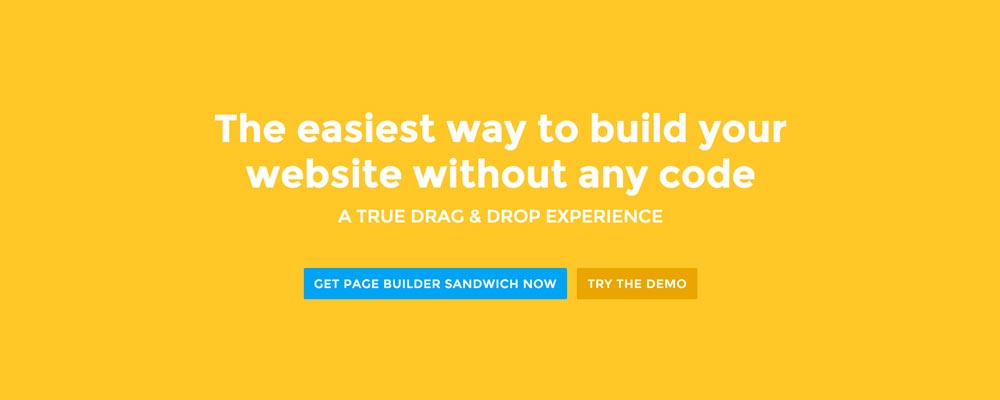 Here’re a few examples of what you can do about your front page.
Add a background image. A large background image behind your large statement is a great eye-catcher and can further encourage visitor engagement. For new book author, maybe adding a background image illustrating the setting of his free ebook would entice people more.
Add an introduction video. Admit it, people can be lazy, especially when it comes to reading. So if your site is a bit complicated, it might be a good idea to add a short video that introduces your site/product quickly. For the wedding organizer, then this can be a video of their latest wedding. Or for our site for example, we can add in a quick intro about the features of our plugin.
Add a video background. This is a bit of a trend nowadays, but I find it appealing at times. If this suits your taste, then this might be a good idea.. I know PayPal had a video background before in their site. For the small hotel, you can put in a stationary video of a scenic area of your hotel as the backdrop.
Conclusion
Creating above the fold content for your front page isn’t hard, but it takes some thinking and testing to do right. If you already have a site and you’re set in that, but you have a high bounce rate in your Google Analytics, then I encourage you to try and re-think your above the fold content with the tips above.
If you have tips on creating above the fold content, kindly share them in the comments!
Page Builder Sandwich can Help You Design Your Front Page & Above The Fold Content
Page Builder Sandwich is a WordPress plugin that allows you to create any design you want without writing any piece of code.
 There may be times where you want to add supporting videos from YouTube or Vimeo into your site. Or maybe you want to add Tweets from Twitter, or content from other websites like Flickr and Instagram. You can