
 We’ve been getting quite a few inquiries the past week about Pre-Design Sections (and by extension, the PBS Templates), what they are, and how they can be accessed.
So in this article, we’ll be teaching you how to not only access them, but also how to maximize these features of Page Builder Sandwich: By customizing them and making them your own.
Accessing the Pre-Designed Sections
If you aren’t familiar yet, all you have to do to access the Pre-Designed sections is to hover your mouse onto the left side of your screen, and access the Elements Inspector. This is the sidebar that lets you drag and drop elements directly onto your content area.

Once it’s accessed, simply scroll down to the bottom and select Pre-Designed Sections. A library of the sections will pop up. Select one from the collection, drag and drop, and it’ll show up on your content area, like so:
 From here, you can move the elements within the section around, or move the entire thing and adjust its position. And there you have it! You’ve selected a Pre-Designed Section from Page Builder Sandwich.
Now it’s time to add in your own twist: By customizing and tweaking with the elements’ settings within the selected section.
Customizing the Pre-Designed Sections
Each element’s setting within any one Pre-Designed section can be edited and customized according to your website’s needs and your personal taste.
This means everything included in your selected Pre-Designed section – like text, colors, images, buttons, everything – can be edited and tinkered with by you.
Vì vậy chẳng hạn, nếu bạn không hài lòng với tông màu xanh lam-xanh lục mặc định và hình ảnh cánh đồng lúa mì trong phần Thiết Kế Sẵn mặc định bên dưới…
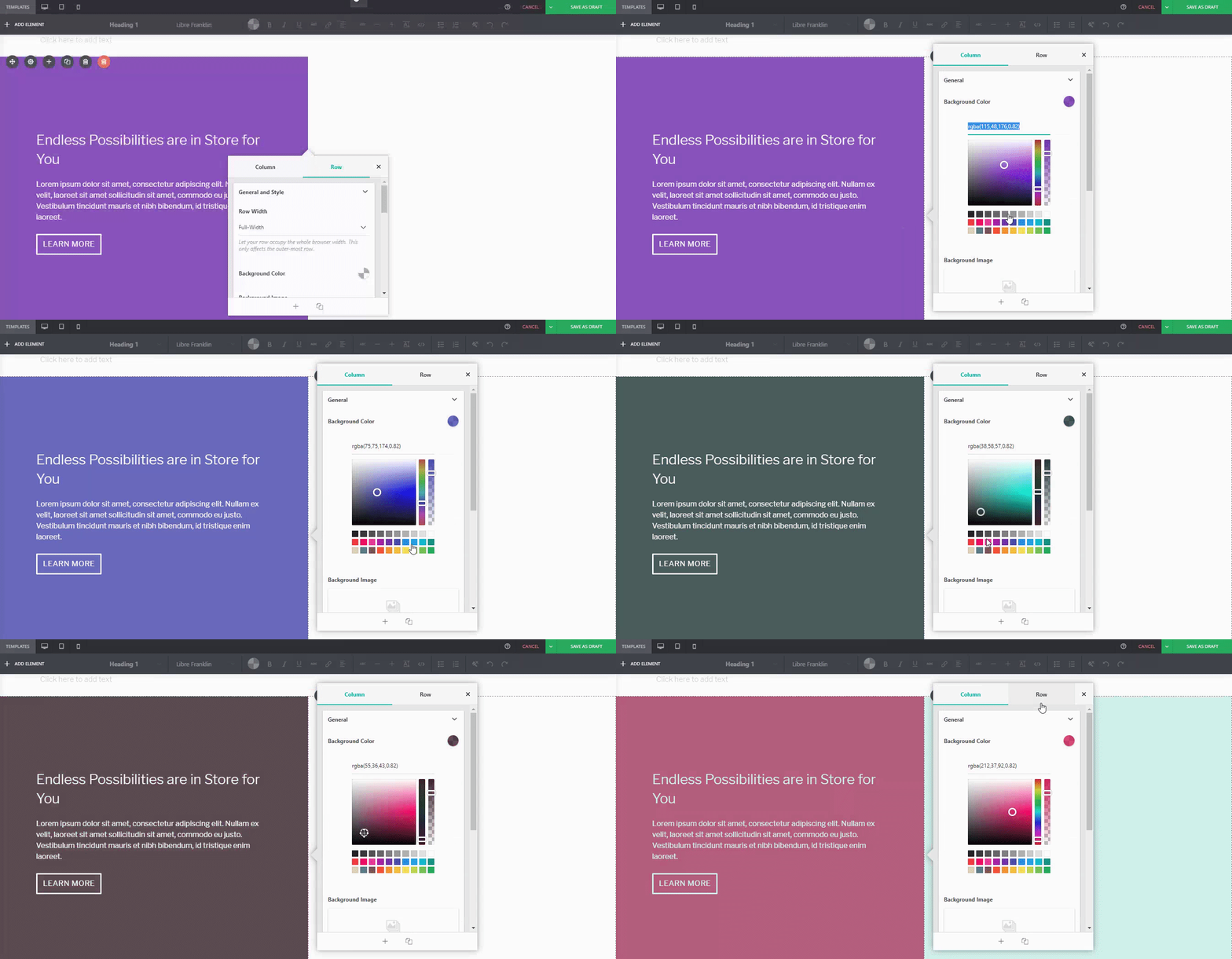
 You can adjust it. For instance, if I wanted a different background tint on the left:
 Or if you wanted to replace the image of the wheat field on the right:
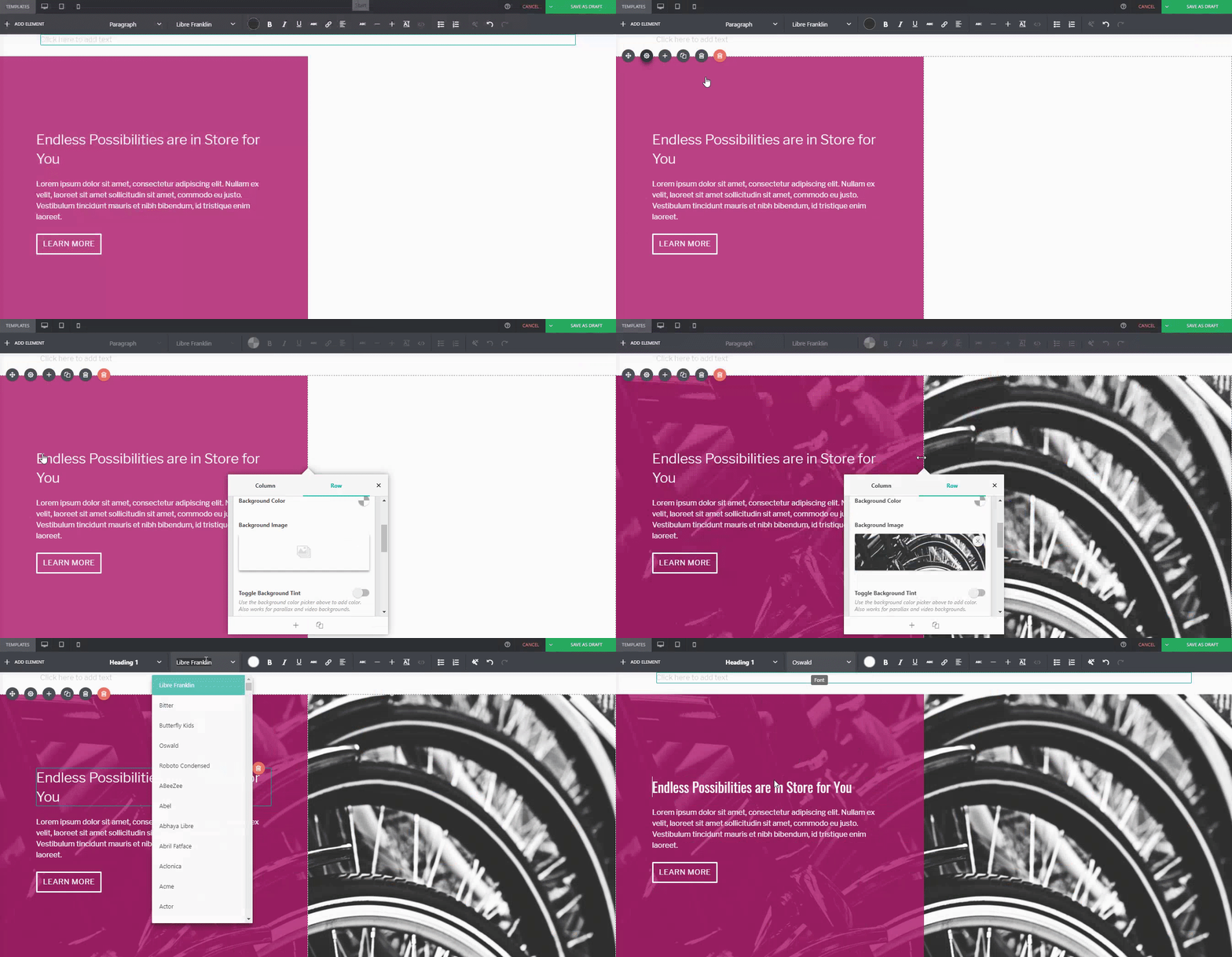
Or even change the button style, margin, padding, and font:
 …You can.
Để so sánh:
Default PBS Pre-Designed Section

The same Pre-Designed Section, completely tweaked and customized. Notice the different font, color scheme, button style, photo, and margin width. You can actually take this further, and let your imagination run wild.
Here are a few more examples on how you can spice up our Pre-Designed Sections
Default Pre-Designed Section from Sandwich
The same Pre-Designed Section, customized


You can do it with our Full-Page Templates, too:
Default Template from Sandwich
The same Template, customized


Conclusion
Các Phần Thiết Kế Sẵn của Page Builder Sandwich có nhiều điều thú vị hơn bạn nghĩ.
Tweak and customize them to make them completely your own, or even use them as a starting point for when you don’t want to design your page from the ground up.
Hãy nhớ rằng, Page Builder Sandwich ở đây để giúp bạn thiết kế trong thời gian ngắn hơn. Việc tận dụng tối đa các Phần Thiết Kế Sẵn và Mẫu Toàn Trang của chúng tôi sẽ giúp bạn làm được điều đó.
Design in less time!
Get access to Sandwich’s Pre-Designed Sections, Templates, and a whole lot more.