
 What you put in the top of your front page has a huge impact on the success or failure of your website. Put the wrong thing in, and you’ll probably see your visitors quickly navigating away from your site. Put the right content there and you may see your sales go up.
This article isn’t an all-in-one guide for creating above the fold content, nor is about an all-encompassing rule on what you should put in. Rather, I will give you a few tips, recommendations and a little bit of helpful research about this topic.
ನೇರವಾಗಿ ವಿಷಯಕ್ಕೆ ಇಳಿಯುವ ಮೊದಲು, ನಿಮ್ಮ ಮುಖಪುಟದ ಮೇಲ್ಭಾಗವನ್ನು ಮೊದಲು ಏನೆಂದು ಕರೆಯುತ್ತಾರೆ ಎಂದು ತಿಳಿದುಕೊಳ್ಳುವುದು ಒಳ್ಳೆಯದು. ನಿಮ್ಮ-ಸೈಟ್ನ-ಮೇಲ್ಭಾಗ ಎನ್ನುವುದಕ್ಕಿಂತ ಅದಕ್ಕೆ ಉತ್ತಮವಾದ ಹೆಸರೊಂದಿದೆ.
“ಅಬೌ ದಿ ಫೋಲ್ಡ್” (Above the Fold)
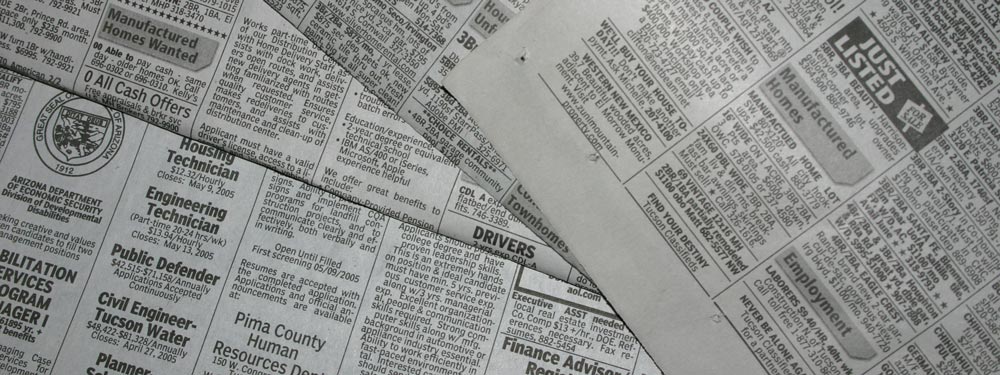
ಇದನ್ನು ‘ಅಬೌ ದಿ ಫೋಲ್ಡ್’ ಎಂದು ಕರೆಯಲಾಗುತ್ತದೆ. ಏಕೆ? ಏಕೆಂದರೆ ಹಿಂದಿನ ದಿನಗಳಲ್ಲಿ ಪತ್ರಿಕೆಗಳು ಇದ್ದಾಗ, ಅವುಗಳನ್ನು ಸಾಮಾನ್ಯವಾಗಿ ಅರ್ಧಕ್ಕೆ ಮಡಚಲಾಗುತ್ತಿತ್ತು, ಇದರಿಂದಾಗಿ ಕೇವಲ ಮೇಲಿನ ಭಾಗ ಮಾತ್ರ ತಕ್ಷಣವೇ ಗೋಚರಿಸುತ್ತಿತ್ತು. ಆ ಮೇಲ್ಭಾಗ ಅಥವಾ “ಅಬೌ ದಿ ಫೋಲ್ಡ್” ಭಾಗವು ದಿನದ ಅತ್ಯಂತ ಮುಖ್ಯವಾದ ಮುಖ್ಯಾಂಶಗಳನ್ನು ಒಳಗೊಂಡಿರುತ್ತಿತ್ತು, ನಂತರ ನೀವು ಅದನ್ನು ತೆರೆದಾಗ ಉಳಿದ ಕಡಿಮೆ ಮುಖ್ಯವಾದ ಮುಖ್ಯಾಂಶಗಳನ್ನು ಕಾಣುತ್ತಿದ್ದಿರಿ. ಅಂತೆಯೇ ವೆಬ್ಸೈಟ್ಗಳಲ್ಲಿ, ನಿಮ್ಮ ಸೈಟ್ನ ಮೇಲ್ಭಾಗವು ಜನರು ಮೊದಲು ನೋಡುವ ವಿಷಯವಾಗಿದೆ, ನಂತರ ನೀವು ಕೆಳಗೆ ಸ್ಕ್ರಾಲ್ ಮಾಡಿದಾಗ ಪತ್ರಿಕೆಯನ್ನು ತೆರೆದು ನೋಡುವಂತೆ ಸೈಟ್ನ ಉಳಿದ ಭಾಗವನ್ನು ನೋಡುತ್ತೀರಿ.
ಪತ್ರಿಕೆಯ ಉದಾಹರಣೆಯನ್ನೇ ಮುಂದುವರಿಸುವುದಾದರೆ, ನೀವು ರಸ್ತೆಯಲ್ಲಿ ನಡೆದುಕೊಂಡು ಹೋಗುತ್ತಿರುವಾಗ ಪತ್ರಿಕೆ ಮಾರುವವರನ್ನು ನೋಡುತ್ತೀರಿ ಎಂದುಕೊಳ್ಳಿ. ನೀವು ಪತ್ರಿಕೆಯನ್ನು ನೋಡಿದಾಗ ಮುಖ್ಯಾಂಶವು ಆಸಕ್ತಿದಾಯಕವಾಗಿದ್ದರೆ, ಉಳಿದದ್ದನ್ನು ನೋಡಲು ನೀವು ಆ ಪತ್ರಿಕೆಯನ್ನು ಖರೀದಿಸಬಹುದು. ವೆಬ್ಸೈಟ್ಗಳಲ್ಲೂ ಇದು ಮೂಲಭೂತವಾಗಿ ಒಂದೇ ಆಗಿರುತ್ತದೆ, ಸಂದರ್ಶಕರು ನಿಮ್ಮ ಸೈಟ್ಗೆ ಬಂದು ನಿಮ್ಮ ಅಬೌ ದಿ ಫೋಲ್ಡ್ ವಿಷಯವನ್ನು ಆಸಕ್ತಿದಾಯಕವೆಂದು ಕಂಡುಕೊಂಡರೆ, ಅವರು ಆಸಕ್ತಿ ತೋರಿಸಿ ಕೆಳಗೆ ಸ್ಕ್ರಾಲ್ ಮಾಡಬಹುದು ಅಥವಾ ಹೆಚ್ಚಿನದನ್ನು ನೋಡಲು ನಿಮ್ಮ ಸೈಟ್ನ ಉಳಿದ ಭಾಗವನ್ನು ವೀಕ್ಷಿಸಬಹುದು.
ನೀಲ್ಸನ್ ಅವರ ಸಂಶೋಧನೆ
Earlier I said that your above the fold content may make or break your site. Nielsen Normal Group has written a few research articles about this across the years. I’ll quote the summary of their article The Fold Manifesto: Why the Page Fold Still Matters
The average difference in how users treat info above vs. below the fold is 84%.
If you just got confused about the wording of the quote, I did too at the start. Let me clarify: That study doesn’t mean that 84% of people do not scroll down, on the other hand I’ve seen other research say that most people do scroll down to the bottom of the page. It also doesn’t mean that the lower part isn’t important. Instead it means that the behavior of your visitors in your site is largely impacted by your content above the fold.
ಇದು ಸಮಂಜಸವಾಗಿದೆ, ಏಕೆಂದರೆ ವೆಬ್ಸೈಟ್ನ ಮೇಲ್ಭಾಗದ ಪ್ರದೇಶವು ನೀವು ಮೊದಲು ನೋಡುವ ವಿಷಯವಾಗಿದೆ.
ಆದ್ದರಿಂದ ನಿಮ್ಮ ಮುಖಪುಟದ ಅಬೌ ದಿ ಫೋಲ್ಡ್ ವಿಷಯ ಎಷ್ಟು ಮುಖ್ಯ ಎಂದು ತಿಳಿದ ನಂತರ, ನಿಮ್ಮ ಸೈಟ್ನ ಮೇಲ್ಭಾಗದಲ್ಲಿ ನೀವು ಏನನ್ನು ಹಾಕಬೇಕು?
ನೇರವಾಗಿ ವಿಷಯಕ್ಕೆ ಬನ್ನಿ
ನಿಮ್ಮ ಸೈಟ್ ಯಾವುದರ ಬಗ್ಗೆ ಎಂಬುದನ್ನು ತಕ್ಷಣವೇ ತಿಳಿಸಿ. ನಿಮ್ಮ ಮುಖಪುಟ ಮತ್ತು ಅಬೌ ದಿ ಫೋಲ್ಡ್ ಪ್ರದೇಶವು ನಿಮ್ಮ ಸಂಪೂರ್ಣ ಸೈಟ್ನ ಜೀವಾಳವಾಗಿದೆ. ನಿಮ್ಮ ಸಂದರ್ಶಕರಿಗೆ ದಿಕ್ಕು ತೋಚದಂತಾದರೆ, ಅವರು ಬೇಗನೆ ಹಿಂತಿರುಗಿ ಟ್ಯಾಬ್ ಅನ್ನು ಮುಚ್ಚುತ್ತಾರೆ. ನೀವು ಹೊಸ ಪುಸ್ತಕ ಲೇಖಕರಾಗಿದ್ದರೆ, ನೀವು ಲೇಖಕರೆಂದು ಬರೆಯಿರಿ ಮತ್ತು ನಿಮ್ಮ ಇತ್ತೀಚಿನ ಪುಸ್ತಕವನ್ನು ಪ್ರದರ್ಶಿಸಿ. ನೀವು ವೆಡ್ಡಿಂಗ್ ಆರ್ಗನೈಜರ್ ಆಗಿದ್ದರೆ, ಸಂದರ್ಶಕರಿಗೆ ಅವರು ಎಂದಿಗೂ ಮರೆಯಲಾಗದ ಅತ್ಯಂತ ಸ್ಮರಣೀಯ ವಿವಾಹವನ್ನು ಆಯೋಜಿಸಿಕೊಡುವ ವೆಡ್ಡಿಂಗ್ ಆರ್ಗನೈಜರ್ ಎಂದು ಬರೆಯಿರಿ. ಅಥವಾ ನಿಮ್ಮ ಸಣ್ಣ ಹೋಟೆಲ್ಗಾಗಿ ನೀವು ಸೈಟ್ ಮಾಡುತ್ತಿದ್ದರೆ, ನೀವು ನಗರದ ಅತ್ಯುತ್ತಮ ಬೆಡ್ ಅಂಡ್ ಬ್ರೇಕ್ಫಾಸ್ಟ್ ಸ್ಥಳ ಎಂದು ಬರೆಯಿರಿ. (ನಾನು ಈ ಉದಾಹರಣೆಗಳನ್ನು ಕೆಳಗೆ ಇನ್ನಷ್ಟು ಬಳಸುತ್ತೇನೆ.)
ನಿಮ್ಮ ಸಂದರ್ಶಕರು ಸೈಟ್ ಯಾವುದರ ಬಗ್ಗೆ ಎಂದು ಊಹಿಸುವಂತಿರಬಾರದು. ಅವರಿಗೆ ಅದು ತಕ್ಷಣವೇ ಅರ್ಥವಾಗಬೇಕು, ಆಗ ಮಾತ್ರ ಅವರು ಹೆಚ್ಚಿನ ವಿವರಗಳನ್ನು ನೋಡಲು ಕೆಳಗೆ ಸ್ಕ್ರಾಲ್ ಮಾಡುತ್ತಾರೆ.
ಉದ್ದೇಶಪೂರ್ವಕವಾಗಿ ನಿಮ್ಮ ಸಂದರ್ಶಕರನ್ನು ತೊಡಗಿಸಿಕೊಳ್ಳಿ
ಮುಂದೆ ನೀವು ನಿಮ್ಮ ವೆಬ್ಸೈಟ್ನ ನೈಜ ಉದ್ದೇಶದ ಬಗ್ಗೆ ಯೋಚಿಸಬೇಕು. ಮೊದಲಿಗೆ ನಿಮ್ಮ ವೆಬ್ಸೈಟ್ ಅನ್ನು ಸ್ಥಾಪಿಸಲು ಕಾರಣವೇನು? ಆ ಕಾರಣ ಏನೇ ಇರಲಿ, ನೀವು ಅದನ್ನು ಅಬೌ ದಿ ಫೋಲ್ಡ್ ಭಾಗದಲ್ಲೂ ಸೇರಿಸಬೇಕು.
ನಾನು ಮೇಲೆ ತಿಳಿಸಿದ ಕೆಲವು ಉದಾಹರಣೆಗಳನ್ನು ತೆಗೆದುಕೊಳ್ಳೋಣ. ಹೊಸ ಪುಸ್ತಕ ಲೇಖಕರಿಗೆ, ಬಹುಶಃ ಹೆಚ್ಚಿನ ಪ್ರಚಾರದ ಅಗತ್ಯವಿರಬಹುದು. ನಿಮ್ಮ ಬಳಿ ಉಚಿತ ಇ-ಬುಕ್ ಇದ್ದರೆ, ನಿಮ್ಮ ಸಂದರ್ಶಕರು ಅದನ್ನು ಡೌನ್ಲೋಡ್ ಮಾಡಲು ನೀವು ಒಂದು ಬಟನ್ ಅನ್ನು ಇರಿಸಬಹುದು. ವೆಡ್ಡಿಂಗ್ ಆರ್ಗನೈಜರ್ ಆಗಿದ್ದರೆ, ಜನರು ನಿಮ್ಮ ಸೇವೆಗಳ ಬಗ್ಗೆ ನಿಮ್ಮನ್ನು ಸಂಪರ್ಕಿಸಬೇಕೆಂದು ನೀವು ಬಯಸುತ್ತೀರಿ, ನಿಮ್ಮ ಫೋನ್ ಸಂಖ್ಯೆ ಅಥವಾ ಸಂಪರ್ಕ ಫಾರ್ಮ್ ಅನ್ನು ಹಾಕಿ. ಅಥವಾ ಸಣ್ಣ ಹೋಟೆಲ್ಗಾಗಿ, ನಿಮ್ಮ ಫೋನ್ ಸಂಖ್ಯೆಯೊಂದಿಗೆ ಬುಕಿಂಗ್ ಫಾರ್ಮ್ ಅನ್ನು ನೀಡಿ.
Page Builder Sandwich ಗಾಗಿ, ಜನರು ಪ್ಲಗಿನ್ ಬಗ್ಗೆ ಇನ್ನಷ್ಟು ತಿಳಿದುಕೊಳ್ಳಬೇಕು ಮತ್ತು ಅಂತಿಮವಾಗಿ ಗ್ರಾಹಕರಾಗಬೇಕು ಎಂದು ನಾನು ಬಯಸುತ್ತೇನೆ. ಆದ್ದರಿಂದ ಸಂದರ್ಶಕರು ಡೆಮೊವನ್ನು ತಕ್ಷಣವೇ ಪ್ರಯತ್ನಿಸಲು ನಾನು ಅಲ್ಲಿ ಒಂದು ಬಟನ್ ಅನ್ನು ಮತ್ತು ಪ್ಲಗಿನ್ ಖರೀದಿಸಲು ಇನ್ನೊಂದು ಬಟನ್ ಅನ್ನು ಇರಿಸಿದ್ದೇನೆ.
ಅಬೌ ದಿ ಫೋಲ್ಡ್ ಅನ್ನು ವಿನ್ಯಾಸಗೊಳಿಸುವುದು
ಈಗ ಏನನ್ನು ಹಾಕಬೇಕೆಂದು ನಮಗೆ ತಿಳಿದಿದೆ, ಇನ್ನು ವಿನ್ಯಾಸದ ಬಗ್ಗೆ ನಿರ್ಧರಿಸುವ ಸಮಯ. ವೈಯಕ್ತಿಕವಾಗಿ, ನಾನು ಸ್ವಚ್ಛವಾದ ವಿಭಾಗಗಳ ವಿಷಯವನ್ನು ಆದ್ಯತೆ ನೀಡುತ್ತೇನೆ, ಆದ್ದರಿಂದ ನಮ್ಮ ಮುಖಪುಟದಲ್ಲಿ ಸಾಲಿಡ್ ಹಿನ್ನೆಲೆ ಇದೆ. ಆದರೆ ನಿಮ್ಮ ಅಬೌ ದಿ ಫೋಲ್ಡ್ ವಿಷಯವನ್ನು ಹೆಚ್ಚು ಜೀವಂತವಾಗಿಸಲು ಚಿತ್ರ ಅಥವಾ ವೀಡಿಯೊದೊಂದಿಗೆ ಸಂಯೋಜಿಸುವುದು ಕೂಡ ಒಳ್ಳೆಯ ಉಪಾಯವಾಗಿದೆ.
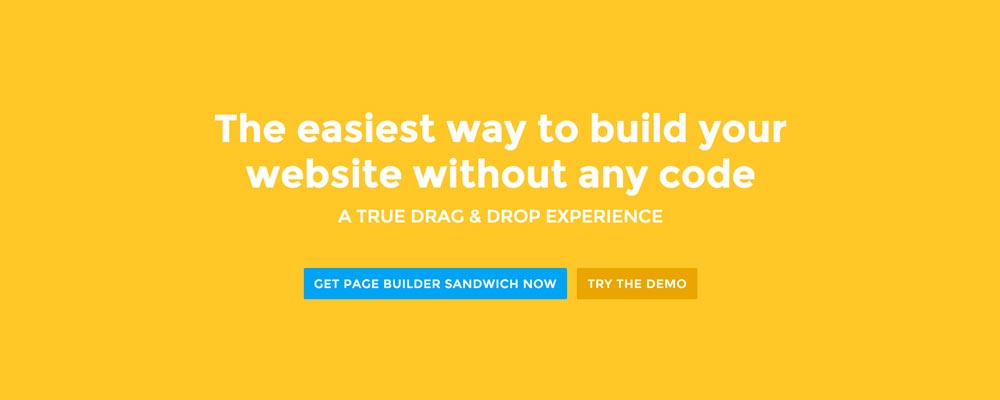 Here’re a few examples of what you can do about your front page.
Add a background image. A large background image behind your large statement is a great eye-catcher and can further encourage visitor engagement. For new book author, maybe adding a background image illustrating the setting of his free ebook would entice people more.
Add an introduction video. Admit it, people can be lazy, especially when it comes to reading. So if your site is a bit complicated, it might be a good idea to add a short video that introduces your site/product quickly. For the wedding organizer, then this can be a video of their latest wedding. Or for our site for example, we can add in a quick intro about the features of our plugin.
Add a video background. This is a bit of a trend nowadays, but I find it appealing at times. If this suits your taste, then this might be a good idea.. I know PayPal had a video background before in their site. For the small hotel, you can put in a stationary video of a scenic area of your hotel as the backdrop.
ತೀರ್ಮಾನ
ನಿಮ್ಮ ಮುಖಪುಟಕ್ಕಾಗಿ ಅಬೌ ದಿ ಫೋಲ್ಡ್ ವಿಷಯವನ್ನು ರಚಿಸುವುದು ಕಷ್ಟವೇನಲ್ಲ, ಆದರೆ ಅದನ್ನು ಸರಿಯಾಗಿ ಮಾಡಲು ಸ್ವಲ್ಪ ಆಲೋಚನೆ ಮತ್ತು ಪರೀಕ್ಷೆಯ ಅಗತ್ಯವಿದೆ. ನೀವು ಈಗಾಗಲೇ ಸೈಟ್ ಹೊಂದಿದ್ದು ಮತ್ತು ಅದರಲ್ಲಿ ಸ್ಥಿರವಾಗಿದ್ದರೂ, ನಿಮ್ಮ Google Analytics ನಲ್ಲಿ ಹೆಚ್ಚಿನ ಬೌನ್ಸ್ ದರವನ್ನು (bounce rate) ಹೊಂದಿದ್ದರೆ, ಮೇಲಿನ ಸಲಹೆಗಳೊಂದಿಗೆ ನಿಮ್ಮ ಅಬೌ ದಿ ಫೋಲ್ಡ್ ವಿಷಯವನ್ನು ಮರುಚಿಂತನೆ ಮಾಡಲು ನಾನು ನಿಮ್ಮನ್ನು ಪ್ರೋತ್ಸಾಹಿಸುತ್ತೇನೆ.
If you have tips on creating above the fold content, kindly share them in the comments!
Page Builder Sandwich can Help You Design Your Front Page & Above The Fold Content
Page Builder Sandwich is a WordPress plugin that allows you to create any design you want without writing any piece of code.