
 What you put in the top of your front page has a huge impact on the success or failure of your website. Put the wrong thing in, and you’ll probably see your visitors quickly navigating away from your site. Put the right content there and you may see your sales go up.
This article isn’t an all-in-one guide for creating above the fold content, nor is about an all-encompassing rule on what you should put in. Rather, I will give you a few tips, recommendations and a little bit of helpful research about this topic.
Antes de ir al grano, es bueno saber primero cómo se llama la parte superior de tu página principal. Hay un nombre mejor para ello que «la-parte-superior-de-tu-sitio».
«Above the Fold»
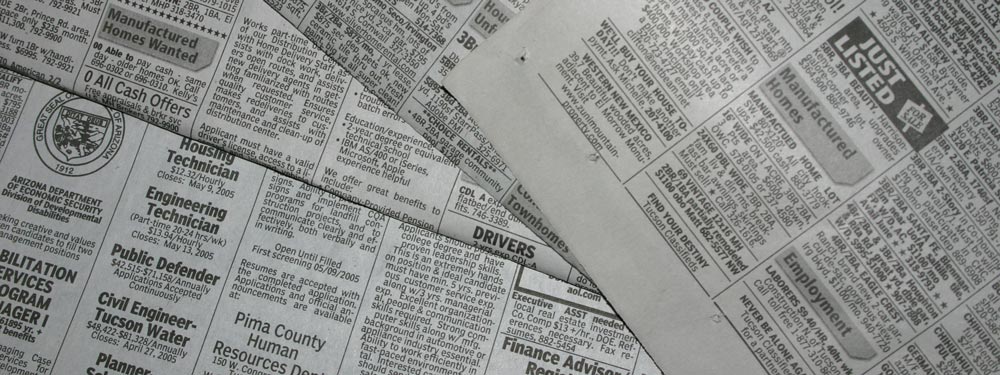
Se llama «above the fold» (por encima del pliegue). ¿Por qué? Porque antiguamente, cuando la humanidad tenía esas cosas llamadas periódicos, solían doblarse por la mitad para que solo la parte superior fuera visible de inmediato. Esa parte superior o porción «above the fold» contenía el titular o titulares más importantes del día; luego, al desdoblarlo, veías el resto de los titulares menos importantes. De forma similar en los sitios web, la parte superior de tu sitio es lo primero que ve la gente; luego, al hacer scroll hacia abajo, ves el resto del sitio, algo parecido a desdoblar un periódico.
Siguiendo con el ejemplo del periódico, digamos que vas caminando por la calle y ves un quiosco de prensa. Cuando ves el periódico, si el titular es interesante, puede que simplemente compres el periódico para ver el resto. Ocurre esencialmente lo mismo con los sitios web: si los visitantes pasan por tu sitio y encuentran interesante el contenido que está «above the fold», puede que se enganchen y hagan scroll hacia abajo o vean el resto de tu sitio para descubrir más.
La investigación de Nielsen
Earlier I said that your above the fold content may make or break your site. Nielsen Normal Group has written a few research articles about this across the years. I’ll quote the summary of their article The Fold Manifesto: Why the Page Fold Still Matters
The average difference in how users treat info above vs. below the fold is 84%.
If you just got confused about the wording of the quote, I did too at the start. Let me clarify: That study doesn’t mean that 84% of people do not scroll down, on the other hand I’ve seen other research say that most people do scroll down to the bottom of the page. It also doesn’t mean that the lower part isn’t important. Instead it means that the behavior of your visitors in your site is largely impacted by your content above the fold.
Esto tiene sentido, ya que el área superior de un sitio web es lo primero que se ve.
Así que, sabiendo lo importante que es el contenido «above the fold» de tu página principal, ¿qué deberías poner en la parte superior de tu sitio?
Ve directo al grano
Indica de inmediato de qué trata tu sitio. Tu página principal y el área «above the fold» son el alma de todo tu sitio web. Si tus visitantes se sienten perdidos, se marcharán rápidamente y cerrarán la pestaña. Si eres un autor novel, escribe que lo eres y muestra tu último libro. Si eres organizador de bodas, escribe que eres un organizador de bodas que brindará a tu visitante la boda más memorable que jamás haya tenido. O si estás creando un sitio para tu pequeño hotel, escribe que eres el mejor bed and breakfast de la ciudad. (Usaré más estos ejemplos a continuación).
Tus visitantes no deberían tener que adivinar de qué trata el sitio. Deberían entenderlo de inmediato; solo entonces se desplazarán hacia abajo para ver más detalles.
Capta a tus visitantes con un propósito
A continuación, tienes que pensar en el verdadero propósito de tu sitio web. ¿Cuál es el motivo para crear tu sitio web en primer lugar? Sea cual sea el motivo, también debes colocarlo «above the fold».
Tomemos los ejemplos que mencioné antes. Para un autor novel, probablemente querrás más visibilidad. Si tienes un libro electrónico gratuito, puedes colocar un botón para que tus visitantes lo descarguen. Para el organizador de bodas, querrás que la gente te contacte para consultar tus servicios: añade tu número de teléfono o un formulario de contacto. O para el pequeño hotel, incluye un formulario de reserva junto con tu número de teléfono.
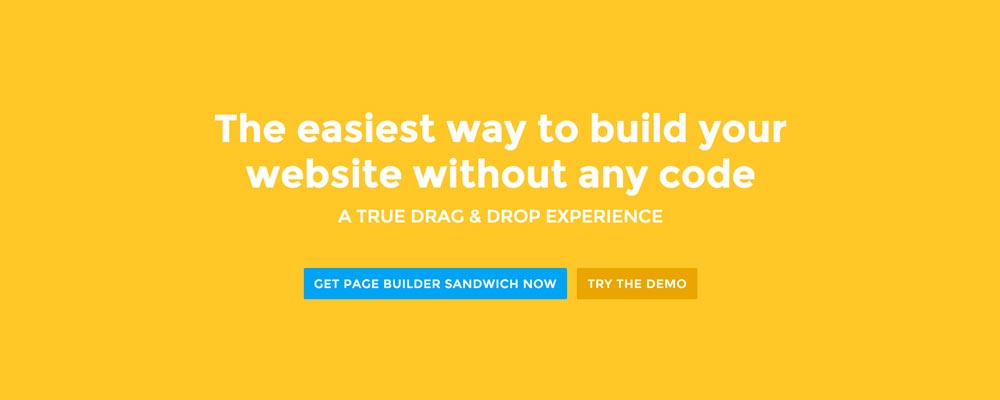
En el caso de Page Builder Sandwich, quiero que la gente conozca mejor el plugin y, con el tiempo, se convierta en cliente. Así que tengo un botón allí que permite a los visitantes probar la demo de inmediato, y otro botón para comprar el plugin.
Diseñar la zona «above the fold»
Ahora que sabemos qué poner, es hora de decidir sobre el diseño. Personalmente, prefiero el contenido dividido en secciones limpias, de ahí el fondo sólido de nuestra página principal. Pero también es una buena idea acompañar el contenido «above the fold» con una imagen o un vídeo para darle más vida.
 Here’re a few examples of what you can do about your front page.
Add a background image. A large background image behind your large statement is a great eye-catcher and can further encourage visitor engagement. For new book author, maybe adding a background image illustrating the setting of his free ebook would entice people more.
Add an introduction video. Admit it, people can be lazy, especially when it comes to reading. So if your site is a bit complicated, it might be a good idea to add a short video that introduces your site/product quickly. For the wedding organizer, then this can be a video of their latest wedding. Or for our site for example, we can add in a quick intro about the features of our plugin.
Add a video background. This is a bit of a trend nowadays, but I find it appealing at times. If this suits your taste, then this might be a good idea.. I know PayPal had a video background before in their site. For the small hotel, you can put in a stationary video of a scenic area of your hotel as the backdrop.
Conclusión
Crear contenido «above the fold» para tu página principal no es difícil, pero requiere cierta reflexión y pruebas para hacerlo bien. Si ya tienes un sitio web y estás conforme con él, pero tienes una tasa de rebote alta en Google Analytics, te animo a intentar replantearte el contenido «above the fold» con los consejos anteriores.
If you have tips on creating above the fold content, kindly share them in the comments!
Page Builder Sandwich can Help You Design Your Front Page & Above The Fold Content
Page Builder Sandwich is a WordPress plugin that allows you to create any design you want without writing any piece of code.