
 What you put in the top of your front page has a huge impact on the success or failure of your website. Put the wrong thing in, and you’ll probably see your visitors quickly navigating away from your site. Put the right content there and you may see your sales go up.
This article isn’t an all-in-one guide for creating above the fold content, nor is about an all-encompassing rule on what you should put in. Rather, I will give you a few tips, recommendations and a little bit of helpful research about this topic.
本題に入る前に、まずはトップページの一番上の部分が何と呼ばれているかを知っておくと良いでしょう。「サイトの一番上の部分」よりももっと良い呼び名があります。
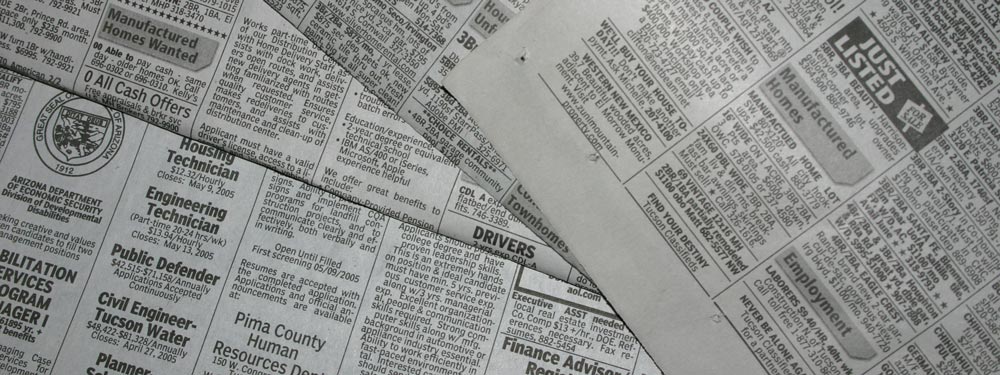
「アバブ・ザ・フォールド(Above the Fold)」
それは「アバブ・ザ・フォールド」と呼ばれています。なぜでしょうか?昔、新聞というものがあった時代、新聞は通常半分に折られていたため、すぐに目に入るのは上半分だけでした。その一番上の部分、つまり「アバブ・ザ・フォールド(折り目の上)」の部分にはその日の最も重要な見出しが掲載され、広げるとあまり重要ではない残りの見出しが見えるようになっていました。Webサイトでも同様に、サイトの一番上の部分はユーザーが最初に目にする場所であり、下にスクロールすると新聞を広げるようにサイトの残りの部分が表示されます。
新聞の例で言えば、通りを歩いていて新聞スタンドを見かけたとします。新聞が目に入り、もしその見出しが面白そうなら、続きを読むために新聞を買うかもしれません。これは基本的にWebサイトでも同じで、訪問者があなたのサイトを訪れ、ファーストビュー(アバブ・ザ・フォールド)のコンテンツに興味を持てば、納得してスクロールしたり、サイトの続きを読むためにさらに閲覧したりする可能性があるのです。
ニールセンのリサーチ
Earlier I said that your above the fold content may make or break your site. Nielsen Normal Group has written a few research articles about this across the years. I’ll quote the summary of their article The Fold Manifesto: Why the Page Fold Still Matters
The average difference in how users treat info above vs. below the fold is 84%.
If you just got confused about the wording of the quote, I did too at the start. Let me clarify: That study doesn’t mean that 84% of people do not scroll down, on the other hand I’ve seen other research say that most people do scroll down to the bottom of the page. It also doesn’t mean that the lower part isn’t important. Instead it means that the behavior of your visitors in your site is largely impacted by your content above the fold.
Webサイトの一番上の領域が最初に目に入る場所であることを考えると、これは理にかなっています。
では、トップページのファーストビューがどれほど重要か分かったところで、サイトの最上部には何を配置すべきでしょうか?
要点を端的に伝える
あなたのサイトが何についてのサイトなのかをすぐに伝えましょう。トップページとファーストビューエリアは、サイト全体の生命線です。訪問者が迷ってしまうと、すぐに立ち去り、タブを閉じてしまいます。あなたが新刊の著者なら、そう明記して最新の著書を紹介しましょう。ウェディングプランナーなら、最も思い出に残る結婚式を提供するプランナーであることを明記してください。あるいは小さなホテルのサイトを作るなら、街で最高のベッド&ブレックファストであると書きましょう。(これらの例は後でも詳しく取り上げます。)
訪問者に「このサイトは何のサイトだろう」と推測させてはいけません。すぐに理解してもらえて初めて、さらに詳細を見るために下へとスクロールしてくれるのです。
目的を持って訪問者を引き込む
次に、Webサイトの本来の目的について考える必要があります。そもそもなぜWebサイトを立ち上げるのでしょうか?その理由が何であれ、それもファーストビューに配置する必要があります。
先ほど挙げたいくつかの例で考えてみましょう。新刊著者の場合、おそらくもっと認知度を上げたいはずです。無料の電子書籍があるなら、訪問者がダウンロードできるボタンを配置できます。ウェディングプランナーなら、サービスについての問い合わせが欲しいでしょうから、電話番号やお問合せフォームを設置します。小さなホテルの場合は、電話番号と一緒に予約フォームを配置しましょう。
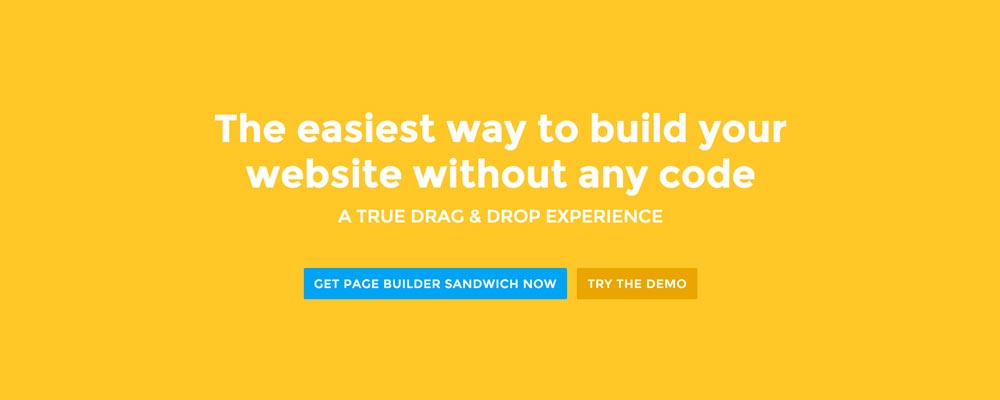
Page Builder Sandwichの場合、プラグインをもっと知ってもらい、最終的に顧客になってもらいたいと考えています。そのため、訪問者がすぐにデモを試せるボタンと、プラグインを購入するための別のボタンを配置しています。
ファーストビューのデザイン
何を配置するかが分かったところで、次はデザインを決める番です。個人的には、すっきりとしたセクション分けされたコンテンツが好みなので、当サイトのトップページには無地の背景を採用しています。しかし、ファーストビューのコンテンツをより生き生きと見せるために、画像や動画を添えるのも良い方法です。
 Here’re a few examples of what you can do about your front page.
Add a background image. A large background image behind your large statement is a great eye-catcher and can further encourage visitor engagement. For new book author, maybe adding a background image illustrating the setting of his free ebook would entice people more.
Add an introduction video. Admit it, people can be lazy, especially when it comes to reading. So if your site is a bit complicated, it might be a good idea to add a short video that introduces your site/product quickly. For the wedding organizer, then this can be a video of their latest wedding. Or for our site for example, we can add in a quick intro about the features of our plugin.
Add a video background. This is a bit of a trend nowadays, but I find it appealing at times. If this suits your taste, then this might be a good idea.. I know PayPal had a video background before in their site. For the small hotel, you can put in a stationary video of a scenic area of your hotel as the backdrop.
結論
トップページのファーストビュー(アバブ・ザ・フォールド)のコンテンツを作ることは難しくありませんが、適切に行うにはある程度の熟考とテストが必要です。すでにサイトがあり、形はできているものの、Googleアナリティクスで直帰率が高い場合は、上記のヒントを参考にファーストビューのコンテンツを見直してみることをおすすめします。
If you have tips on creating above the fold content, kindly share them in the comments!
Page Builder Sandwich can Help You Design Your Front Page & Above The Fold Content
Page Builder Sandwich is a WordPress plugin that allows you to create any design you want without writing any piece of code.