
 What you put in the top of your front page has a huge impact on the success or failure of your website. Put the wrong thing in, and you’ll probably see your visitors quickly navigating away from your site. Put the right content there and you may see your sales go up.
This article isn’t an all-in-one guide for creating above the fold content, nor is about an all-encompassing rule on what you should put in. Rather, I will give you a few tips, recommendations and a little bit of helpful research about this topic.
सिधै विषयवस्तुमा प्रवेश गर्नुअघि, तपाईंको फ्रन्ट पेजको माथिल्लो भागलाई के भनिन्छ भनेर पहिले थाहा पाउनु राम्रो हुन्छ। तपाईंको-साइटको-माथिल्लो-भाग भन्नुभन्दा यसको लागि एउटा राम्रो नाम छ।
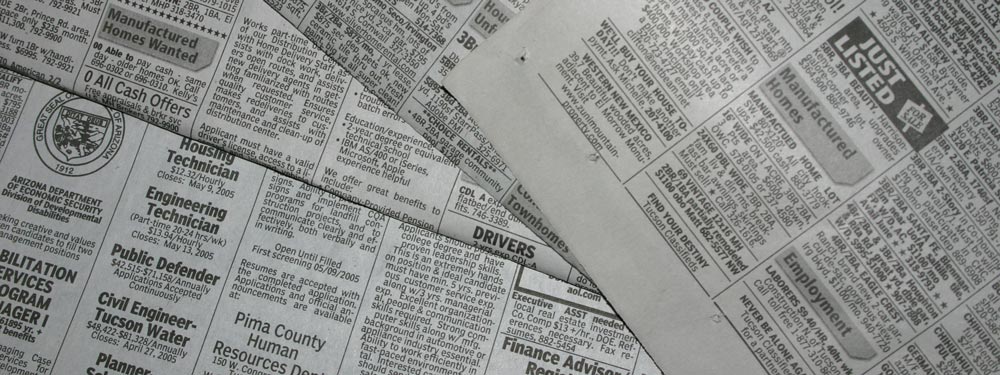
“Above the Fold”
यसलाई Above the Fold भनिन्छ। किन? किनभने सुरुवाती दिनहरूमा जब मानिसहरूसँग पत्रपत्रिका भन्ने चीजहरू थिए, ती प्रायः आधा पट्याइएका हुन्थे जसले गर्दा माथिल्लो भाग मात्र तुरुन्तै देखिन्थ्यो। त्यो माथिल्लो भाग वा “above the fold” भागमा दिनको सबैभन्दा महत्त्वपूर्ण मुख्य समाचारहरू हुन्थे, त्यसपछि जब तपाईंले त्यसलाई खोल्नुहुन्छ तब बाँकी कम महत्त्वपूर्ण समाचारहरू देख्नुहुन्छ। त्यसै गरी वेबसाइटहरूमा, तपाईंको साइटको माथिल्लो भाग मानिसहरूले सबैभन्दा पहिले देख्ने कुरा हो, त्यसपछि पत्रिका खोले जस्तै जब तपाईं तल स्क्रोल गर्नुहुन्छ तब तपाईंले बाँकी साइट देख्नुहुन्छ।
पत्रिकाकै उदाहरण लिने हो भने, मानिलिनुहोस् तपाईं सडकमा हिँड्दै हुनुहुन्छ र तपाईंले एउटा पत्रिका बिक्रेता देख्नुभयो। जब तपाईंले पत्रिका देख्नुहुन्छ र यदि मुख्य समाचार रोचक छ भने, तपाईंले बाँकी कुरा पढ्नका लागि पत्रिका किन्न सक्नुहुन्छ। वेबसाइटहरूको हकमा पनि मूलतः यस्तै हुन्छ, यदि आगन्तुकहरू तपाईंको साइटमा आए र उनीहरूलाई above the fold सामग्री रोचक लाग्यो भने, उनीहरू थप हेर्नका लागि तल स्क्रोल गर्न वा तपाईंको बाँकी साइट हेर्न आकर्षित हुन सक्छन्।
नीलसनको अनुसन्धान
Earlier I said that your above the fold content may make or break your site. Nielsen Normal Group has written a few research articles about this across the years. I’ll quote the summary of their article The Fold Manifesto: Why the Page Fold Still Matters
The average difference in how users treat info above vs. below the fold is 84%.
If you just got confused about the wording of the quote, I did too at the start. Let me clarify: That study doesn’t mean that 84% of people do not scroll down, on the other hand I’ve seen other research say that most people do scroll down to the bottom of the page. It also doesn’t mean that the lower part isn’t important. Instead it means that the behavior of your visitors in your site is largely impacted by your content above the fold.
यो स्वाभाविक पनि हो किनभने वेबसाइटको माथिल्लो भाग तपाईंले देख्ने पहिलो कुरा हो।
त्यसैले तपाईंको फ्रन्ट पेजको above the fold सामग्री कत्तिको महत्त्वपूर्ण छ भन्ने थाहा पाइसकेपछि, तपाईंले आफ्नो साइटको माथिल्लो भागमा के राख्नु पर्छ त?
सिधै मुख्य कुरामा जानुहोस्
तपाईंको साइट के बारेमा हो भन्ने कुरा तुरुन्तै राख्नुहोस्। तपाईंको फ्रन्ट पेज र above the fold क्षेत्र तपाईंको सम्पूर्ण साइटको जीवनरेखा हुन्। यदि आगन्तुकहरू अन्योलमा परे भने, तिनीहरू तुरुन्तै फर्किनेछन् र ट्याब बन्द गर्नेछन्। यदि तपाईं नयाँ पुस्तक लेखक हुनुहुन्छ भने, आफू लेखक भएको कुरा लेख्नुहोस् र आफ्नो पछिल्लो पुस्तक प्रदर्शन गर्नुहोस्। यदि तपाईं विवाह आयोजक हुनुहुन्छ भने, आफ्ना आगन्तुकहरूलाई उनीहरूको जीवनकै सबैभन्दा स्मरणीय विवाह उपहार दिने आयोजक भएको कुरा लेख्नुहोस्। अथवा यदि तपाईं आफ्नो सानो होटलको लागि साइट बनाउँदै हुनुहुन्छ भने, तपाईं सहरकै उत्कृष्ट bed and breakfast ठाउँ भएको लेख्नुहोस्। (म यी उदाहरणहरू तल थप प्रयोग गर्नेछु।)
तपाईंका आगन्तुकहरूले साइट के बारेमा हो भनेर अनुमान गरिरहनु नपरोस्। उनीहरूले तुरुन्तै बुझ्न सक्नुपर्छ, तब मात्र उनीहरू थप विवरण हेर्न तल स्क्रोल गर्नेछन्।
उद्देश्यपूर्ण रूपमा आफ्ना आगन्तुकहरूलाई संलग्न गराउनुहोस्
त्यसपछि तपाईंले आफ्नो वेबसाइटको वास्तविक उद्देश्यबारे सोच्नुपर्छ। पहिलो कुरा त, तपाईंको वेबसाइट बनाउनुको कारण के हो? कारण जेसुकै भए पनि, तपाईंले त्यसलाई पनि above the fold मा राख्नुपर्छ।
मैले माथि उल्लेख गरेका केही उदाहरणहरू लिऔं। नयाँ पुस्तक लेखकको लागि, तपाईं सम्भवतः थप प्रचार चाहनुहुन्छ होला। यदि तपाईंसँग नि:शुल्क ई-पुस्तक छ भने, तपाईं आफ्ना आगन्तुकहरूलाई त्यो डाउनलोड गर्नका लागि एउटा बटन राख्न सक्नुहुन्छ। विवाह आयोजकको लागि, तपाईं मानिसहरूले आफ्ना सेवाहरूबारे सम्पर्क गरून् भन्ने चाहनुहुन्छ, आफ्नो फोन नम्बर वा सम्पर्क फारम राख्नुहोस्। वा सानो होटलको लागि, आफ्नो फोन नम्बरसहित बुकिङ फारम राख्नुहोस्।
Page Builder Sandwich को लागि, म मानिसहरूले प्लगइनबारे थप जानून् र अन्ततः ग्राहक बनून् भन्ने चाहन्छु। त्यसैले मसँग त्यहाँ आगन्तुकहरूलाई तुरुन्तै डेमो प्रयोग गरेर हेर्न दिने एउटा बटन र प्लगइन खरिद गर्ने अर्को बटन छ।
Above the fold डिजाइन गर्ने तरिका
के राख्ने भन्ने थाहा पाइसकेपछि, अब डिजाइनको बारेमा निर्णय गर्ने समय आएको छ। व्यक्तिगत रूपमा, म सफा र खण्ड-खण्ड गरिएको सामग्री मन पराउँछु, त्यसैले हाम्रो फ्रन्ट पेजमा ठोस पृष्ठभूमि राखिएको छ। तर सामग्रीलाई अझ जीवन्त बनाउन आफ्नो above the fold सामग्रीसँगै एउटा छवि वा भिडियो समावेश गर्नु पनि राम्रो विचार हो।
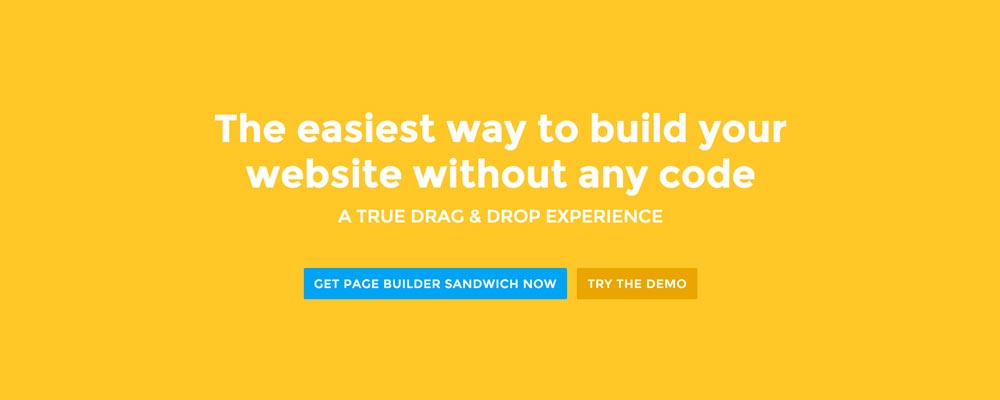 Here’re a few examples of what you can do about your front page.
Add a background image. A large background image behind your large statement is a great eye-catcher and can further encourage visitor engagement. For new book author, maybe adding a background image illustrating the setting of his free ebook would entice people more.
Add an introduction video. Admit it, people can be lazy, especially when it comes to reading. So if your site is a bit complicated, it might be a good idea to add a short video that introduces your site/product quickly. For the wedding organizer, then this can be a video of their latest wedding. Or for our site for example, we can add in a quick intro about the features of our plugin.
Add a video background. This is a bit of a trend nowadays, but I find it appealing at times. If this suits your taste, then this might be a good idea.. I know PayPal had a video background before in their site. For the small hotel, you can put in a stationary video of a scenic area of your hotel as the backdrop.
निष्कर्ष
तपाईंको फ्रन्ट पेजको लागि above the fold सामग्री बनाउन गाह्रो छैन, तर यसलाई सही ढङ्गले गर्न केही सोचविचार र परीक्षण आवश्यक पर्दछ। यदि तपाईंसँग पहिले नै साइट छ र तपाईं त्यसैमा सन्तुष्ट हुनुहुन्छ, तर तपाईंको Google Analytics मा बाउन्स रेट उच्च छ भने, म तपाईंलाई माथिका सुझावहरू अपनाएर आफ्नो above the fold सामग्रीलाई पुनः विचार गर्न प्रोत्साहन गर्दछु।
If you have tips on creating above the fold content, kindly share them in the comments!
Page Builder Sandwich can Help You Design Your Front Page & Above The Fold Content
Page Builder Sandwich is a WordPress plugin that allows you to create any design you want without writing any piece of code.


 Now you can download the Lite version of Page Builder Sandwich from the

 संस्करण २.४ देखि, तपाईंले अब Markdown प्रयोग गरेर आफ्नो फ्रन्टइन्ड भित्र सामग्री सम्पादन गर्न सक्नुहुन्छ भनी घोषणा गर्न पाउँदा म हर्षित छु!
 गत हप्ता हामीले संस्करण २.१ जारी गर्यौं जसले धेरै बगहरू समाधान गर्यो र Page Builder Sandwich मा WordPress लिङ्क सम्पादक डायलग थप्यो।
 सबैलाई नयाँ वर्षको शुभकामना!

 There may be times where you want to add supporting videos from YouTube or Vimeo into your site. Or maybe you want to add Tweets from Twitter, or content from other websites like Flickr and Instagram. You can