
 What you put in the top of your front page has a huge impact on the success or failure of your website. Put the wrong thing in, and you’ll probably see your visitors quickly navigating away from your site. Put the right content there and you may see your sales go up.
This article isn’t an all-in-one guide for creating above the fold content, nor is about an all-encompassing rule on what you should put in. Rather, I will give you a few tips, recommendations and a little bit of helpful research about this topic.
Prima di immergerti subito, è bene sapere innanzitutto come si chiama la parte superiore della tua home page. C’è un nome migliore rispetto a “parte-superiore-del-tuo-sito”.
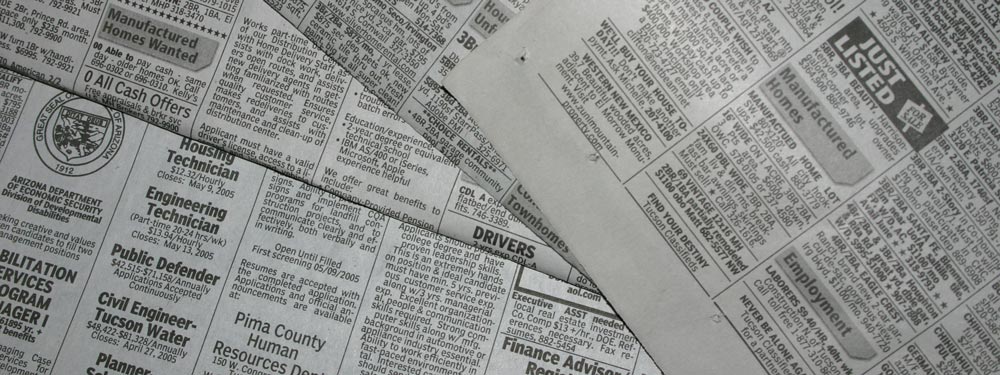
“Above the Fold”
Si chiama Above the Fold (sopra la piega). Perché? Perché agli albori, quando l’umanità aveva questi oggetti chiamati giornali, di solito venivano piegati a metà in modo che solo la parte superiore fosse subito visibile. Quella parte superiore o “sopra la piega” conteneva i titoli più importanti del giorno, poi, aprendo il giornale, si vedeva il resto dei titoli meno importanti. Allo stesso modo nei siti web, la parte superiore del tuo sito è la prima cosa che le persone vedono; poi, scorrendo verso il basso, si vede il resto del sito, proprio come quando si apre un giornale.
Rimanendo sull’esempio del giornale, supponiamo che tu stia camminando per strada e veda un’edicola. Quando vedi il giornale, se il titolo è interessante, potresti acquistarlo per leggere il resto. Questo è essenzialmente lo stesso con i siti web: se i visitatori passano dal tuo sito e trovano interessante il tuo contenuto “above the fold”, potrebbero lasciarsi convincere e scorrere verso il basso o visualizzare il resto del tuo sito per scoprire di più.
La ricerca di Nielsen
Earlier I said that your above the fold content may make or break your site. Nielsen Normal Group has written a few research articles about this across the years. I’ll quote the summary of their article The Fold Manifesto: Why the Page Fold Still Matters
The average difference in how users treat info above vs. below the fold is 84%.
If you just got confused about the wording of the quote, I did too at the start. Let me clarify: That study doesn’t mean that 84% of people do not scroll down, on the other hand I’ve seen other research say that most people do scroll down to the bottom of the page. It also doesn’t mean that the lower part isn’t important. Instead it means that the behavior of your visitors in your site is largely impacted by your content above the fold.
Questo ha senso, poiché l’area superiore di un sito web è la prima cosa che vedi.
Sapendo quanto sia importante il contenuto “above the fold” della tua home page, cosa dovresti inserire nella parte superiore del tuo sito?
Vai dritto al punto
Spiega subito di cosa si occupa il tuo sito. La tua home page e l’area “above the fold” sono la linfa vitale dell’intero sito. Se i tuoi visitatori si sentono disorientati, se ne andranno rapidamente e chiuderanno la scheda. Se sei un autore esordiente, scrivi che lo sei e mostra il tuo ultimo libro. Se sei un wedding planner, scrivi che sei un organizzatore di matrimoni che regalerà al visitatore il matrimonio più memorabile di sempre. O se stai creando un sito per il tuo piccolo hotel, scrivi che sei il miglior bed and breakfast della città. (Userò maggiormente questi esempi di seguito.)
I tuoi visitatori non dovrebbero dover indovinare di cosa tratta il sito. Dovrebbero capirlo subito; solo allora scorreranno verso il basso per visualizzare maggiori dettagli.
Coinvolgi intenzionalmente i tuoi visitatori
Successivamente devi pensare allo scopo effettivo del tuo sito web. Qual è il motivo per cui hai creato il tuo sito web, innanzitutto? Qualunque sia il motivo, devi inserire anche quello “above the fold”.
Prendiamo i pochi esempi che ho citato sopra. Per un autore emergente, probabilmente vorrai maggiore visibilità. Se hai un ebook gratuito, puoi inserire un pulsante affinché i tuoi visitatori possano scaricarlo. Per il wedding planner, vorrai che le persone ti contattino per i tuoi servizi: inserisci il tuo numero di telefono o un modulo di contatto. Oppure, per il piccolo hotel, inserisci un modulo di prenotazione insieme al tuo numero di telefono.
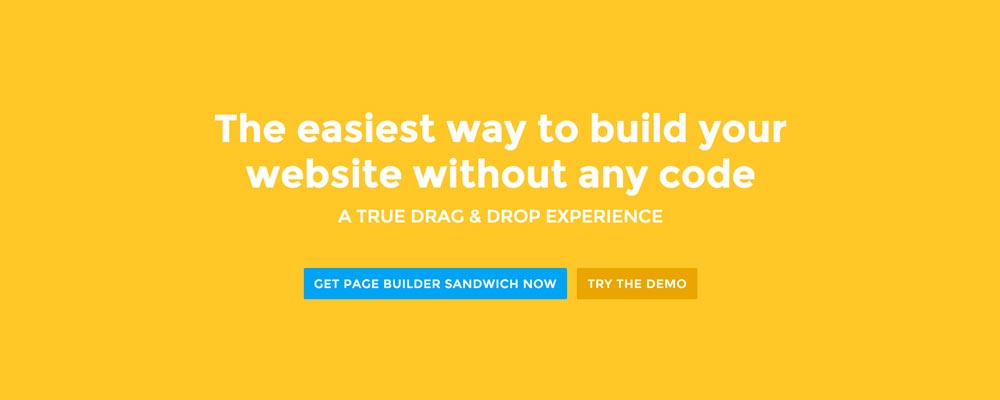
Per Page Builder Sandwich, voglio che le persone conoscano meglio il plugin e, alla fine, diventino clienti. Quindi ho inserito un pulsante che consente ai visitatori di provare subito la demo e un altro pulsante per acquistare il plugin.
Progettare l’area “above the fold”
Ora che sappiamo cosa inserire, è il momento di decidere il design. Personalmente, preferisco contenuti puliti e suddivisi in sezioni, da cui lo sfondo a tinta unita sulla nostra home page. Ma è anche una buona idea accompagnare il tuo contenuto “above the fold” con un’immagine o un video per renderlo più vivace.
 Here’re a few examples of what you can do about your front page.
Add a background image. A large background image behind your large statement is a great eye-catcher and can further encourage visitor engagement. For new book author, maybe adding a background image illustrating the setting of his free ebook would entice people more.
Add an introduction video. Admit it, people can be lazy, especially when it comes to reading. So if your site is a bit complicated, it might be a good idea to add a short video that introduces your site/product quickly. For the wedding organizer, then this can be a video of their latest wedding. Or for our site for example, we can add in a quick intro about the features of our plugin.
Add a video background. This is a bit of a trend nowadays, but I find it appealing at times. If this suits your taste, then this might be a good idea.. I know PayPal had a video background before in their site. For the small hotel, you can put in a stationary video of a scenic area of your hotel as the backdrop.
Conclusione
Creare contenuti “above the fold” per la tua home page non è difficile, ma richiede un po’ di riflessione e di test per farlo bene. Se hai già un sito e sei convinto di ciò che hai fatto, ma hai una frequenza di rimbalzo elevata in Google Analytics, ti incoraggio a provare a ripensare i tuoi contenuti “above the fold” seguendo i consigli sopra riportati.
If you have tips on creating above the fold content, kindly share them in the comments!
Page Builder Sandwich can Help You Design Your Front Page & Above The Fold Content
Page Builder Sandwich is a WordPress plugin that allows you to create any design you want without writing any piece of code.


 Now you can download the Lite version of Page Builder Sandwich from the

 Sono felice di annunciare che, a partire dalla versione 2.4, ora puoi modificare i tuoi contenuti direttamente nel frontend usando Markdown!
 La scorsa settimana abbiamo rilasciato la versione 2.1, che ha risolto molti bug e ha aggiunto la finestra di dialogo dell’editor di link di WordPress a Page Builder Sandwich.
 There may be times where you want to add supporting videos from YouTube or Vimeo into your site. Or maybe you want to add Tweets from Twitter, or content from other websites like Flickr and Instagram. You can
 Buon anno a tutti!
