作者: Neil Lock

  • 为什么你应该在 WordFence 防火墙中将 URL 加入白名单(以及如何操作)

    If you’re using Page Builder Sandwich along with Wordfence Security, there’s a chance you might have encountered something called a 403 error.

    Now, according to WordPress resource site WPBeginner, 403 errors occur when server permissions don’t allow access to a specific page.

    但是 403 错误究竟意味着什么,为什么它一开始会在 Page Builder Sandwich 中出现?

    The 403 Error Explained

    403 错误最常见的原因是安全插件未按照特定方式或标准进行配置。

    Like WordFence, most security plugins from WordPress restrict some actions if they’re suspected or proven to be malicious. These scenarios usually occur on your WP Admin or WP Login page, or show up as pop-ups alerting you that you don’t have authorization to view your page.

    如果您在 Sandwich 上遇到此弹窗,它将显示为以下样式:

    So what does this mean? Is Sandwich safe to use? Is WordFence bad? And does the 403 error warrant bad points for both Wordfence and Page Builder Sandwich?

    其实不然。

    All of this just means that Wordfence is extra careful when scanning your external plugins.

    And that’s actually a really good thing, especially since they’re a security plugin.

    WordFence is Legit…

    WordFence 是 WordPress 最受欢迎的安全插件之一。它拥有超过一百万的活跃安装量,因此很有可能您的 WP 网站上也安装了它。它们的存在是为了一个崇高的目标:不仅要确保您的网站安全,还要降低安全风险,并全面提升您网站的安全性。

    tl;dr(长话短说):WordFence 是靠谱正规的。

    …And So is Sandwich. But Why Does It Need Whitelisting?

    WordFence 拦截的并不仅仅是 Sandwich。

    其他插件和 URL 也需要在 WordFence 上加入白名单(黑名单的反向操作)。一些更热门的插件可能已被 Wordfence 默认允许。

    那么后台到底发生了什么,403 错误又是从何而来的呢?

    Ajax Functions and Page Builder Sandwich

    Page Builder Sandwich 在您的整个编辑体验中都会执行 ajax 功能。某些插件也会这样做。

    W3Schools 对 ajax 进行了进一步阐述:

    AJAX is a technique for creating fast and dynamic web pages. It allows web pages to be updated asynchronously by exchanging small amounts of data with the server behind the scenes. This means that it is possible to update parts of a web page, without reloading the whole page.

    Chart taken from W3Schools

    在 Page Builder Sandwich 中,ajax 调用涵盖从获取简码映射、渲染简码到保存更改的各种操作。 这可能会导致您遇到一些问题,例如 403 错误、保存输出时出错或简码未渲染。这时您可能需要将特定于 Page Builder Sandwich 的 ajax 调用加入白名单。

    Whitelisting Page Builder Sandwich on WordFence

    要在 Wordfence 的防火墙中将 PBS 加入白名单,请在 Whitelisted URLs(白名单 URL)区域中添加一条包含以下参数的条目:

    URL: /wp-admin/admin-ajax.php

    Param Name: main-content

    Param: POST Body

    对于多站点 WordPress 安装,建议在上述 URL 中包含您站点的文件夹名称。例如:/my-multisite/wp-admin/admin-ajax.php

    添加这些值后,403 错误应该就能得到妥善解决,并且您应该能够重新保存输出并生成已渲染的简码。

    在您的 WordFence 防火墙设置下,它应该显示如下:

    Ta-da!

    Conclusion

    是的,Page Builder Sandwich 是可以安全使用的。

    不仅如此,它仅在编辑模式下执行 ajax 操作,并且与外部插件和主题兼容(只要它们符合 WordPress 的编码标准)。

    WordFence Security 也是如此。

    但它们出色的一点在于,它们为 WordPress 用户提供了确保网站安全无虞的机会,并提供了额外选项,让您可以自主决定哪些插件是安全的,哪些不是。

  • 社交媒体策略:其在网站建设中的重要作用

    social-media-strategy-its-important-role-in-site-building

    几十年前,科学家和专业人士一直在绞尽脑汁寻找平信的更好替代品。我们曾用过一阵子寻呼机,还有那些大到装不进口袋的手提电话。尽管过去的科技充其量令人怀旧,但绝对无法与21世纪的沟通方式相提并论。如今,在2016年,只需一秒有余即可联系到我们的朋友、家人和同事。正如陈词滥调所言:“一切真的就在指尖触手可及之处”。千真万确。

    正在慢慢脱离传统?

    很难否认,由于当今快节奏的创新,我们不得不放弃了多少传统常规。这让我们花了一些时间去适应(尤其是对于老一辈人来说),但说实话,这并不见得是一件坏事。事实上,情况恰恰相反。

    例如,在1993年,一位面包师要打听一款新烤箱型号所耗费的时间和精力通常需要数周甚至数月。如今在2016年,只需浏览烤箱制造商的网站即可完成同样的事情。此外,如果该烤箱公司宣布下周末举行促销,而面包师想告诉朋友们,他们只需在Facebook、Twitter或其他热门社交媒体网站上发帖即可。在这个时代,我们大家在生活中的某个时刻都已经习惯了这种日常,所以我们非常确信你对这个过程很熟悉。

    恰当的例子是,社交媒体是几乎将任何消息广而告之的绝佳途径。它在当今的影响力极其强大,正因如此,你的在线影响力可能是建站之旅及其维护成功的关键因素。事实上,像《时代》(Time)和《经济学人》(The Economist)这样经常在报摊出售的杂志,其内容不仅提供实体印刷版,还提供在线版,从而确保触及更广泛的受众。同样,如果有影响力的人偶然发现了你的网站,并发现他们喜欢你的内容(或至少觉得内容很有价值值得分享),他们很可能也会通过其他社交媒体渠道来传播你的内容。

    不过请记住,并不一定需要有影响力的人来宣传你的网站;仅仅通过社交媒体自己分享(或在少数其他人的帮助下分享)你的内容,也能为你打开许多大门,无论你的目标受众是谁。事实上,BrandWatch.com上的一篇文章指出,有23亿人(占世界31.7亿总人口中)出现在社交媒体上。

    那是相当庞大的人数。请放心,你的目标受众肯定就在这部分人群中。

    拓展社交媒体的功能

    除了将你的内容公之于众,社交媒体的相关性还延伸到随时跟进任何受众或市场的最新趋势。在衡量受众的渴望和需求时尤其如此,并将进一步延伸到你如何更好地触达并满足他们;记住,积极触达受众始终是网站成功的重要因素。

    虽然你可能不会在网站上线后的第一个月甚至前几年奇迹般地获得15,000名关注者,但在社交媒体账户上保持活跃的在线存在,从长远来看无论如何都会为你带来巨大的推动力。记住:罗马不是一天建成的,保持坚定!

    可能更多

    Treehouse.com上的一段高级视频指出,与电子邮件和传统的宣传活动相比,社交媒体在触达受众方面的效果是其他任何方式的两倍。确实,社交媒体仍然是一个强大的工具,可以在受众覆盖面上带来巨大改变。社交媒体的开创性之处在于,大多数时候它是免费的(谢天谢地)。所以充分利用这一优势吧!

    建站愉快!

  • 轻松添加电子邮件通讯订阅表单

    Easily-Add-Email-Newsletter-Signup-FormsAdding an email newsletter sign up form to your site is a great way to grow your website’s following and to keep your website visitors interested in your site or product. And now you can easily add and customize newsletter sign up forms directly in your designs.

    preview-newsletterNew in Page Builder Sandwich is the Newsletter Element (check the short gif above). Now you can add a newsletter sign up form for your MailChimp, AWeber or MailPoet newsletter lists directly into your designs.

    通常,您必须安装另一个插件,然后可能在某处添加简码,或者必须通过弹出窗口填写一些字段,又或者必须设置一个小工具才能使简讯订阅表单正常工作。现在,添加简讯订阅表单的所有复杂操作都不复存在了。只需在页面上添加简讯元素(Newsletter Element),填入您的邮件列表 API 密钥,它就能立即生效。

    您只需点击电子邮件输入框(可更改其颜色、大小、边框等),或点击按钮(可添加图标、更改按钮大小,甚至可以将其设置为仅在访客开始输入电子邮件地址时才显示),即可进一步自定义订阅表单。您可以完全自定义外观以契合您的设计风格。想要输入框在用户键入时变色?使用拾色器即可轻松实现。需要极简设计,输入框仅显示边框?完全没问题!

    很棒的一点是,简讯元素不会打断用户在您网站上的浏览流程。一旦他们订阅,页面不会刷新,订阅表单将直接替换为“感谢”消息。此消息及其颜色也同样支持自定义。

    与 Page Builder Sandwich 的其他功能一样,您可以将全新的简讯订阅表单放置在任何您喜欢的位置,只需将其拖入行内或其他位置即可。

    邮件列表重要吗?

    简短的回答是:重要。正如拥有 Twitter 账号时其他 Twitter 用户可以直接“关注”您并看到您的推文一样,邮件列表就是访客通过电子邮件关注您网站的方式。

    还没有邮件列表?

    If you don’t have a mailing list yet, now is a good time to get started. Getting a newsletter service like MailChimp or AWeber is good since they do the heavy lifting of managing your subscribers and blasting an email to your subscribers easily. They also have newsletter builders that will let you create a newsletter campaign easily. The good thing is they have free plans, so you won’t need to shell out cash in order to try it out.

    If you’re more of a I-like-to-handle-it-myself guy or gal, then you might consider using MailPoet. It’s downloadable free from wordpress.org and they have a paid model as well. With MailPoet, you’ll be able to see your subscribers within your dashboard and you can also send out emails from there. It’s easy to use as well and just takes literally less than 5 minutes to fully set up in your site (Yes, I’ve tried).

    了解有关 Page Builder Sandwich 的更多信息

  • 什么是着陆页(以及为什么我无论如何都需要一个)?

    In a previous article, we mentioned that 84% of website conversions occur on the first visit. And during this first visit, the average site visitor is only going to stay on your website for about 10 seconds.

    That means that’s all the time you have to make a good impression, convince your visitors to stay on your site, and to (hopefully) convert that site visit into a lead.

    仔细想想,还真挺让人感到压力的。

    But not to worry- landing pages help you do just that. More specifically though, well-crafted landing pages help you to do just that.

    So what are they?

    In the simplest terms, a landing page is any page that gets traffic from anywhere other than the usual pages on your site (like your Homepage, FAQ, or Contact Us page).

    The difference between these “usual pages” though, is that landing pages reel in your audience using content that creates a sense of urgency – like call-to-action buttons and promo pages, for example – and they do it all in one page with a specific goal set in mind: They make your audience take action.

    And if all goes as expected, you get to convert your audience and site visitors into leads. This is called lead generation.

    着陆页是任何网站的关键组成部分,尤其是当您尝试建立受众群体并获取潜在客户时。它们也是创造收入的重要因素。

    What do they look like and when do I start making one?

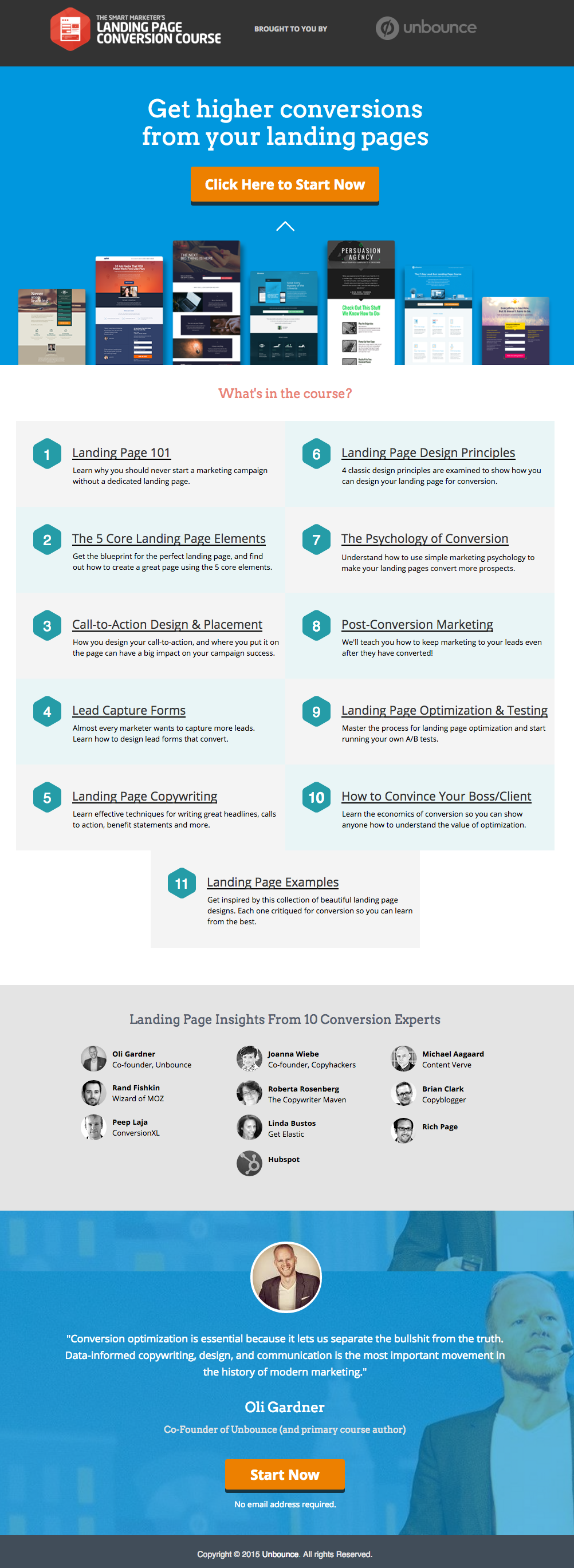
    这里有一个来自 Unbounce 的优秀着陆页示例,我们非常喜欢:
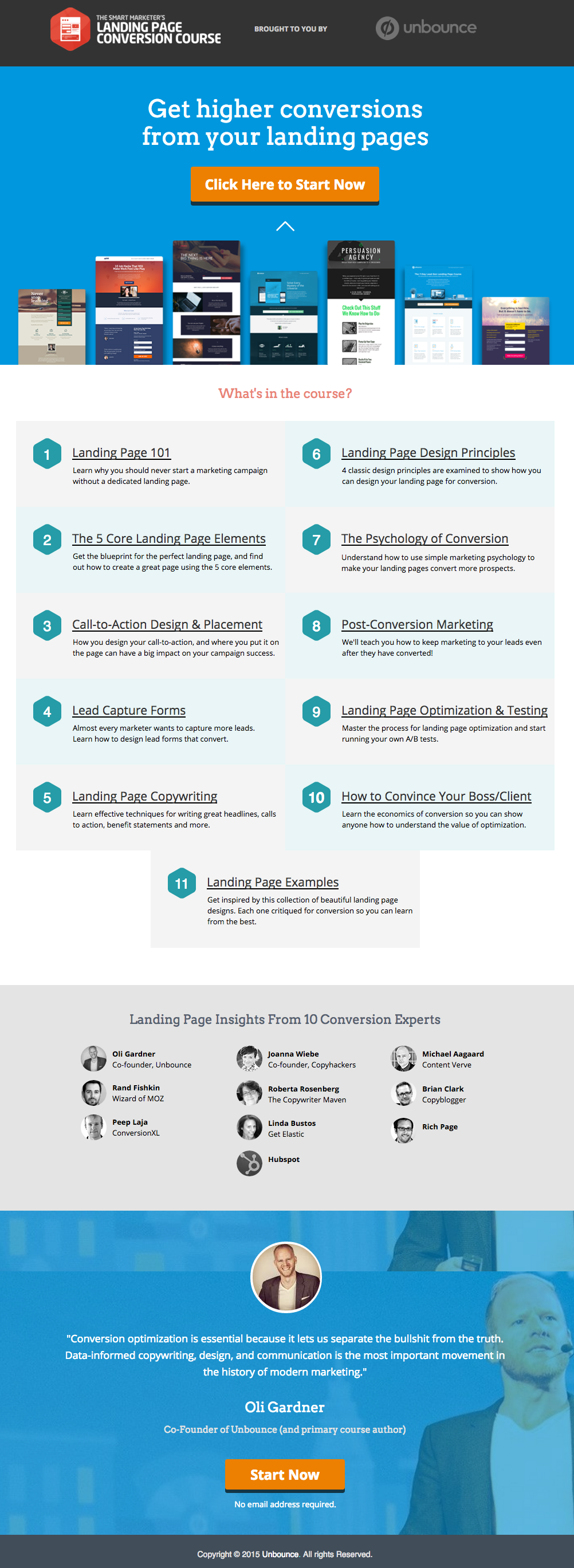
    This has all of the right elements you need to execute the perfect landing page: it’s got just the right amount of text (which is really helpful for boosting SEO), and it’s packaged in a way that it’s not too heavy or intimidating for site visitors.

    The imagery is great as well, and the placement of the two call-to-action (or CTA) buttons give the visitors just enough cues to sign up for their service. Not too little, but not too much either.

    (提示:Unbounce 的着陆页看起来相当精致——如果您想在自己的着陆页上复制类似的风格,甚至可能会感到有些望而生畏——但实际上,您可以使用 PBS 创建出同样美观且相似的页面)。

    MAKE YOUR OWN LANDING PAGE: If you’re new to design, First Site Guide’s Elements & Principles of Design Cheat Sheet proves to be friendly and reliable for beginners.

    Take note though, that Unbounce’s example isn’t the only way you can create your landing page.

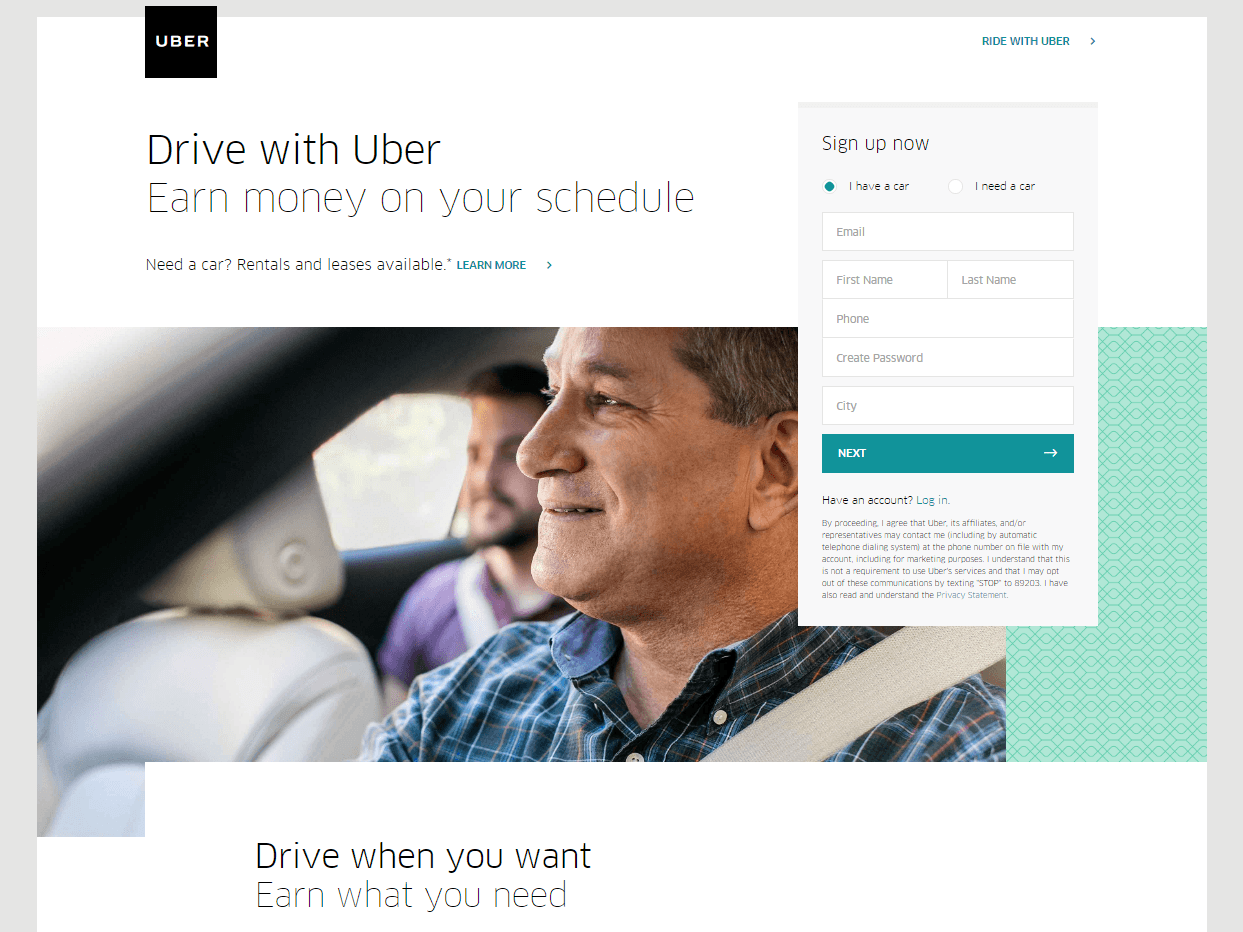
    You can always go for a simpler, cleaner look, like Uber’s landing page below:
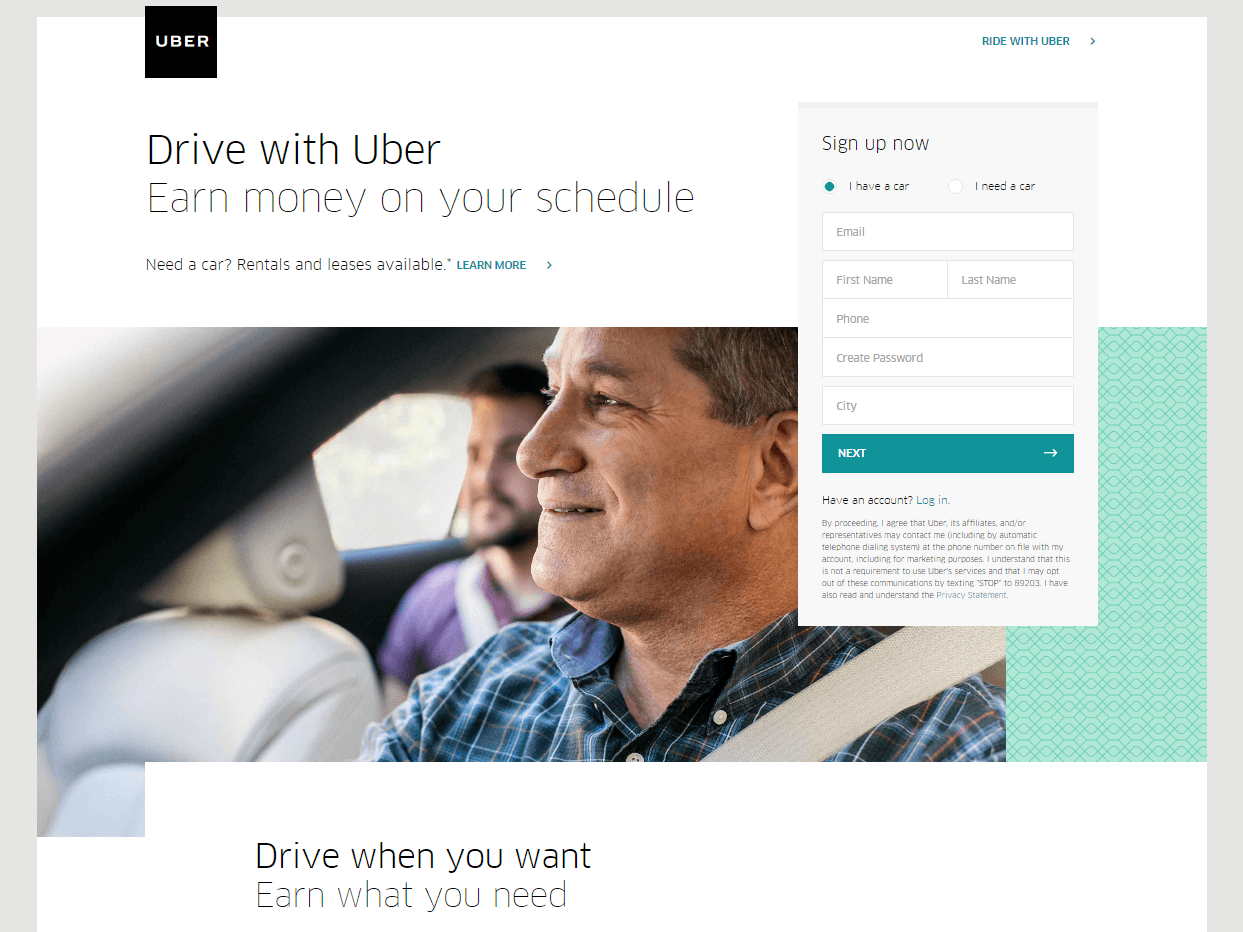
    The text’s placement, along with the sign-up forms look crisp and clean. There’s also minimal distractions on this landing page, which prompts its visitors to sign up right away.

    MAKE YOUR OWN LANDING PAGE: First Site Guide’s Psychology of Color Cheat Sheet is a huge helA, which can help you balance out the right kind of colors that create a minimal yet classy effect for your landing pages.

    You can have more than one

    This is a little tricky because you have to learn how to strike a balance, but if you think it’ll help generate more leads,  you can actually build more than one landing page. Again, different landing pages cater to different needs.

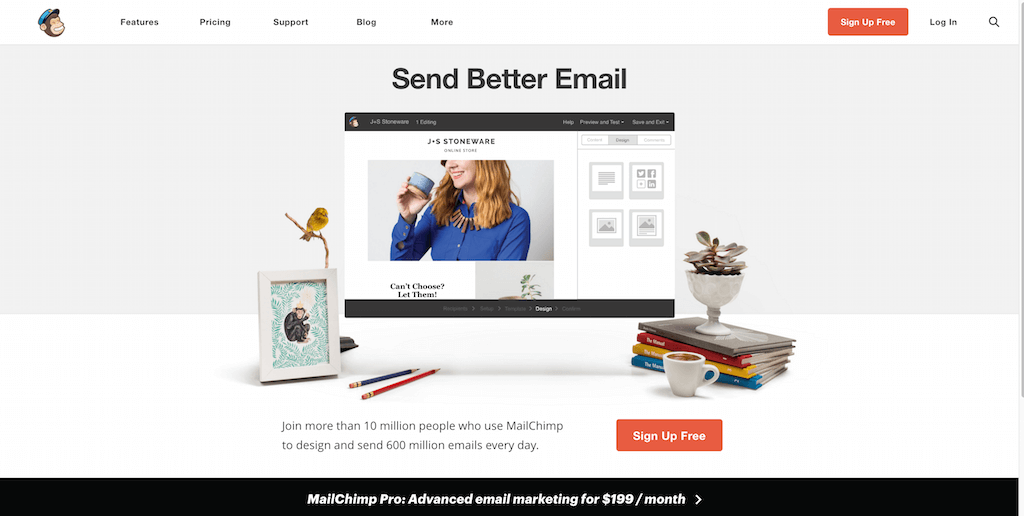
    以 MailChimp 的这个页面(众多示例之一)为例,它促使用户免费注册其服务:
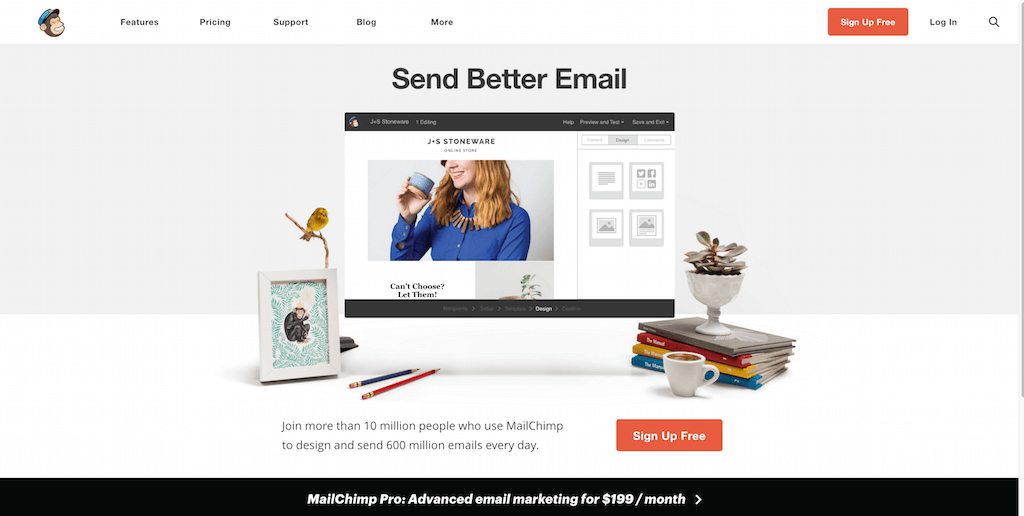
    (It worked by the way, as we use MailChimp for our newsletter service, too).

    Take note of the text – it’s straight to the point, and addresses the target’s audience needs in just three simple, albeit powerful words; enough to catch the visitor’s attention, and convert into a lead.
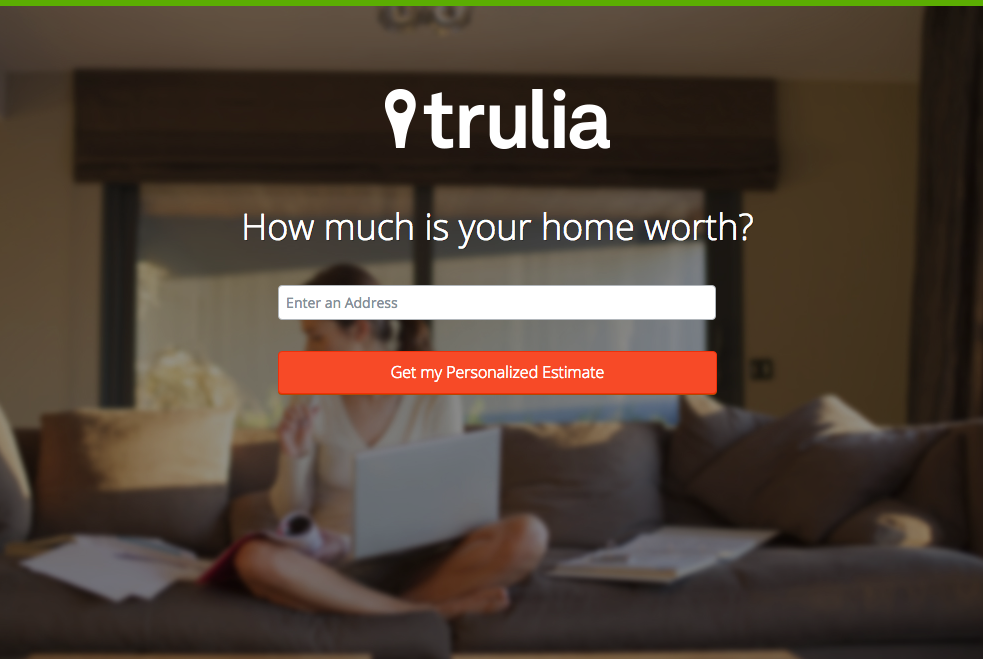
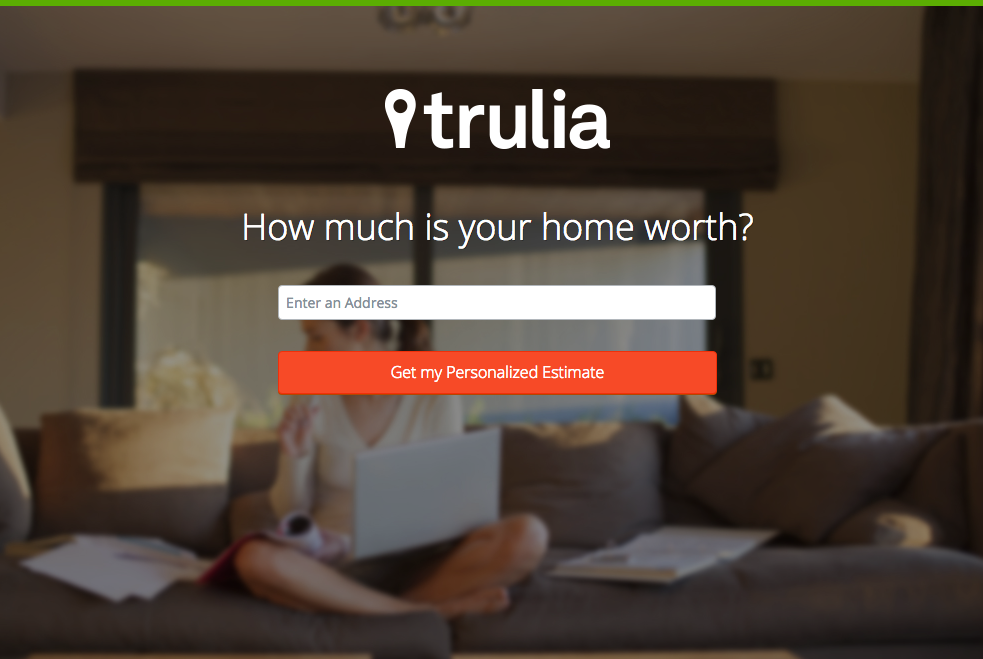
    Here’s another from Truila, which helps its users get an estimate of how much their houses are worth.

    Unlike the previous examples, Truilia doesn’t offer a catch to their customers in this particular landing page. They simply offer to give the visitor a chance to test out their service.

    Again, take note of the copy: no fluff, and it gets straight to the point.

    Usually, landing pages like these direct you towards another, one that has more information about what the website is offering. This is also a great technique used to capture more leads.

    MAKE YOUR OWN LANDING PAGE: Did you know that “Under Construction” pages count as landing pages, too? This blog post by First Site Guide teaches you how to make one.

    More doesn’t always mean merrier

    It’s important to remember that the problem isn’t the lack of landing pages per se – but the lack of well-created, successful landing pages.

    任何网站都可以制作大量着陆页,但这并不意味着会自动带来成功的潜在客户转化。

    再次强调,着陆页的门道非常微妙——因此,如果您有能力投入精力去研究其背后的艺术与科学,强烈建议您这样做。

    Here are some websites that’ll be really helpful in your journey to creating landing pages

    Landing Folio

    http://www.landingfolio.com/

    Landing Folio is an extensive gallery that’s really useful when it comes to getting inspiration for landing page designs. They also offer some kick-ass, friendly courses on how to perfect the art of creating landing pages. Plus, all the designs are pretty and fun to look at as well.

    First Site Guide

    http://firstsiteguide.com

    First Site Guide 是互联网上资源最丰富的网站之一,特别是如果您是网络新手并希望做出一番成绩的话。他们的资源包括内容创作工具清单、产品评测与对比、信息图表、易懂的视频教程等。如果您刚刚开始创建自己的第一个着陆页,这绝对会大有帮助。

    Conversion Lab

    http://conversionlab.no/
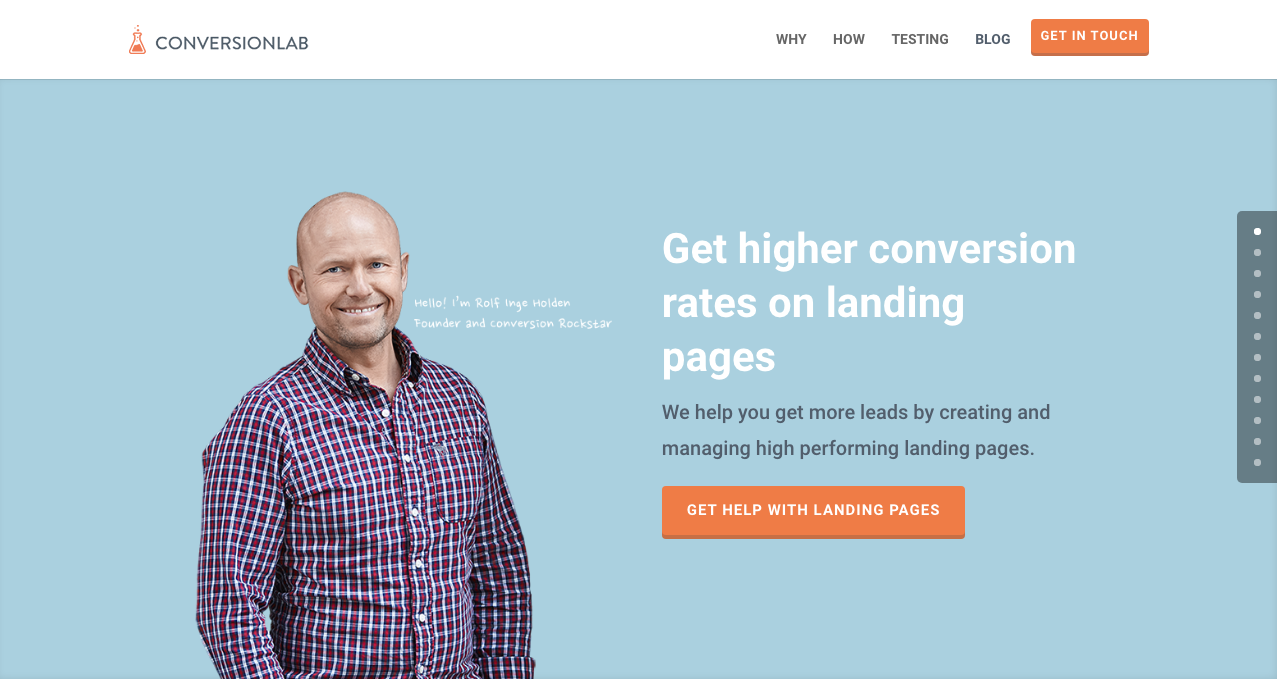
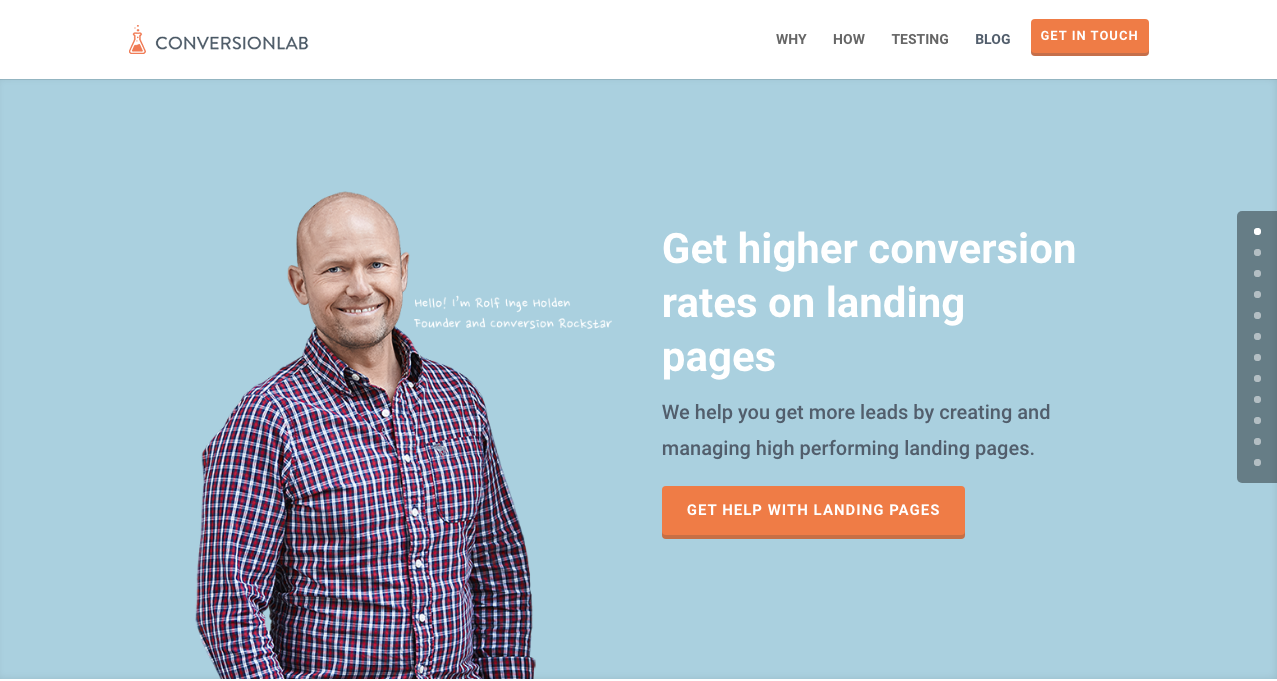
    Apart from the fact that their own landing page is pretty well-crafted itself, Conversion Lab does exactly what they say they do: they help you get conversions. They also help out with testing too, which is crucial to any website that’s trying to raise their conversion rates.

    Hubspot

    https://blog.hubspot.com/marketing
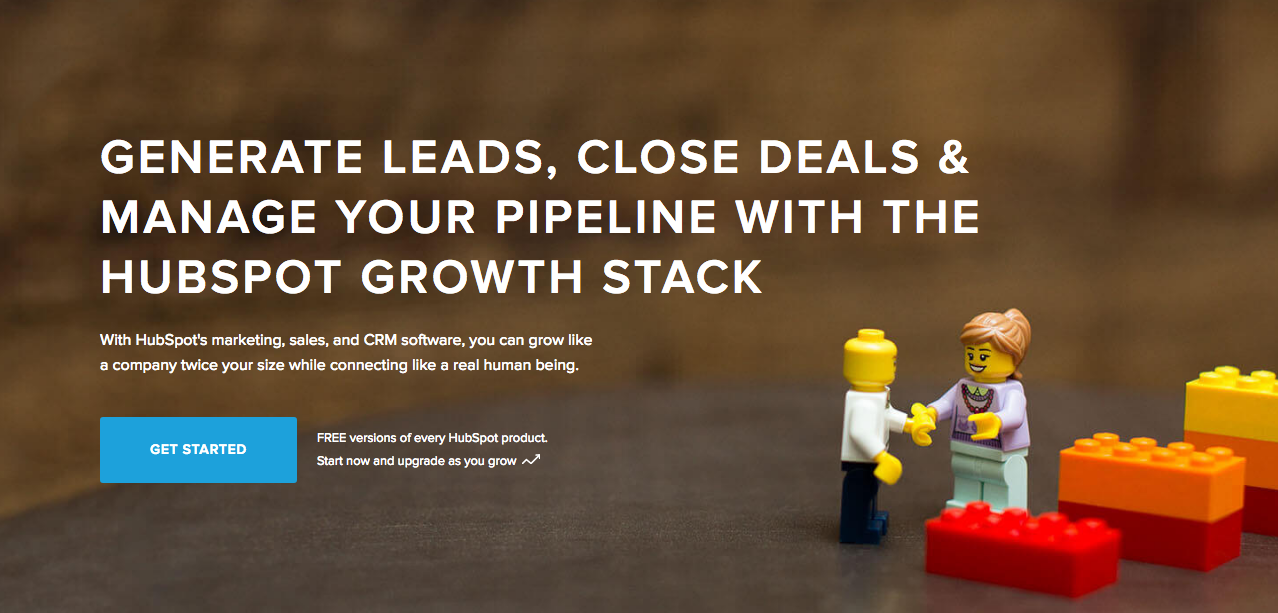
    Hubspot is an all-around help site that lends you a hand in almost anything and everything related to online marketing.

    他们拥有品类丰富的文章库,涵盖制定商业计划、内容和集客营销,当然还有着陆页。对于数字营销领域的新人来说,这是一个极好的资源。

    结语

    着陆页制作可能非常棘手,特别是当您刚刚开展任何类型的业务时。

    但请记住,投入时间去了解它们的工作原理以及如何制作是非常值得的。为什么?因为它们能带来潜在客户,而潜在客户能带来收入。

    Take note that digital marketing trends are changing rapidly. You have to keep with these trends in order for your business to not only survive, but to also thrive.

    Do you have any other tips or resources that you’d like to share with us? Comment below, or send us an email at [email protected] if you’d like to get featured as a resource in one of our articles.

    祝您建页愉快!

  • 短代码映射器插件功能:Modern Tribe 的 The Events Calendar

    shortcode-mapper-plugin-feature-the-events-calendar-by-modern-tribePlugins of the same category, but with respective features, are developed and enhanced every day. This gave birth to the variety of WordPress-powered websites – and later on, websites catering to several functions. For instance, there is a number of plugins which enables a developer and/or user to create, schedule, invite an interested person to an event.

    The Events Calendar is the events calendar you’ll need

    There are a lot of available events calendar in the WordPress market. So how do you choose? There are recommendation blogs, plugin face-off blogs, and of course testimonials from different users. All of these have one thing in common: they include The Events Calendar by Modern Tribe in their list.

    screenshot-2016-10-05-20-00-09
    An example of a minimal event post of The Events Calendar

    The Events Calendar 究竟有什么特别之处?

    Modern Tribe 开发的 The Events Calendar 是该类别中最前沿的插件。它提供专业水准的活动文章。它的界面非常简洁,顶部是标题,接着是日期和时间、价格(如适用)、特色图片和/或地图,以及关于活动的其他详细信息。您可以按日期、关键词查看所有活动,如果使用 Pro 版本,还可以按地点查看。

    You can do much more with The Events Calendars Pro and its official add-ons:

    The Events Calendar PRO

    • Recurring events
    • Week view
    • Photo view
    • Location search
    • Map view
    • Venue and organizer view
    • Advanced widgets
    • Additional fields

    The Events Calendar ADD-ONs

    • RSVP tickets
    • Event ticket plus via WooCommerce, Shopp, WPeCommerce, Easy Digital Downloads)
    • Community Events
    • Community Tickets
    • Filter Bar
    • Facebook Events
    • iCal Importer
    • Eventbrite Tickets

    将其与 Page Builder Sandwich 结合使用会更加出色

    screenshot-2016-10-04-17-46-04Recent posts were made to highlight the benefits of using PBS and its Shortcode Mapper. This is to make sure that you guys are taking advantage of the latest innovation that the Sandwich Team can develop plus notify the plugin developers that their creation gave birth to another awesome feature.

    就 The Events Calendar 插件而言,我们总结了两个令人惊叹的理由,说明为什么这种组合是必不可少的:

    1.      经过 WordPress 插件权威专家的评审

    The Modern Tribe assured their customers that the product and service they offered was of quality. Creator of Easy Digital Downloads, Pippin Williamson gave his inputs about The Events Calendar. Alongside him was Mark Jaquith, one of the leading WordPress developers, who made sure that the plugin was secure.

    Page Builder Sandwich was also reviewed recently by Pippin, together with the other established and rising page builders in the market. In his in-depth critique, he concluded that indeed, PBS is one of the most powerful drag-and-drop page builders. He highlighted that only  Page Builder Sandwich was able to create a functioning Shortcode Mapper.

    2.      简码选项:从后端到前端编辑

    默认情况下,该插件的简码选项可以通过后端管理面板进行访问。然后,就会经历后端插件相同的流程:进入后端编辑器,输入所需的更改, 然后保存。只有点击刷新按钮后,才能看到编辑后的内容。总而言之,总共需要 4 个步骤.

    但是通过 Page Builder Sandwich,这个漫长的过程已经变成了实时前端编辑——只需 2 个步骤:

    1. Instead of going to the backend panel to access the shortcode options, click on the Shortcode Mapper and select on The Events Calendar. You’d be redirected to a pop-up window as seen below. Click on The Events Calendar.
      screenshot-2016-10-04-17-43-37
      View of The Events Calendar in the Page Builder Sandwich Shortcode Mapper
    2. screenshot-2016-10-05-19-57-11
      Close look at The Events Calendar Shortcode Properties
      The Inspector on the left displays the initial properties of the shortcode. Clicking on the “Open Editor” button, the shortcode controls displayed at the backend can now be accessed on the frontend via a pop-up window.
    screenshot-2016-10-06-13-25-04
    See? The Events Calendar looks like you’re just making an event post.

    screenshot-2016-10-06-14-37-52

    好处多多,对吧?

    With the integration of a page builder that doesn’t lock you in and leaves shortcode mess, and the most popular events calendar, your workflow would not only smoothen but also increase in productivity. Additionally, you can look into what Modern Tribe offers: the bundle of plugins that go with The Events Calendar.

    到目前为止,Modern Tribe 的 The Events Calendar 插件是我们简码映射器(Shortcode Mapper)中唯一映射的插件。然而,这并不意味着映射就此止步。只需留言告诉我们您希望在我们的 Shortcode Mapper 中看到 Modern Tribe 的哪款插件即可。

  • 节日特惠:限时畅享所有许可证 7 折优惠!

    是的,你没听错!Page Builder Sandwich 从今天开始提前放假,即 2016年12月17日,一直持续到 2017年1月1日!没错——我们将连续15天为所有许可证提供 30% 的折扣优惠!无需优惠券代码。节日快乐!

    "Christmas ornaments - HBW" by Bhavna Sayana is licensed under CC BY
    “Christmas ornaments – HBW” 由 Bhavna Sayana 授权依照 CC BY 许可协议发布

    与此同时,我们也想借此机会宣布,PBS 即将在 1月14日迎来一周年纪念日。我们为大家准备了大量精彩内容,希望你们能和我们一样感到兴奋!以下只是其中的一小部分:

    • 视差滚动
    • 视频背景
    • 单页模板
    • 响应式控件
    • 自定义 CSS 样式

    我们很快就会发布一篇文章,详细列出周年庆更新中所有值得期待的新功能。在下方订阅我们的通讯,以便在新版本发布时收到通知!

    节日快乐,建站愉快!


  • Page Builder Sandwich 第 3 版导览

    a-tour-of-page-builder-sandwich-version-3

    我们在 Page Builder Sandwich 第 3 版中进行了许多更改。如果您使用 Page Builder Sandwich 已有一段时间,您会发现这些变化相当巨大。第 1 版、第 2 版与当前版本之间存在很大差异。在以前的版本中,所有内容都位于侧面的检查器中。此后,我们对组件进行了梳理,并将其拆分为不同且更合理的区域。我们在上一篇博文中列出了进行此次升级的原因。

    现有用户起初可能会觉得这些变动有些繁琐。只需花几分钟尝试一下,我们相信您就会感到得心应手。我们精心设计了界面的每个细节,以便让您在文字处理器中养成的习惯能自然地运用在网站搭建中。

    观看新界面导览

  • Shortcode Mapper 插件推介:Automattic 出品的 WP Job Manager

    how-to-create-a-website-from-scratch-for-under-100距离我们发布 Page Builder Sandwich 的最新功能——短代码映射器(Shortcode Mapper)已经过去一个月了。无论插件拥有多少短代码,我们都已集成了 100 多个插件(确切地说是 144 个插件)。这是一项繁琐的任务,但我们 做到了!

    为了让您对此有更多了解,我们开始介绍与 Page Builder Sandwich 完全集成的插件。第一站:Automattic 出品的 WP Job Manager.

    WP Job Manager 概览

    screenshot-2016-09-16-03-21-46

    基本上,WP Job Manager 是一款能帮您赚钱的插件——无论是因为您的客户需要为其网站添加招聘板功能,还是仅仅因为您发现不断壮大的公司需要招聘更多人才。

    使这款插件非常值得购买的一点是,您的潜在员工不仅限于使用笔记本电脑进行访问。WP Job Manager 拥有移动端支持功能,可以让收益源源不断。它还具有直观易用的搜索与筛选界面。与此同时,它还提供职位和公司信息,这意味着无需再去查证公司的真实性。一次职位搜索,所有信息一应俱全。

    如果您需要填补职位空缺,WP Job Manager 能让接收应聘申请变得轻而易举。

    Page Builder Sandwich 让使用 WP Job Manager 更简单

    您无需费心费力、苦寻信息来将页面构建器与该插件连接起来。以下是这两者高度兼容的 3 个原因:

    screenshot-2016-09-16-03-24-32
    Page Builder Sandwich 与 WP Job Manager 协同工作概览

    更快插入职位短代码

    PBS 短代码映射器检测到了该插件中使用的 6 个短代码,我们已将它们全部集成。每个短代码都有不同的参数,允许您显示职位搜索表单或特定职位详情。每个短代码的详细信息均可在其网站的短代码参考文档中找到。现在,您不必再查阅文档来了解如何调整这些短代码,所有短代码及其属性都已完整展示在 PBS 中,并附带说明。

    screenshot-2016-09-15-18-58-29
    WP Job Manager 的可用短代码

    screenshot-2016-09-15-18-54-362
    职位短代码属性

    兼容任何主题

    默认情况下,使用 Page Builder Sandwich 作为您的页面构建器编辑器不会破坏您选择使用的主题。此外,为了确保网站的全面优化,我们创建了 PBS 短代码映射器。同样的原理也适用于 WP Job Manager!ThemeForest 上的主题开发团队之一 Astoundify,就在其 Listify – WordPress Directory Theme 中支持了该插件。如需了解更多完全集成了 WP Job Manager 的主题,请查看其官方列表.

    在前端管理职位

    我们不赞成频繁在前端和后端之间来回切换,并且必须刷新页面才能查看所做更改的做法。使用 PBS,您无需查看后端即可编辑所选的职位,并且还可以在编辑页面的同时修改插件的设置。如果没有 PBS,用户必须付出更多努力,并耗费大量本可用于开发其他 WordPress 项目的时间。WP Job Manager 的这项功能正是我们最喜欢的一点!

    总结

    由于与 WordPress.com 出自同一家公司,该插件本身就具备身处聚光灯下的优势。但它同时也承载了来自 WordPress 开发者到忠实 WordPress 爱好者的诸多期望。到目前为止,就轻量级招聘板功能而言,它满足了所有人的需求。WordPress 开发者们非常喜欢这款插件,以至于他们甚至制作了扩展来增强该插件的实用性。

    未来几周我们将介绍更多插件!如果您对我们接下来应该撰写介绍哪些内容有任何建议,欢迎在下方留言。

    下次见!

  • 隆重推出 Page Builder Sandwich 4.0 版本

    当我们在2015年初开始开发PBS时,我们始终坚信它拥有突破自身极限的潜力。自发布以来的这一年里,我们的团队一直非常努力地工作,始终全力以赴,力求让PBS实现这一目标。

    In 2016, we’ve managed to release three versions of PBS, each one surpassing their predecessors with more advantageous updates after the next. Today, in 2017, we’re finally releasing Page Builder Sandwich Version 4.0 in commemoration of its very first birthday.

    老实说:这并不容易。

    但与2015年简陋的起点相比,我们现在有足够的信心说,Page Builder Sandwich自测试版以来确实取得了长足的进步。

    Then vs Now

    Taking a step back and looking at the different versions that PBS went through, it has really changed for the better.  Some learning mistakes just made us cringe and laugh!

    Enhanced User Interface

    For versions 3.0 and 4.0, we’ve made some major improvements with regards to the user interface. Pippin’s insight really made a wake-up call to us!

    The old interface of PBS Version 2.0  (left) vs Version 4.0’s cleaner, more efficient UI (right)

    Engaging in conversation and taking note of feedback has always been important to us, and is (and always will be) an integral part of Page Builder Sandwich’s continued growth. Out of all of PBS’ features though, we’ve received quite a number of critiques regarding the previous versions’ UI’s. All of them had one common denominator that many believed was detrimental to PBS’ functionality: the color scheme. According to most, it was too aggressive and did not compliment WordPress’ color palette. We’ve since addressed this issue in Version 4.0, constructing an improved UI with toned-down colors, all while still keeping PBS’ signature drag-and-drop UI intact.

    Mobile Responsiveness

    大多数页面构建器公认的另一个常见特性是对移动响应能力的需求,因为平板电脑和手机等设备越来越占据市场主导地位。

    Because of this, we’ve tackled mobile responsiveness in Version 4.0’s release. Viewing pages built with PBS now becomes a smoother, more efficient experience, with your page’s UI adapting to your device’s screen resolutions.

    除此之外,PBS现在还支持在桌面端进行移动端预览。这样,无论您需要哪种模式——无论是手机还是平板电脑——您无需实际使用这些设备,就能轻松预览页面效果。

    更重要的是,PBS现在允许用户在桌面、手机和平板端进行修改,而不会影响其他屏幕尺寸的显示效果。

    What’s New: Features

    Full Page Templates

    自PBS发布以来,我们注意到的另一件事是,用户倾向于根据特定的细分利基市场来构建页面。当然,在创建页面时这是很自然的事情,但对于用户来说,在构建这些特定利基页面的过程中就会遇到一些麻烦。例如,与带有图片画廊的普通日常博客相比,使用Page Builder Sandwich从零构建电子商务网站可能需要花费更多的时间。因此,鉴于对这类网站的需求不断增加,我们终于提出了解决方案——推出PBS的整页模板(Full Page Templates)。

    整页模板与预设计区块有何不同?

    PBS actually has a feature similar to the Full Page Templates, the Pre-Designed Sections. Since our team has been aware that there are users who lack the time to design and layout their pages and sites, the Pre-Designed Sections were built for this specific purpose. The Pre-Designed Sections are small, individual layouts professionally designed to be mixed and matched together to build a page. However, while they are pre-designed, they aren’t full page, and are not niche-based.

    The Full Page Templates are different in that they’re designed to be used for an entire landing page, and they’re laden with features that commonly go with a particular niche. For example, upon accessing PBS’ Hotel Template, you’ll find that with it comes a map, contact details, and sections specifically designed for enumerating the hotel’s amenities. Similarly, the PBS Fashion Template includes a carousel feature for showcasing fashion ensembles for modern shops. These templates can also be tweaked and adjusted to suit the user’s needs and taste, of course.

    更轻松地访问第三方插件

    WooCommerce, Advanced Custom Fields, Events Calendar, Instagram Feed, Contact Form 7, NextGen Gallery, among others, are now more accessible with Version 4.0. This means that if you have these plugins activated in your PBS-run site, you can now add them with more ease.

    备受期待的元素与特性:增强的功能与更多设计选项

    In the span of a year, we would regularly receive suggestions and requests for features that are currently in-demand in the page builder market. Among these include Parallax Scrolling, Video Backgrounds, Ken Burns Backgrounds, features that increase the aesthetic value of your page; and elements such as Pricing Tables, Testimonials, Countdowns, and Milestones to enhance your page’s functionality. With the release of Version 4.0, we’ve finally accomplished these and more. We’re sure your PBS experience will be even more worthwhile this time around.

    PBS的下一步计划是什么?

    自2016年1月首次发布以来,我们已经走过了漫长的道路。我们进行了重大改进,虽然这项任务并不轻松,但确实非常有收获。4.0版本仅仅是PBS更多改进的开端,在2017年,我们将继续努力,确保PBS越来越好。不过现在,我们希望您能充分利用这些新功能,并希望它们能让您在使用PBS时的体验更加物有所值。

    建站愉快!

  • 简码鲜为人知的问题

    The-Unspoken-Problem-of-Shortcodes

    短代码(Shortcode)是 WordPress 最具特色的核心功能之一。短代码是开发者与网站创建者之间的桥梁,允许人们在几乎任何他们想要的位置放置精心设计的内容。插件开发者非常喜欢短代码,因为这让其用户在展示内容的方式和位置上拥有了更大的灵活性。

    如果您不知道什么是短代码以及它们长什么样,它们就是包裹在方括号中的古老代码样式文本。它们看起来大概是这样的:

    这个特定的短代码被称为 embed 短代码,默认内置在 WordPress 中。它的作用是将该 URL 中的视频嵌入到您的内容中。如果您想尝试一下,只需复制并粘贴上述短代码到您的网站中即可。

    在幕后,当 WordPress 在您的内容中遇到短代码时,它会被处理并转换为其他内容。在上述我们的案例中,每当检测到

    短代码时,WordPress 就会获取短代码中的 URL,并根据其拥有的一系列内容提供商进行匹配检查。找到匹配项后,它就会获取相应的 iframe 嵌入代码并将其显示出来。

    那么问题出在哪里呢?听起来很简单,您只需输入带有括号的简短文本即可搞定。

    这就不得不提到短代码 API(Shortcode API)了……

    遍地开花的短代码

    短代码 API 为开发者打开了创建短代码的大门。正因如此,开发者可以在自己的插件中添加专属的短代码。

    这很棒,现在只需一小段类似代码的片段(因此得名“短代码”),无论是初学者还是高级用户,几乎都可以在任何地方放置他们想要的任何类型的内容。

    WordPress 默认只有少数几个短代码。由于数量很少,仅凭记忆打出来很容易。但是如果您安装了几个插件,短代码的数量很快就会激增到十几个甚至更多,在某些情况下还会超过一百个。每个短代码都有自己的一套属性和使用说明。每个插件很可能都会提供某种文档,介绍其所有短代码的工作方式,并列出每个短代码中可用的所有参数。但如果您试图记住所有的短代码及其属性,那真是要抓狂了。

    问题在于,没有一个集中的地方可以让您查找网站上可用的所有短代码以及如何使用它们。

    一些尝试解决该问题的方案

    一些插件试图通过在易于访问的下拉菜单中展示其所有专属短代码来解决此问题。点击其中一个就会输出该短代码,并附带其所有可能的属性。不再需要去死记硬背,这是一件好事。

    Screen-Shot-2016-06-22-at-11.27.09-AM

    有些插件更进一步,添加了一个带有复选框和颜色选择器的设置弹出表单,用来填充短代码的属性。

    Screen-Shot-2016-06-22-at-11.28.54-AM

    这种解决方案在一定程度上是有效的。但是,每个插件只列出自己的短代码。因此,如果每个插件都创建自己的短代码选择器形式,您难免会在屏幕上同时遇到多个短代码选择器(这种情况以前就发生在我身上)。

    Screen-Shot-2016-06-22-at-11.22.41-AM

    换句话说,每个插件各自为政,并为自己的短代码实现专属的解决方案。有些插件会在“添加媒体”按钮旁边添加一个新按钮,或者在 TinyMCE 内部添加一个新按钮。

    所以现在您可能会想:“为什么不把其他插件的短代码也收集起来,一并包含在您的下拉菜单 / 短代码选择器中呢?”嗯,我当初也是这么想的。但是,这说起来容易做起来难。我稍后会解释原因,但首先让我们看看一个理想的解决方案会是什么样子。

    理想的解决方案

    完美的方案是创建一个插件,收集您网站中所有可用的短代码,然后向您展示列表,并帮助您填写所有属性。而且每次安装新插件时,所有新引入的短代码也会一并呈现在您面前。

    想象一下,有一个中心位置存放了您的所有短代码,方便随时取用。每个短代码都会描述其功能以及所属的插件。然后对于每个可用属性,想象一下它们都配有标签、适当的值选择方式以及描述说明。您将看到下拉菜单、颜色选择器、单选按钮、开关切换等等。

    类似这样的东西将使我们作为网站和内容创作者的生活变得更加轻松。不再需要查阅不同的文档,也不再需要为了复制要使用的滑块所生成的短代码而到处翻找管理后台的不同版块。

    潜在的阻碍

    遗憾的是,目前要做成这样的事情相当困难。没有一种万无一失的方法可以获知短代码的所有详细信息。您可以获取所有短代码的列表,但只能获取它们的实际标签/名称,而无法获取有关它们的任何附加详细信息,例如属性列表、它们的作用及其类型(例如字符串、颜色或数字)。您也无法获得每个属性的描述说明。

    顺便提醒各位开发者:是的,shortcode_atts 函数新增了第三个参数,但它并不是必填参数。因此,除非世界上所有的插件开发者都去实现它,否则我们仍然没有确切的方法来确定某个短代码的所有属性。

    短代码 API 没有提供任何用于添加短代码描述、类型转换属性或属性描述的机制。而且除非 WordPress 本身添加一个用于访问短代码的中心区域,否则我怀疑这种机制很难被创造出来。

    总结

    目前,整理短代码的任务落在了每位开发者身上。除非在 WordPress 内部开发出一种集中式方法,否则预计您的后台仍将继续出现多个“添加短代码”按钮。至于是否应该将此类功能加入 WordPress 核心,这本身又是一个巨大的争议议题。

    替代方案

    有些页面构建器插件处理此问题的方式有所不同。它们没有采用程序化检测短代码的方式,而是提供了短代码映射器(shortcode mappers),用户可以在其中手动输入短代码的每个详细信息。完成后,它便可以在页面构建器内使用。虽然 这行得通,但它们仅在您自己的网站上可用。

    我们 Page Builder Sandwich 团队正在开发一款有望解决这一短代码难题的产品。订阅下方的简报,即可及时获取我们的最新进展通知。